

Installing the XM55 Kit
Set up your XM55 Kit in 9 short steps, about 20 minutes from the box to working proxies. Drag the 3D view to look from any side.
You need: the kit, one standard-size SIM with mobile data for each modem, and a router or modem that is online and has a free LAN port.
Set it up
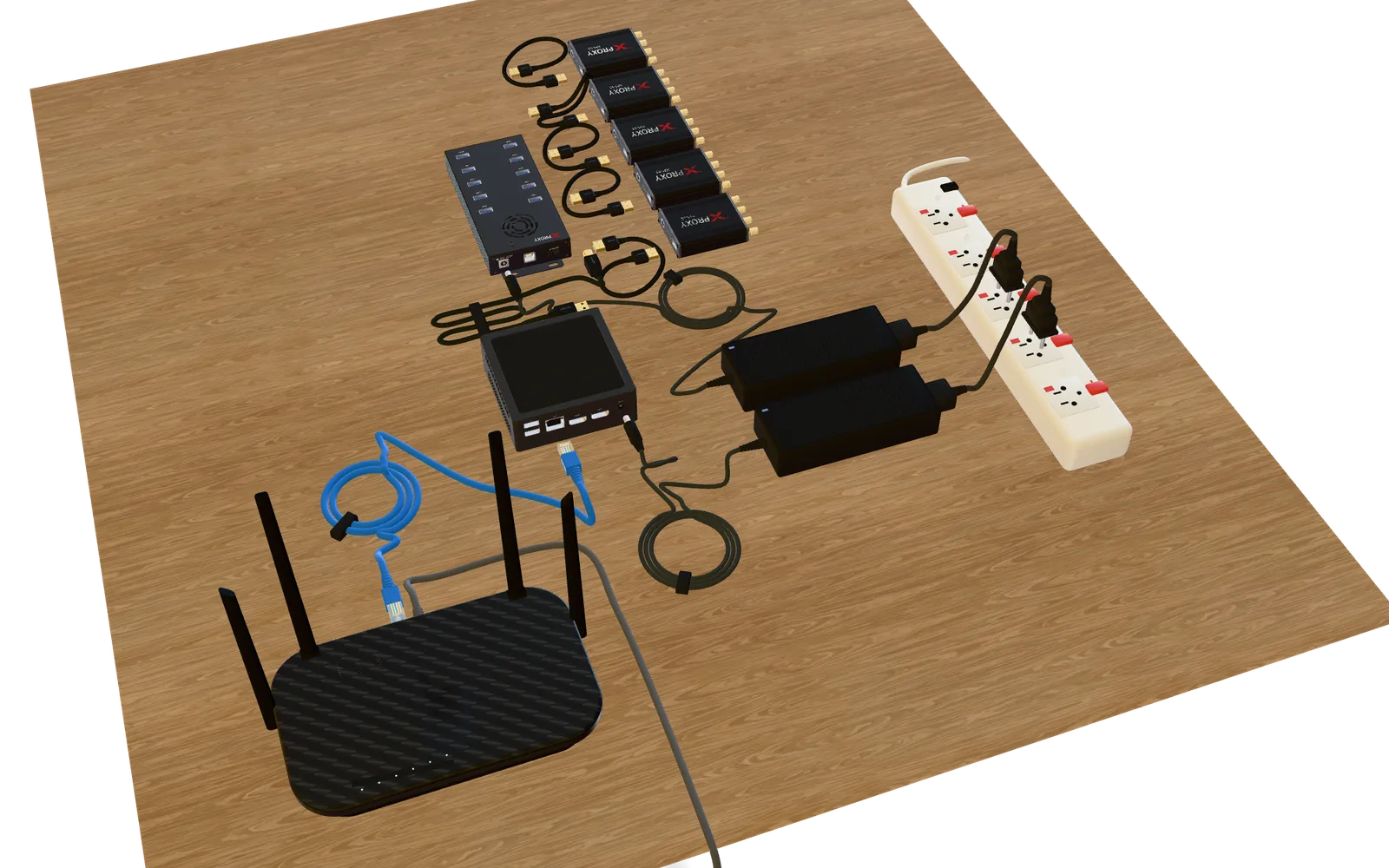
Step 1 of 9
Meet your kit
Here is everything on one desk. Tap a part to look at it.
In the box
Not in the box (you provide)
You also need one standard-size SIM with mobile data for each modem.
Something not working?
| You see | What to do |
|---|---|
| No light on the hub | Check the 12 V adapter is plugged in and the hub is switched on. |
| The green light on the hub is off | Check the USB cable at both ends: hub and XProxy box. |
| A modem does not show up | Push its USB cable all the way into the modem and the hub, or try another hub port. Check the SIM is pushed in all the way. |
| Weak or no signal on a modem | Check all 4 antennas are screwed on tight and standing upright. |
| No network lights on the XProxy box | Check the network cable at both ends, your router, and the XProxy box adapter. |
Still stuck?A technician can look at your device with a one-time PIN, or chat with us on Telegram.