

Getting Started with XProxy
Five steps take you from a box of hardware to working mobile proxies. New to XProxy? Read what it is first.
In short
Get hardware, set it up, open the dashboard and activate it, then copy your A proxy is a middleman. Your app sends its traffic to the proxy, and the proxy passes it on to the website. The website sees the proxy’s IP address instead of yours.. Kits come with the software installed.
With a kit, about 20 to 45 minutes from the box to working proxies. On your own PC, add about 30 minutes to install the software.
Every device starts on the Free plan, up to 5 modems. Upgrade whenever you need more modems or features.
Where are you now?
Pick the card that fits you. It takes you to your step.
Your 5 steps
Pick your hardware
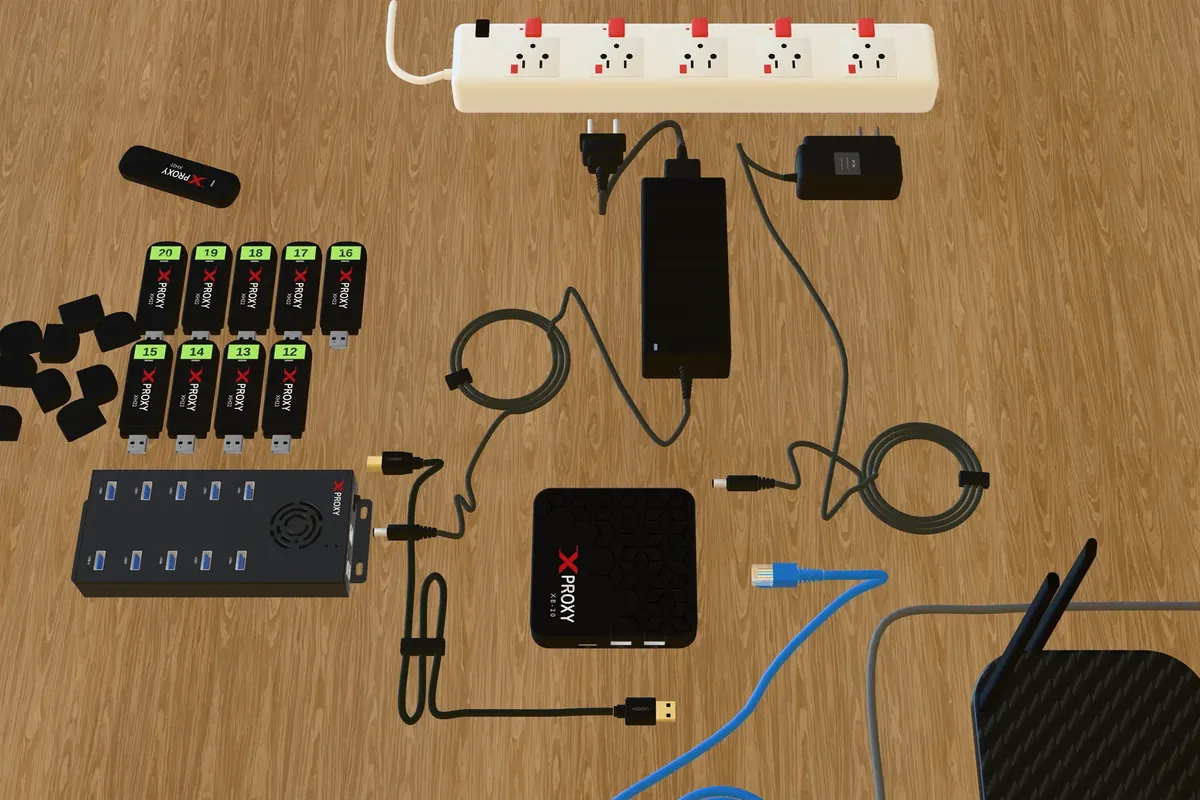
The easy way is an XProxy kit: the modems and everything to connect them, with the software already installed. Not sure which one? Answer 3 questions in the buying guide. Or bring your own modems or Android phones, and your own PC.
Set up the hardware
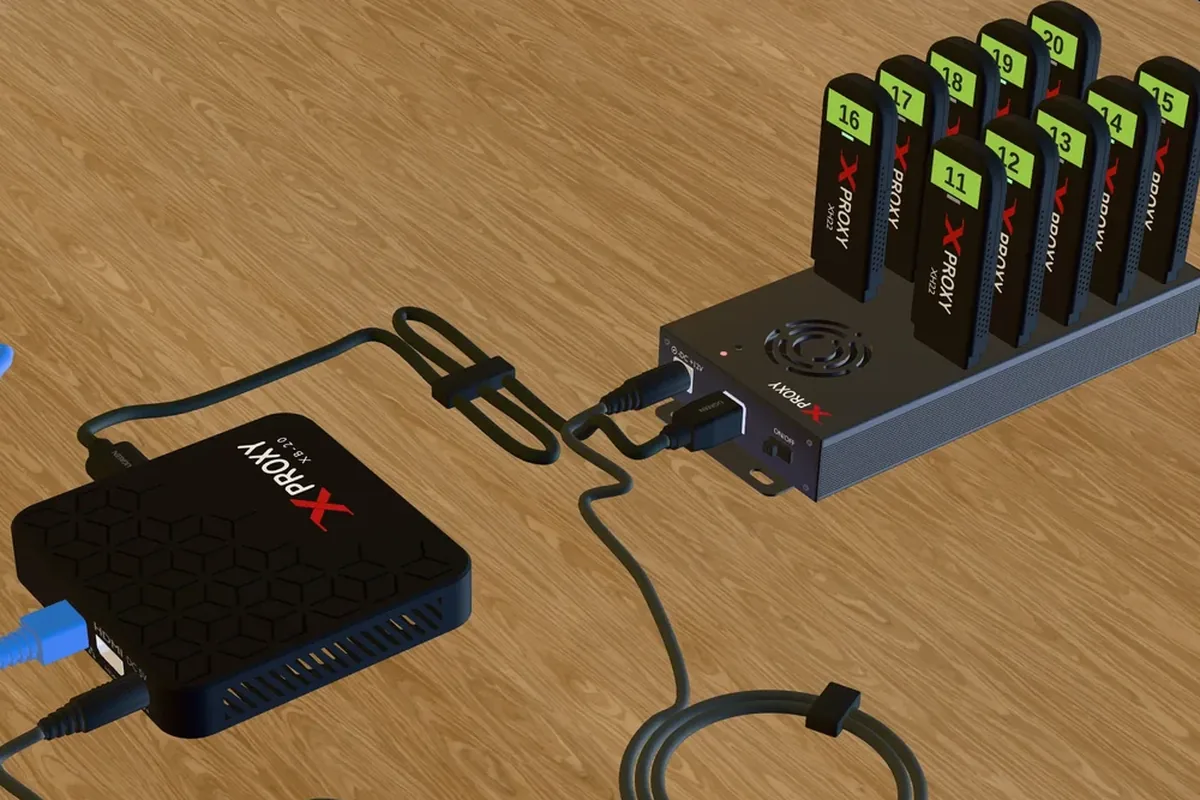
Put in the SIMs, plug in the cables, switch it on. Every kit has its own 3D guide that shows each move.
 Have a kit? Skip this step.
Install the software
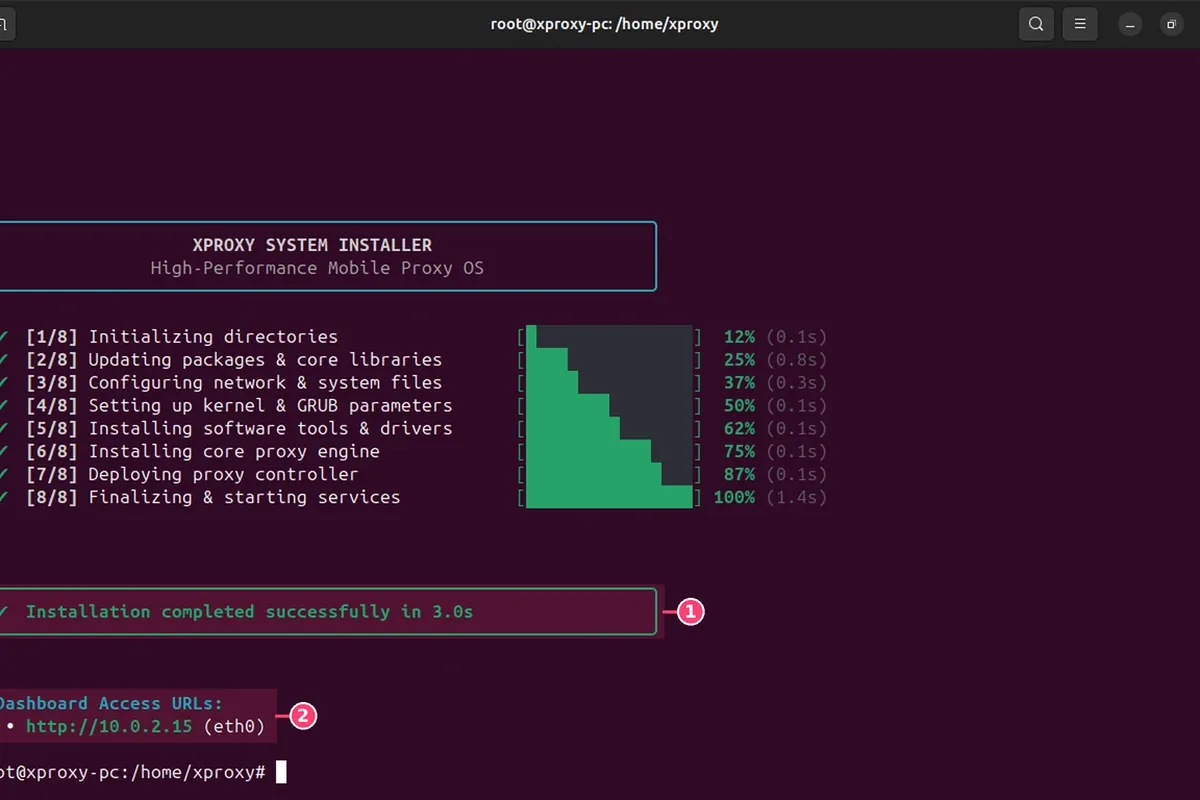
Only for your own PC. Put Ubuntu on it, then install XProxy with a few short commands. Every step has a screenshot. Using Android phones? Set up the app instead.
 Demo data
Open the dashboard and activate
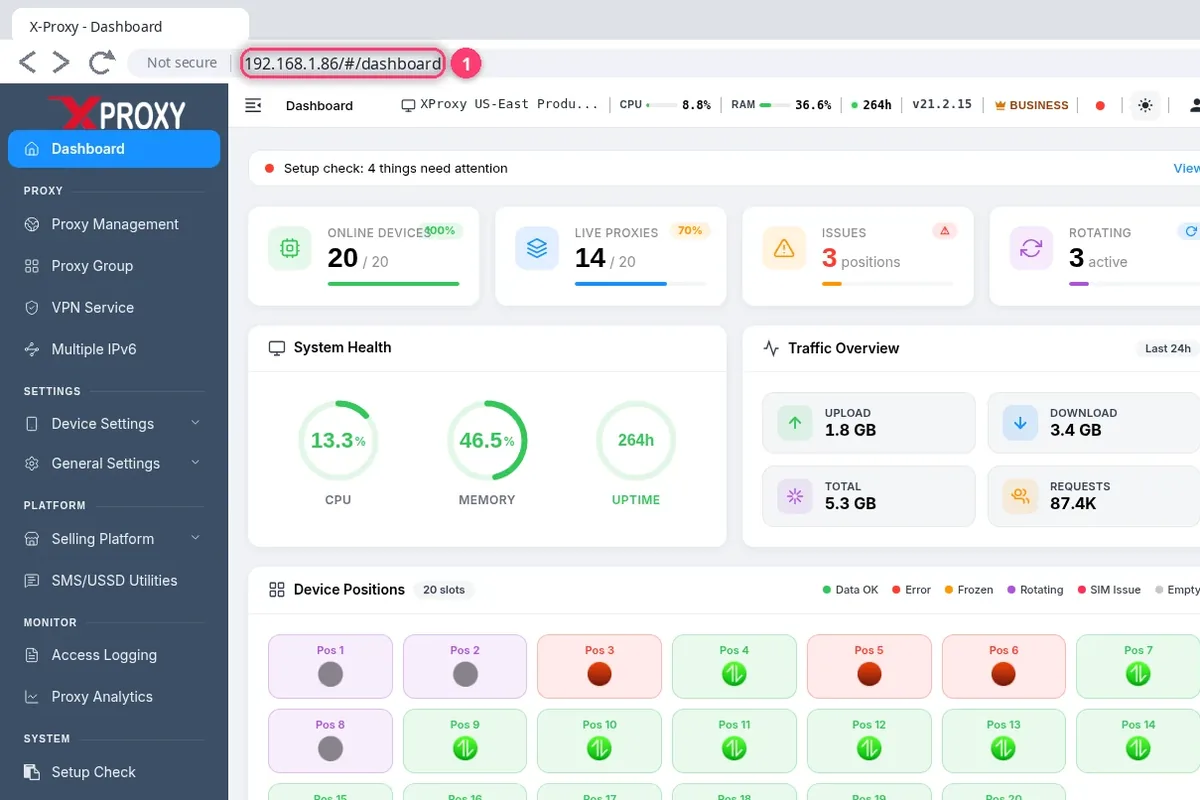
Find the address of your box and type it in a browser. That opens the dashboard, where you control everything. Then link the device to your xproxy.io account with its two keys. It starts on the Free plan (up to 5 modems).
 Demo data
Make proxies and rotate
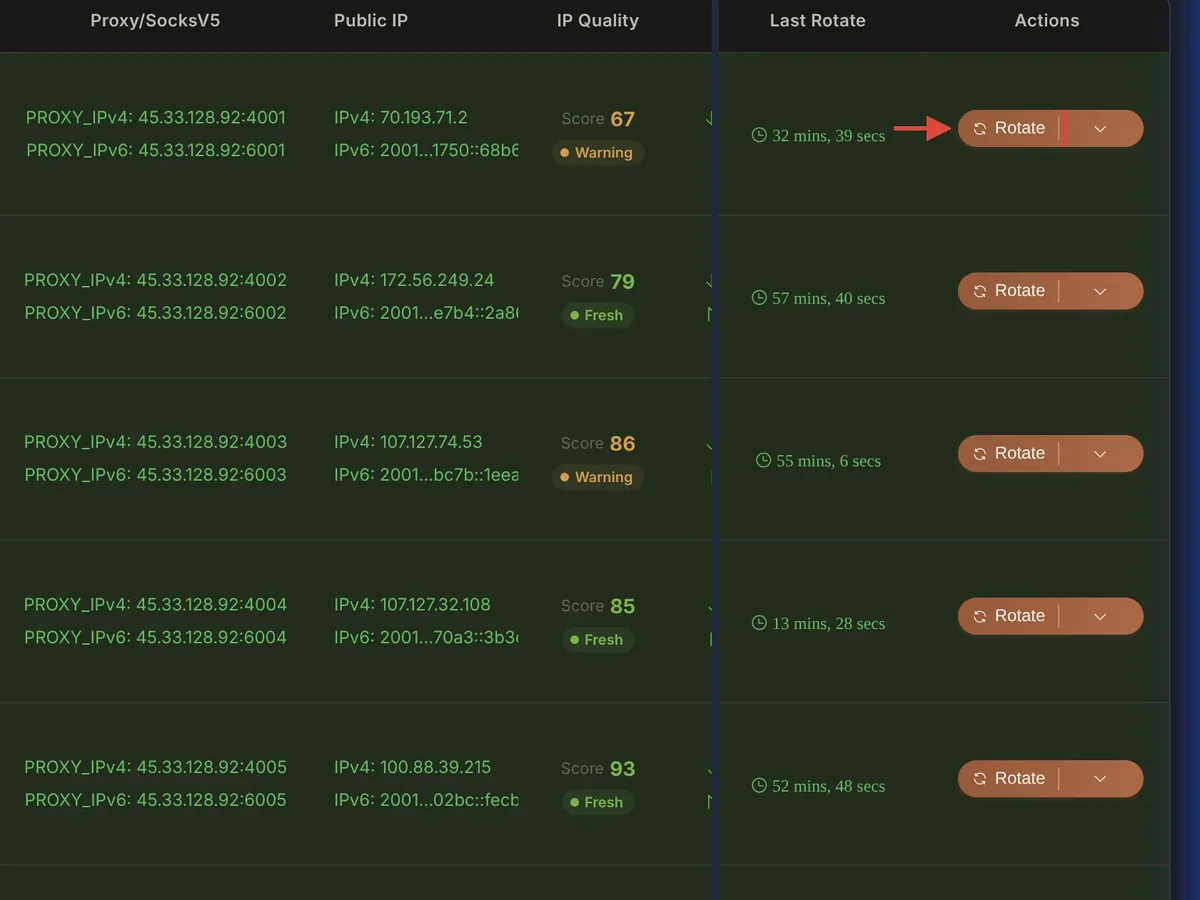
Every modem gets its own proxy port, for example :4001 for modem 1. Copy a proxy into your browser or script. To get a new IP, Rotating means getting a new IP for the same proxy. The modem reconnects to the mobile network and gets another address, and your proxy settings do not change. it with one click, on a timer or through the API.
Which kit?
Not sure which kit to buy? Answer 3 questions and compare the five kits.
Already have a kit? Open your kit’s guide. Every kit has its own 3D guide.
Stuck?
Proxies working? Make them reachable from anywhere, or get more modems and features.