
Buy Myself Hardware
Sourcing your own hardware? This guide covers every physical component you need—including host servers (Raspberry Pi 4), powered hubs, 4G/5G dongles, and Android phones—along with recommended models for every scale.
DIY Mobile Proxy Hardware Schematic
A standard DIY mobile proxy system connects cellular modems (dongles or tethered Android phones) to a host server via a powered industrial USB hub. The host server runs XProxy software to route incoming client traffic out through the cellular network.
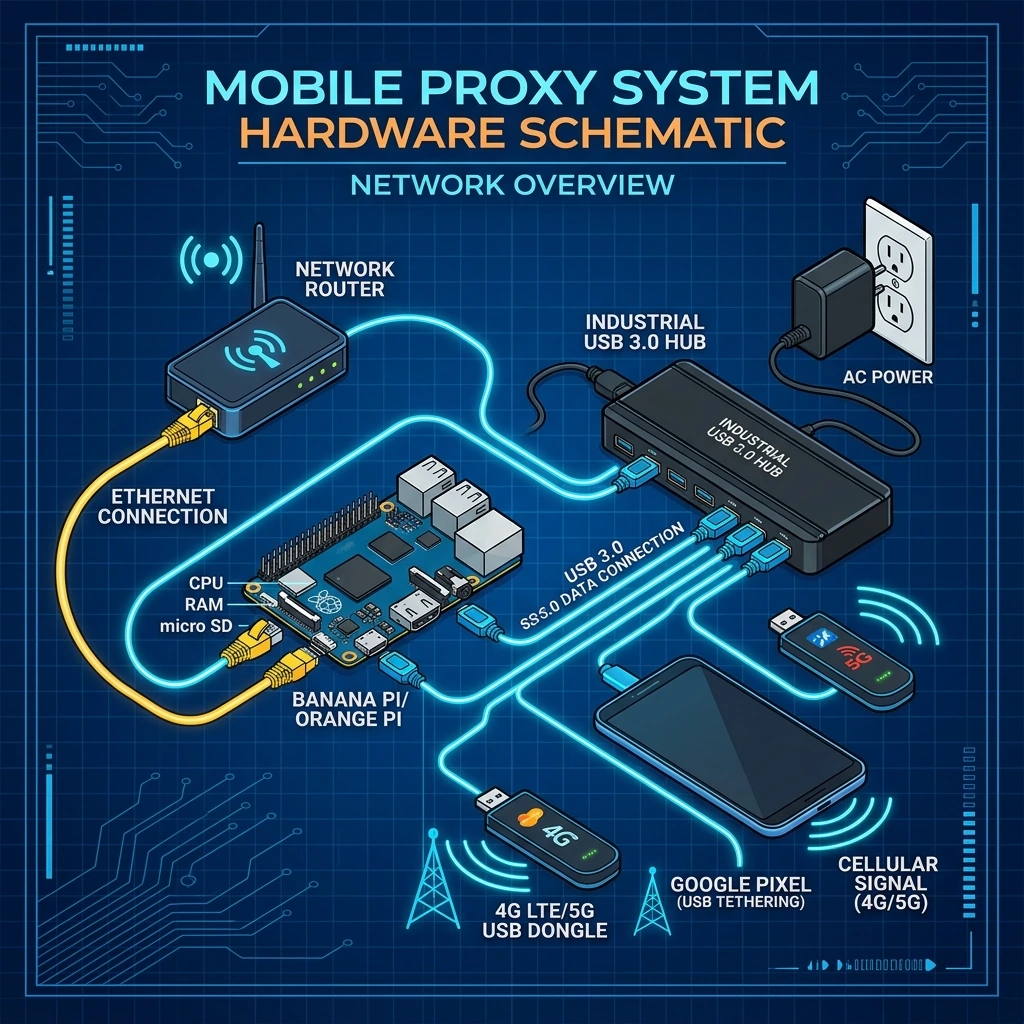
The 5 Core Components You Need
- Host Server: An XProxy Box, a Raspberry Pi 4, or any dedicated Ubuntu PC.
- Cellular Modems: 4G/5G USB dongles (e.g., XProxy XH22) or Android phones (e.g., Google Pixel) with USB tethering enabled.
- Industrial Powered USB Hub: Connects multiple modems to a single host server port and supplies stable DC power.
- SIM Cards: Unlocked cellular SIM cards with an active high-speed mobile data plan.
- Local Network Router: Connects your host server to your local network (LAN) or internet via an Ethernet cable.
1. Selecting the Host Server (SBC vs. PC)
The host server acts as the brains of your proxy farm, running XProxy OS to manage rotation and proxy auth. Choose a server based on your capacity goals:
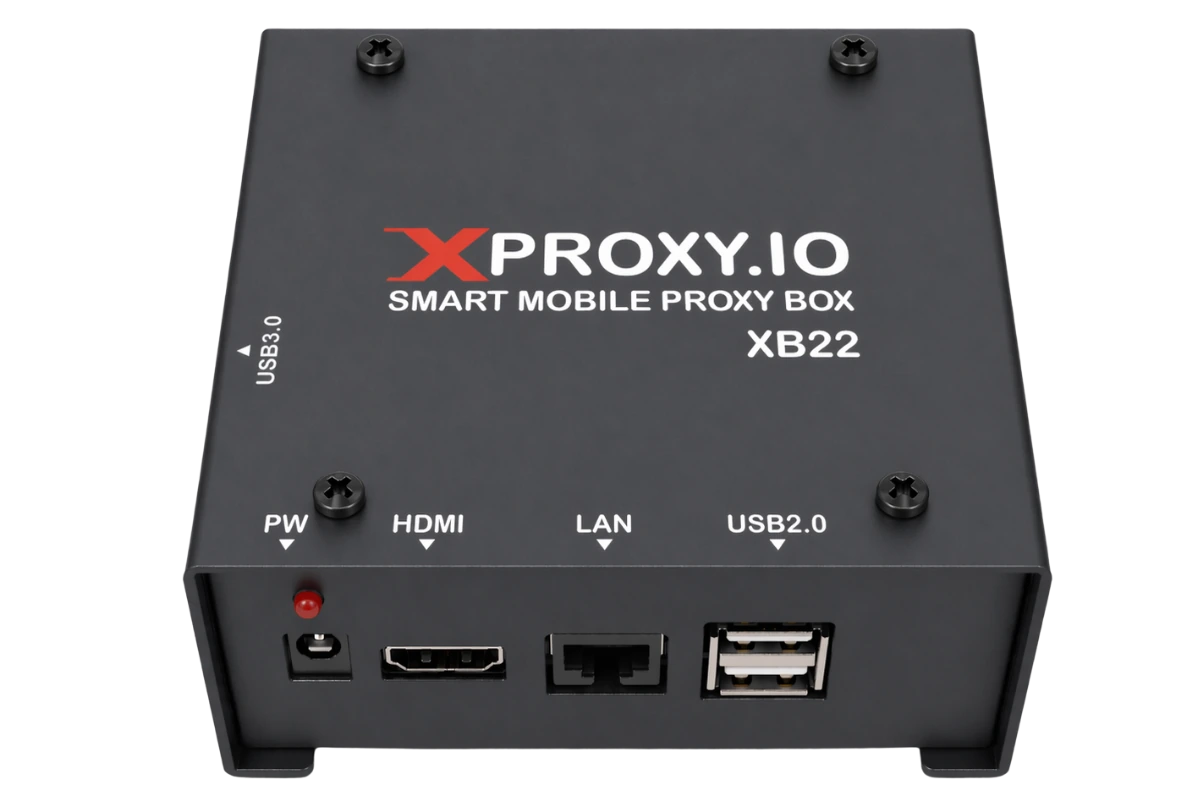
XProxy Box XB22 (Recommended for Beginners)
Our pre-configured, palm-sized hardware box designed for easy plug-and-play setup.
- CPU/RAM: Quad-core ARM processor / 4GB RAM / 32GB Storage.
- Modem Capacity: Connects up to 40 modems/dongles.
- Advantage: Pre-installed with XProxy software. Zero command-line setup required.
Single Board Computers (Raspberry Pi 4)
A highly popular, cost-effective option for personal or medium-scale DIY setups.
- Supported Models: Raspberry Pi 4 (4GB/8GB) only. Orange Pi or Banana Pi boards are not natively supported.
- Modem Capacity: Up to 15 modems per board (limited by the board's internal USB bus bandwidth).
- Requirements: Requires manual installation of Ubuntu Server (64-bit) and the XProxy Docker software stack.
Ubuntu PC Server & Mini PCs (Required for Large-Scale Setups)
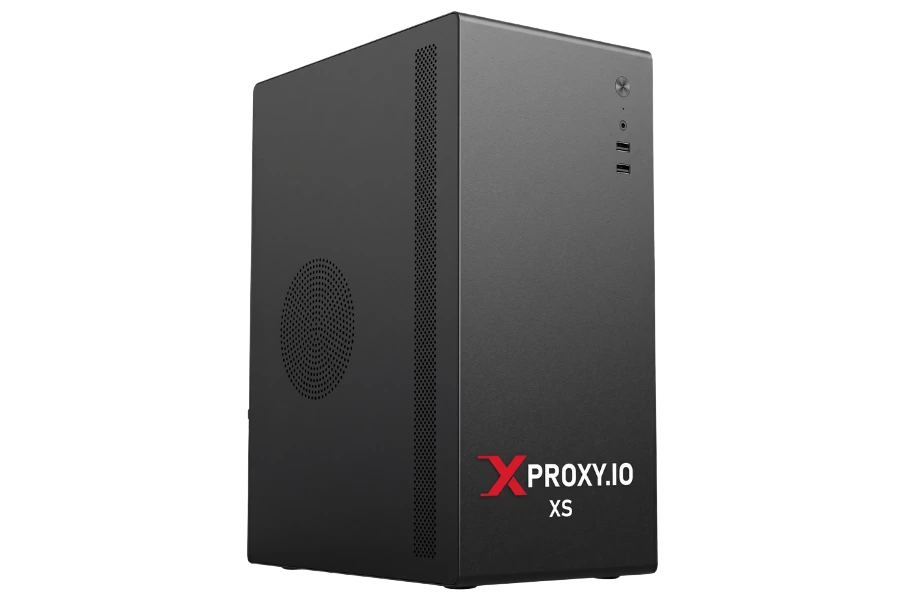
For proxy farms running more than 40 modems concurrently, a dedicated x86 PC running Ubuntu is required to handle the bandwidth and traffic routing:
- AMD Ryzen Mini PCs (Ultra-Compact Option): Highly recommended models include the Beelink SER8 or Minisforum UM780 XTX / UM890 Pro (powered by AMD Ryzen 7 7840HS / 8845HS / 8945HS). These are power-efficient, feature dual 2.5G LAN ports, and comfortably support 40+ modems out of the box.
- Custom AMD Desktop Builds (Ultimate Scale): For setups heading towards 100+ modems, build a custom PC using an AMD Ryzen 5 5600G / 7 5700G / 8600G APU on a motherboard with multiple PCIe expansion slots (e.g., MSI B550-A PRO or ASUS Prime B650-PLUS).
- USB Controllers: A single USB host controller on a motherboard cannot process bandwidth from 40+ cellular network interfaces. You must install dedicated PCIe-to-USB controller cards (prefer cards with dedicated Renesas or FL1100 chips) to distribute the USB bus load.
- Legacy Hardware Options: Budget refurbished desktop PCs (e.g., Dell Optiplex 9020/7010, HP ProDesk 800 G1) with 8GB+ RAM and 64GB+ SSD also work stably for up to 40 modems.
2. Selecting Cellular Modems (Dongles vs. Android)
XProxy is fully compatible with both industrial USB dongles and standard Android smartphones:
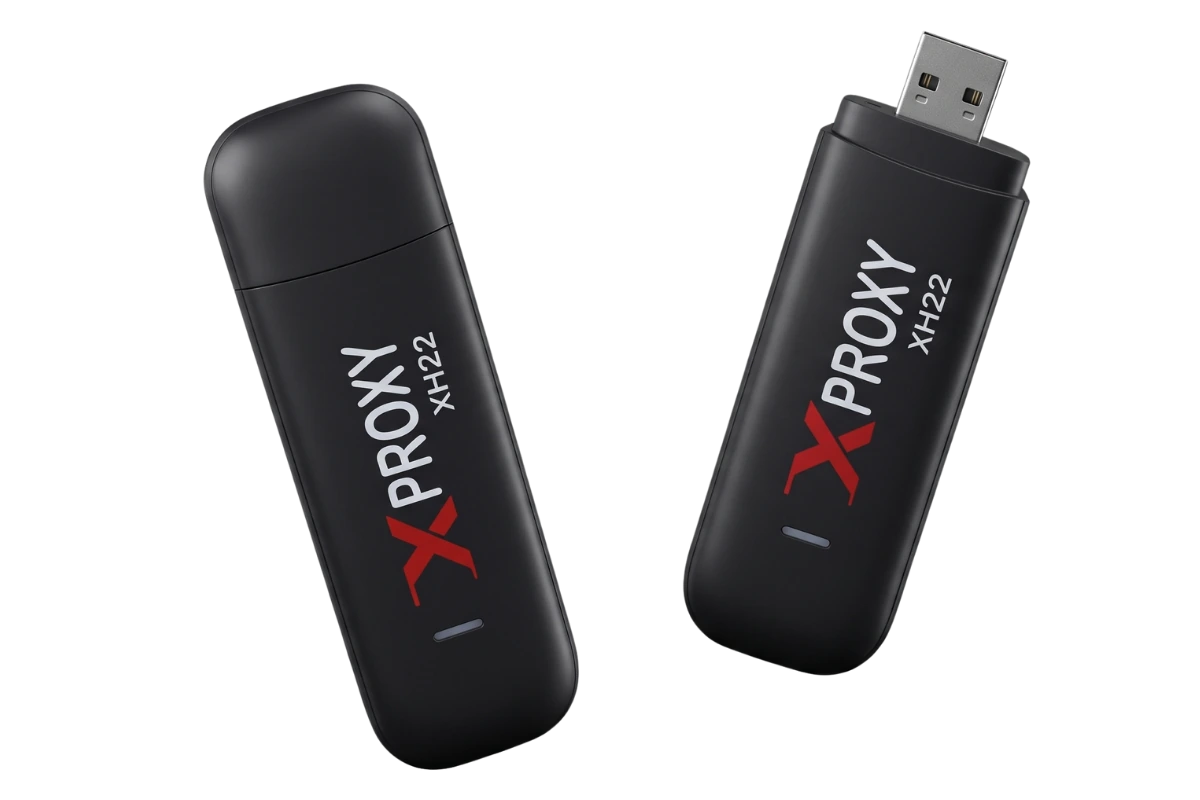
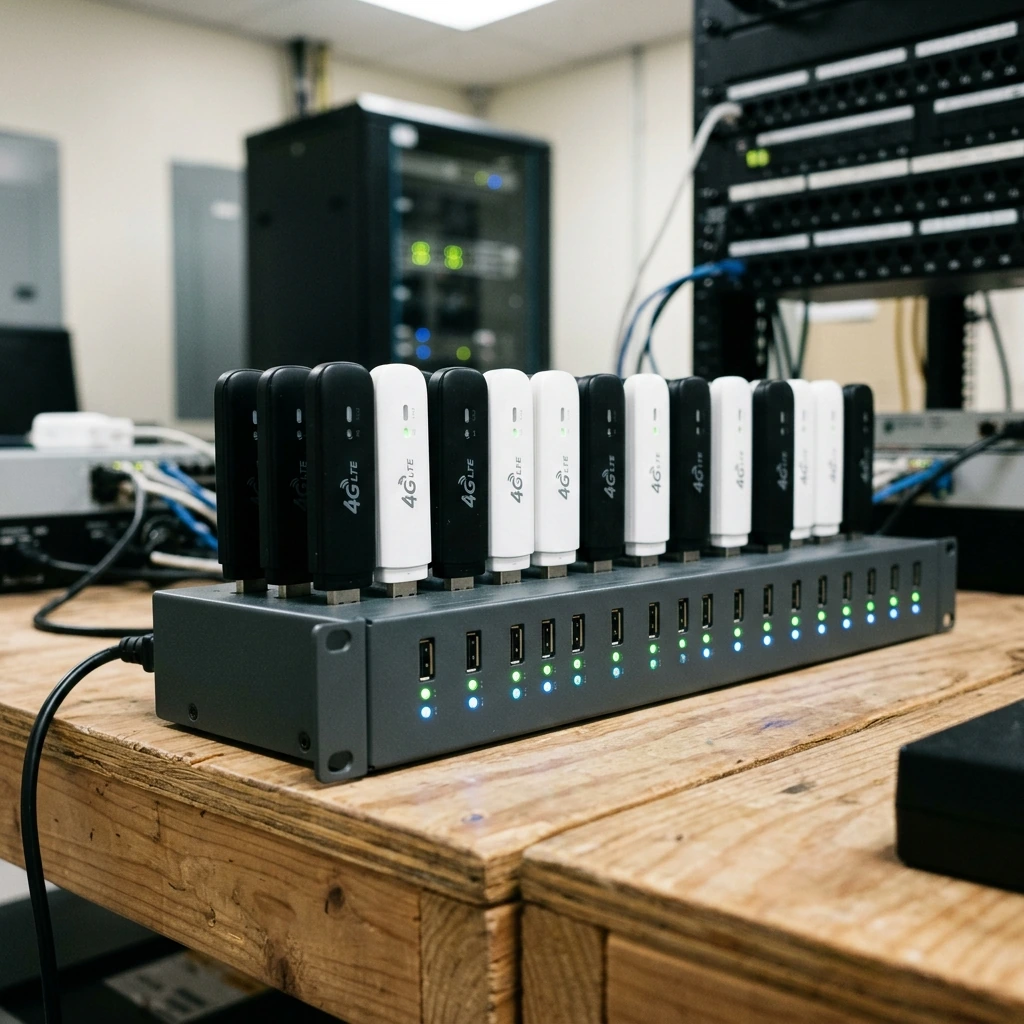
4G LTE USB Dongles (e.g., XProxy XH22 / Huawei E3372)
Compact, reliable, and designed to run continuously 24/7 without batteries.
- Speeds: LTE CAT 4 (150 Mbps download / 50 Mbps upload).
- IP Rotation: Changes cellular IP address in approximately 3 seconds via AT reboot commands.
- Protocols: Dual-stack IPv4 and IPv6 support.
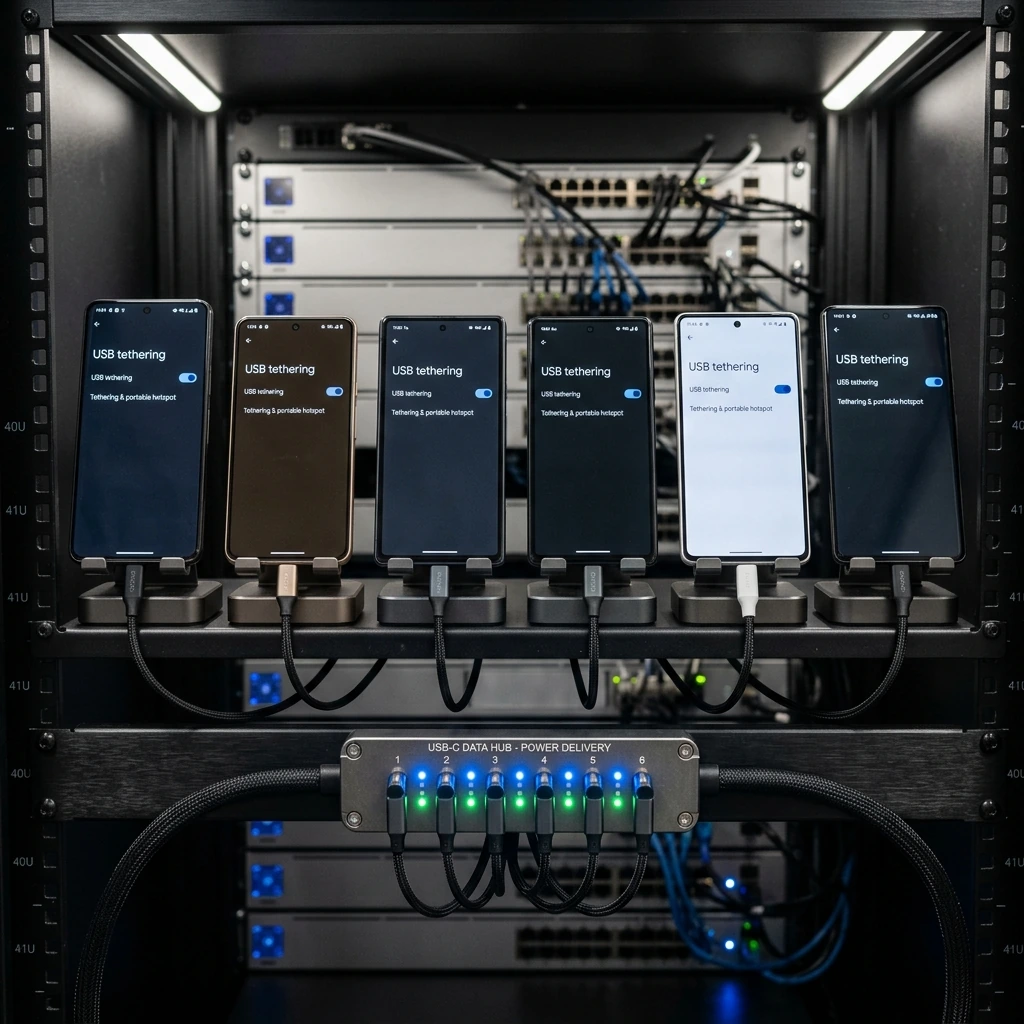
Android Phones (e.g., Google Pixel / Samsung Galaxy)
Using older Android phones via USB Tethering is a highly popular and robust alternative to USB dongles.
- Antenna Quality: Smartphones contain larger, higher-gain cellular antennas than USB dongles, resulting in faster speeds and more stable carrier connections.
- 5G Capability: Modern 5G phones can easily connect to high-speed 5G bands, whereas 5G USB dongles are often expensive and run hot.
- Battery Safety: Enable battery protection settings (limit charge to 60-80%) in your phone settings to prevent battery swelling when plugged in 24/7.
3. Selecting the USB Hub
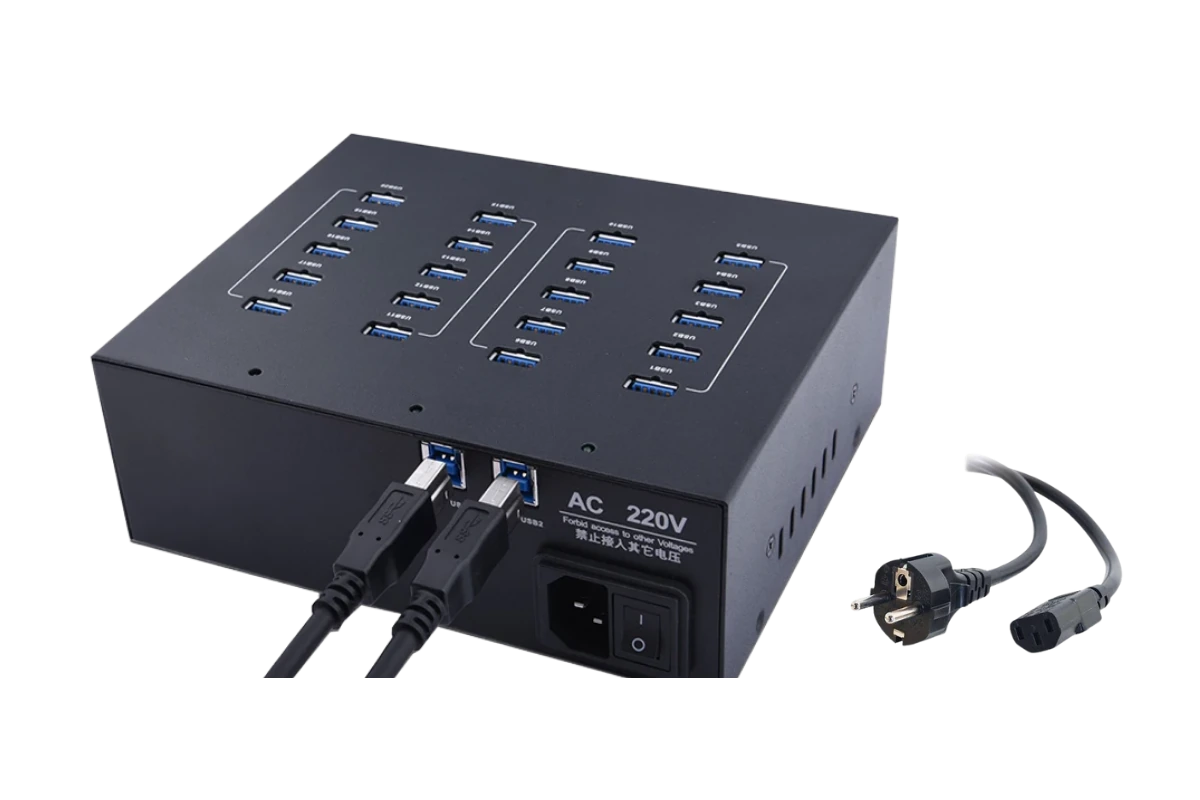
Standard consumer USB hubs are not designed for proxy farms. A proxy-grade USB hub must satisfy these requirements:
- Active External Power: Must feature a dedicated high-amperage external power supply (at least 5V/1A per port). Never use bus-powered hubs.
- Port Spacing: Opt for industrial metal casings with wide gaps between USB ports to prevent physical overheating and radio-frequency (RF) signal interference.
- Recommended Models: Industrial Sipolar 20-port (use up to 15 modems for stability) or Sipolar 32-port (with dual AC adapters).
Recommended DIY Starter Configurations
Beginner Setup (10 Modems)
- Host Server: 1× Raspberry Pi 4 (4GB).
- USB Hub: 1× Industrial Powered 20-Port USB Hub.
- Modems: 8× XProxy XH22 Dongles + 2× Google Pixel phones (USB tethered).
- Target Capacity: Up to 10 active mobile proxy lines.
Pro Setup (40 Modems)
- Host Server: 1× XProxy Box XB22 (or a Dell Optiplex Ubuntu PC).
- USB Hub: 2× Industrial Powered 20-Port USB Hubs (or 1× 32-Port Hub).
- Modems: 40× XProxy XH22 USB Dongles.
- Target Capacity: Up to 40 active mobile proxy lines.
