Integrating Dolphin{anty} with XProxy
Learn how to connect XProxy 4G/5G mobile proxies to Dolphin{anty} anti-detect browser with instant 1-click IP rotation links.
Why use XProxy with Dolphin{anty}?
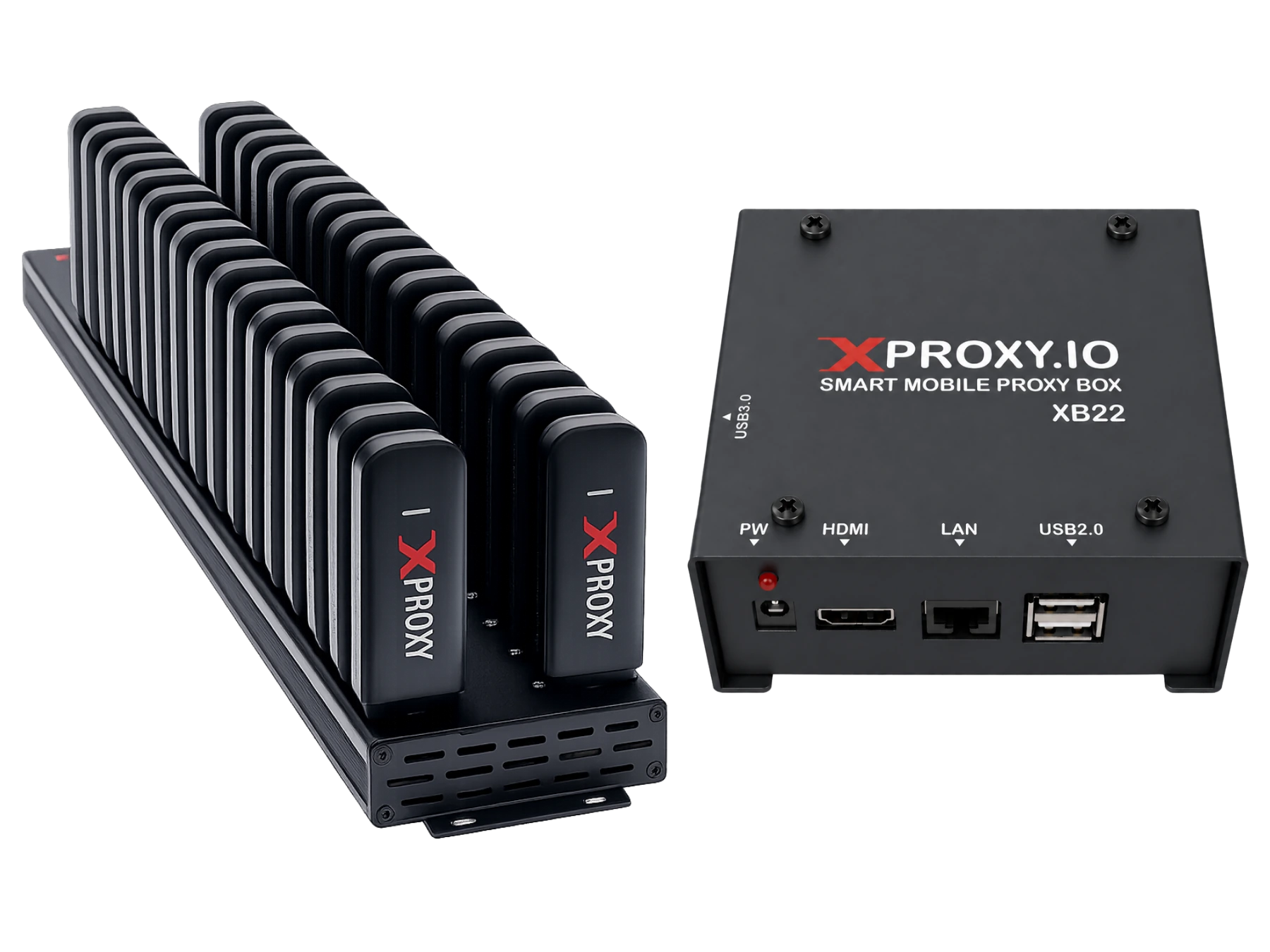
Dolphin{anty} is one of the most popular anti-detect browsers for Facebook Ads, affiliate marketing, and multi-accounting. Paired with XProxy self-hosted mobile proxies, each browser profile gets a fresh, high-trust 4G/5G mobile carrier IP from your physical modems, preventing account cross-contamination and bans.
Prerequisites
- XProxy server running with active 4G/5G USB modems or Android phones.
- Dolphin{anty} desktop app installed.
- Proxy credentials (IP, Port, Username, Password, Change IP Link) from XProxy Dashboard.
Step-by-step setup in Dolphin{anty}
1. Get your proxy details
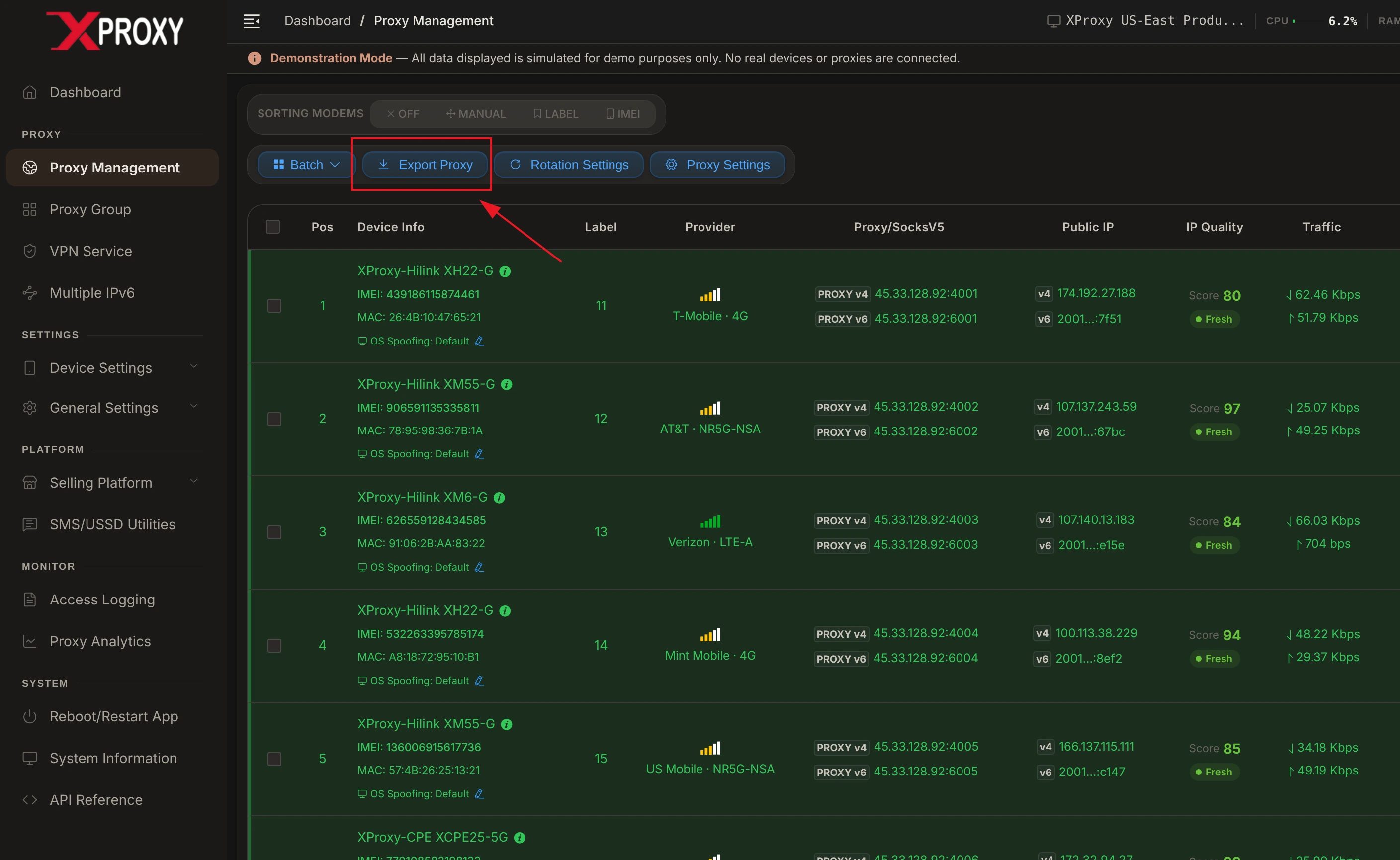
Log in to your XProxy Dashboard, navigate to Proxy Management, and click the Export Proxy button on the top toolbar:
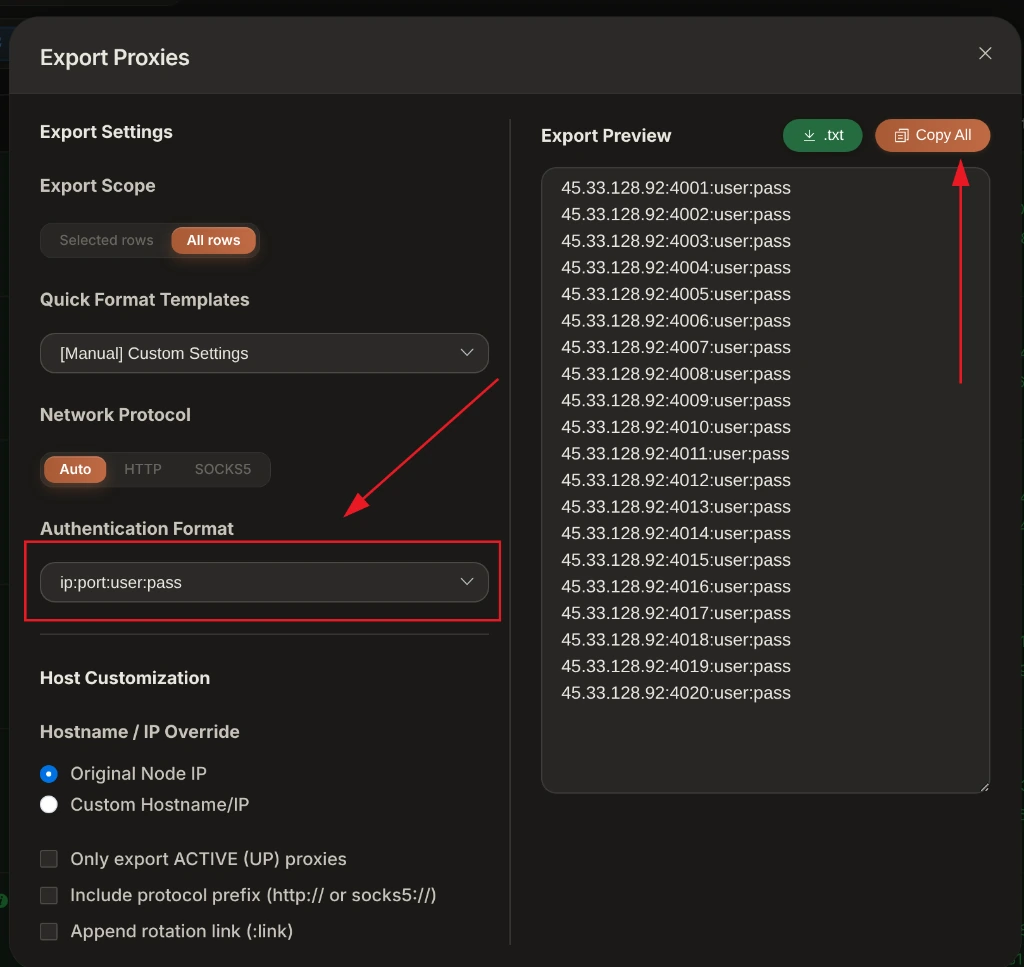
In the Export Proxies window, select your desired Authentication Format (e.g. ip:port:user:pass or ip:port) and click Copy All:
2. Add proxy to Dolphin{anty}
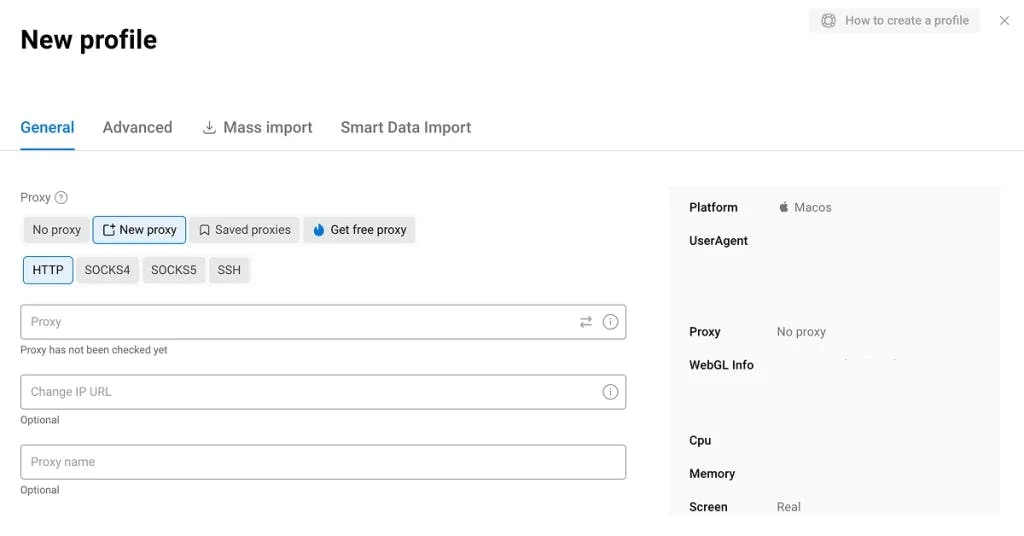
- Open Dolphin{anty} and click + Create Profile (or open Proxy Manager).
- Under Proxy, select
SOCKS5(recommended) orHTTP. - Enter your XProxy IP, Port, Username, Password, and Rotation API link in the designated format:
ip:port:username:password[http://192.168.6.7:8081/api/v1/rotate_ip/position/1] - Click Check Proxy to verify connection. You will see a green status with your mobile ISP info.
3. Use Proxy Manager for batch management
Dolphin{anty} features a dedicated Proxy Manager to store all your XProxy channels:
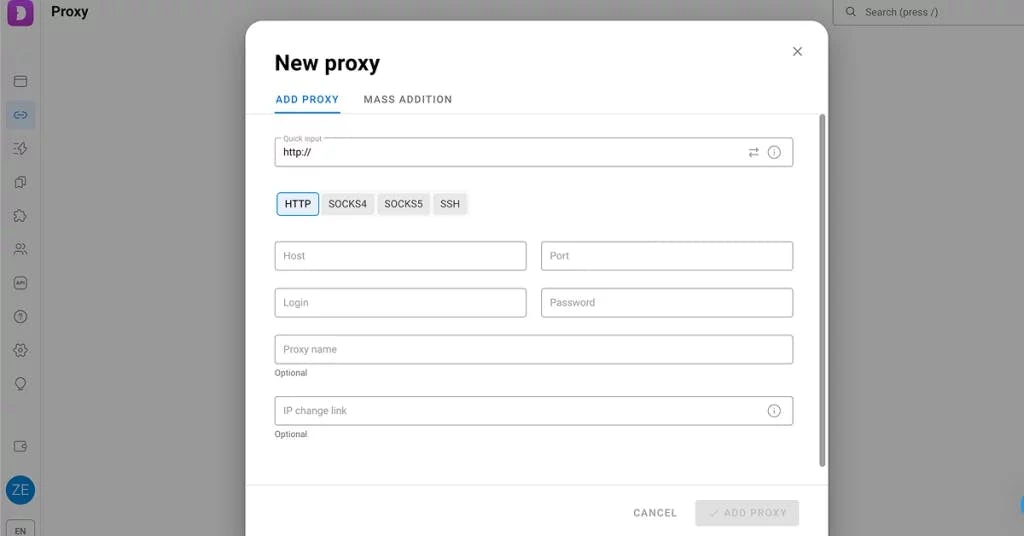
- Click Proxies on the left menu ➔ Click + Create Proxy.
- Paste your exported XProxy list with rotation API links appended in brackets.
- Assign saved proxies to profiles with a single click.
XProxy Hardware & Fingerprint Synchronization
To ensure 100% profile isolation and prevent account flags in Dolphin{anty}:
- Timezone & Geolocation: Set both to Auto. Dolphin{anty} will query XProxy's mobile exit IP and match your browser timezone and GPS coordinates to your cellular carrier's CGNAT location.
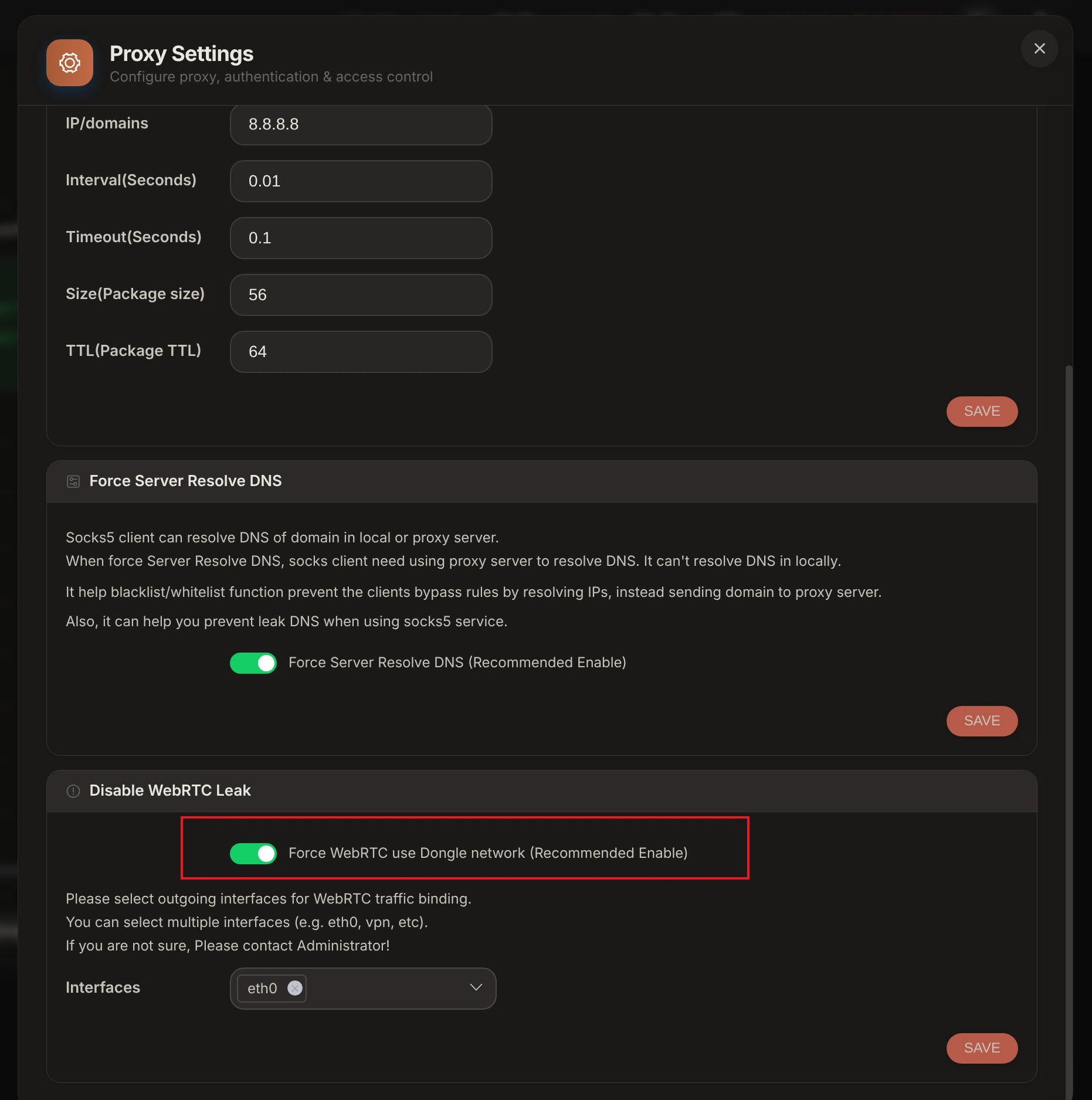
- WebRTC Leak Protection: Set WebRTC to Altered / Replace or Disabled to prevent WebRTC UDP requests from exposing your true local IP address.
- TCP OS Spoofing Alignment: Enable TCP OS Spoofing in XProxy Device Settings so SYN/ACK packet header signatures match your Dolphin{anty} profile OS (Windows or macOS).
XProxy Mobile Modem Strategy Matrix for Dolphin{anty}
| Use Case | XProxy Modem Mode | Recommended Protocol | IP Rotation Interval |
|---|---|---|---|
| Ad Farming (FB/Google/TikTok) | Dedicated Hilink 4G/5G Dongle | SOCKS5 (UDP Enabled) | Manual / Per Campaign Launch |
| Multi-Account Management | Shared Mobile Pool / Android Farm | SOCKS5 / HTTP Proxy | Scheduled (Every 15-30 Mins) |
| E-commerce & Web Scraping | High-Speed 5G USB Modem | HTTP / SOCKS5 | API Trigger / Per Request |
Verification & Fingerprint Audit Tools
Before launching Dolphin{anty} profiles, audit your XProxy mobile connection using our free built-in leak checker and industry-standard verification suites:
- XProxy Free Proxy Leak Test (/proxy-leak-test) — Instantly verify WebRTC leaks, DNS queries, TCP OS fingerprinting, and cellular IP geolocation directly within XProxy.
- BrowserLeaks.com — Verify IP geolocation, WebRTC, and DNS leak protection.
- Whoer.net — Check overall anonymity score (target 100%).
- Pixelscan.net — Audit browser fingerprint consistency and detect proxy flags.
- IPhey.com — Evaluate browser hardware spoofing and IP trust level.
Why High-Quality SOCKS5 UDP & Mobile Proxies Matter for Dolphin{anty}
Using cheap datacenter proxies or basic HTTP proxies in antidetect profiles leads to instant account suspensions on Facebook, Google, TikTok, and Amazon. Here is why XProxy's self-hosted 4G/5G mobile proxies deliver superior anonymity and trust:
- SOCKS5 with Full UDP Support: Unlike standard HTTP proxies that drop UDP packets, XProxy SOCKS5 proxies fully support UDP datagrams. This ensures WebRTC, DNS queries, and real-time audio/video sockets route securely through your proxy without revealing your real IP address.
- Instant REST API IP Rotation: Trigger cellular IP rotation on demand via simple HTTP GET requests (e.g.
http://192.168.6.7:8081/api/v1/rotate_ip/position/1). Reconnect 4G/5G USB modems in 3 to 8 seconds with zero proxy dropouts. - 100% WebRTC & DNS Leak Protection: Combined with XProxy's local LAN gateway and TCP OS Spoofing, your browser profiles maintain pristine anonymity scores on BrowserLeaks, Whoer, Pixelscan, and IPhey.
- Carrier-Grade NAT (CGNAT) Trust: Mobile carrier IPs are shared by thousands of active smartphone users. Major platforms never ban mobile IP ranges, granting your accounts maximum trust.
Stop Paying Monthly Rented Proxy Fees
XProxy hardware & software lets you own private mobile proxy channels with unlimited data, zero bandwidth caps, SOCKS5 UDP support, and instant REST API IP rotation (Dolphin{anty}).