Build your own 4G proxies with your own SIMs, and your traffic looks like a real person on a phone.
1Your appor antidetect browser
Proxy port
2XProxy boxyour modems and SIMs
4G / 5G
3Mobile networkcarrier tower
4
whoer.netIllustration
IP address
172.58.12.34
ISP
T-Mobile USA
Location
Dallas, US
Connection
Mobile (4G)
Used by
Only you
Real mobile IP
1Your appor antidetect browser
Proxy bought online
2Proxy Provider Servershared with many usersdatacenter IP
3
whoer.netIllustration
IP address
203.0.113.45
ISP
Hosting / Datacenter
Location
Ashburn, US
Connection
Data center
Used by
Shared with many users
Flagged: datacenter IP
Your app or antidetect browser sends a request to a proxy port on your own XProxy box.
Bought proxy vs your own XProxy, side by side (demo data).
What websites see
WHOERMy IPServicesIllustration · demo data
My IP:172.58.12.34
Dallas / United States
Secure internet
ISP
T-Mobile USA
DNS
172.58.0.53 United States
Hostname
mobile-172-58-12-34.tmodns.net
OS
Windows
Browser
Chrome
Proxy
No
Anonymizer
No
Blacklist
No
Your disguise:100%Looks like a real mobile user
A whoer.net-style check. Run the real one on whoer.net through your proxy.
In short
What it is
Software that turns 4G/5G USB modems or Android phones with SIM cards into your own private mobile A proxy is a middleman. Your app sends its traffic to the proxy, and the proxy passes it on to the website. The website sees the proxy’s IP address instead of yours.. It runs on an XProxy box, an Ubuntu PC or an Armbian device.
What you need
Modems or phones, a SIM with mobile data for each one, a powered USB hub, and an XProxy box or PC connected to your router.
What you get
One private proxy per modem (HTTP and SOCKS5). Websites see its An IP address is the number that tells a website where a connection comes from. It works a bit like a return address., a A mobile IP belongs to a phone network (4G or 5G), such as a SIM card. Websites see it as a normal phone user, so it is trusted more than an IP from a data center. like a real phone’s, and you can Rotating means getting a new IP for the same proxy. The modem reconnects to the mobile network and gets another address, and your proxy settings do not change. it anytime.
Bought proxies vs your own XProxy
Most people buy proxies on a website. Here is what changes when you build your own with XProxy.
What to compare
Proxy bought online
Your own XProxy
Who uses the IP
Many other people share it at the same time.
Only you. It is your own SIM in your own modem.
What IP lookup sites see
Often a server or datacenter IP. Sites such as ip2location show at once that it is not a real person.
A real 4G mobile IP from a carrier, like a person on a phone.
Risk of CAPTCHA and shadowban
High. Websites spot bot behaviour from the IP and shadowban it.
Much lower. Your traffic looks like a normal phone user.
Put a SIM in each modemSlide a SIM card into every modem. Each SIM gives its modem its own mobile IP.Pick your kit guide →
2
Plug them into the XProxy boxPlug the modems into a powered USB hub, and the hub into an XProxy box. No box? Install the software on your own PC.Install the software →
Demo data3
Each modem becomes a proxy portOpen the dashboard to see one proxy port for every modem.Open the dashboard →
Demo data4
Use it in your apps, rotate IP anytimePaste the proxy into your browser or script. Rotate the IP on a timer, with a click, or through the API.Proxy format →
Who is it for?
Multi-account and social media work
Give each antidetect browser profile its own mobile IP. Works with AdsPower, Multilogin, GoLogin and Clonbrowser.
How traffic flows from your apps to the mobile carrier networks
XProxy is a gateway (a backconnect server): it receives your proxy traffic and sends it out through separate physical mobile connections. It has 5 simple parts:
XProxy box (XB22) or a 64-bit Ubuntu PC: the server that runs the routing software.
USB dongles (modems) or Android phones: the physical exit points that connect to the mobile network.
Powered USB hub: adds USB ports so you can run 5, 10, or up to 40 modems at once.
Active SIM cards: give you mobile data and an IP address from the carrier (Viettel, Vinaphone, Verizon and others).
Network cable: connects the XProxy box to your router (for example at 192.168.1.99) so it can receive requests.
What every proxy port gives you
HTTP and SOCKS5 together: every port works with both. VLESS, WireGuard and OpenVPN are also available, see proxy protocols.
IPv4 and IPv6: proxy ports for both are created automatically when your SIM carrier supports it.
Rotation on demand: change the IP on a time interval (for example every 5 minutes), with an API call, or with a custom rotation link.
Works with your tools: antidetect browsers (AdsPower, Multilogin, GoLogin, Clonbrowser), automation bots, Python scripts (Scrapy, Selenium, Puppeteer) and ordinary browsers.
Why websites trust mobile IPs
Mobile carriers make many real phones share the same few IP addresses (CGNAT (carrier-grade NAT) means a mobile carrier lets many phones share the same public IP addresses. That is why websites rarely block a mobile IP.). A site cannot block a mobile IP without turning away real customers, so it rarely does. See how it works →
What next?
Still stuck?A technician can look at your device with a one-time PIN, or chat with us on Telegram.


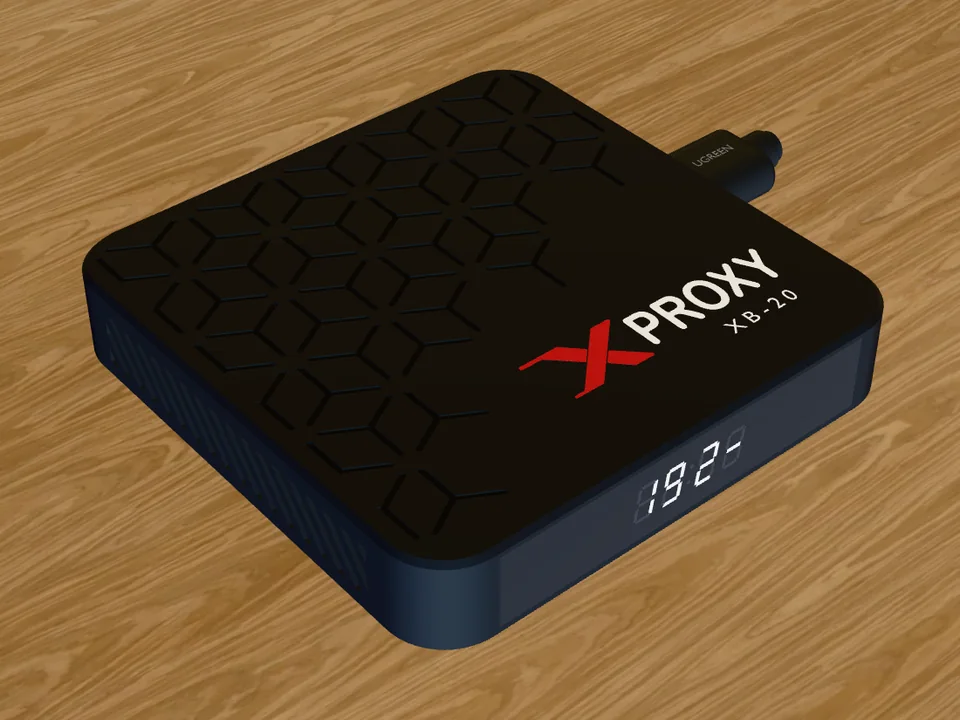 XProxy boxyour modems and SIMs
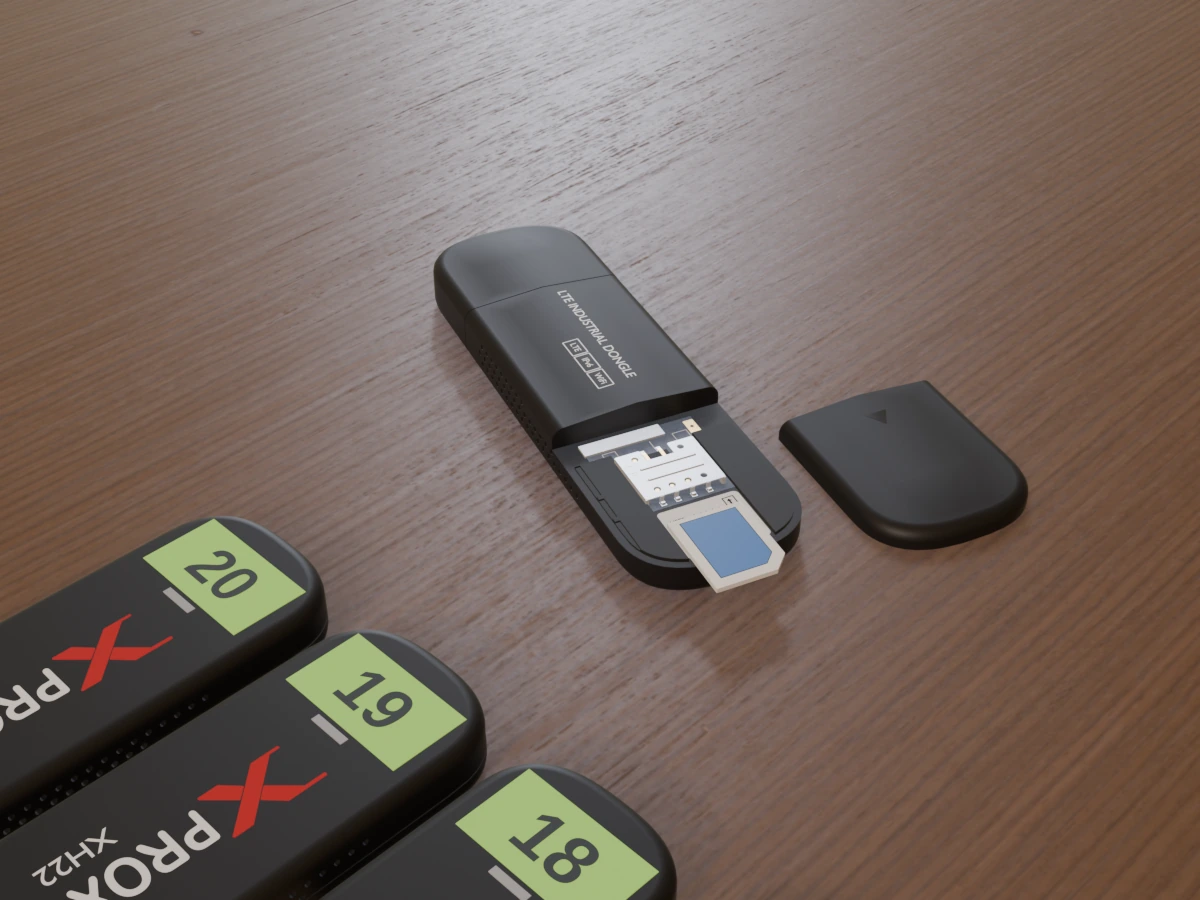 Put a SIM in each modemSlide a SIM card into every modem. Each SIM gives its modem its own mobile IP.Pick your kit guide →
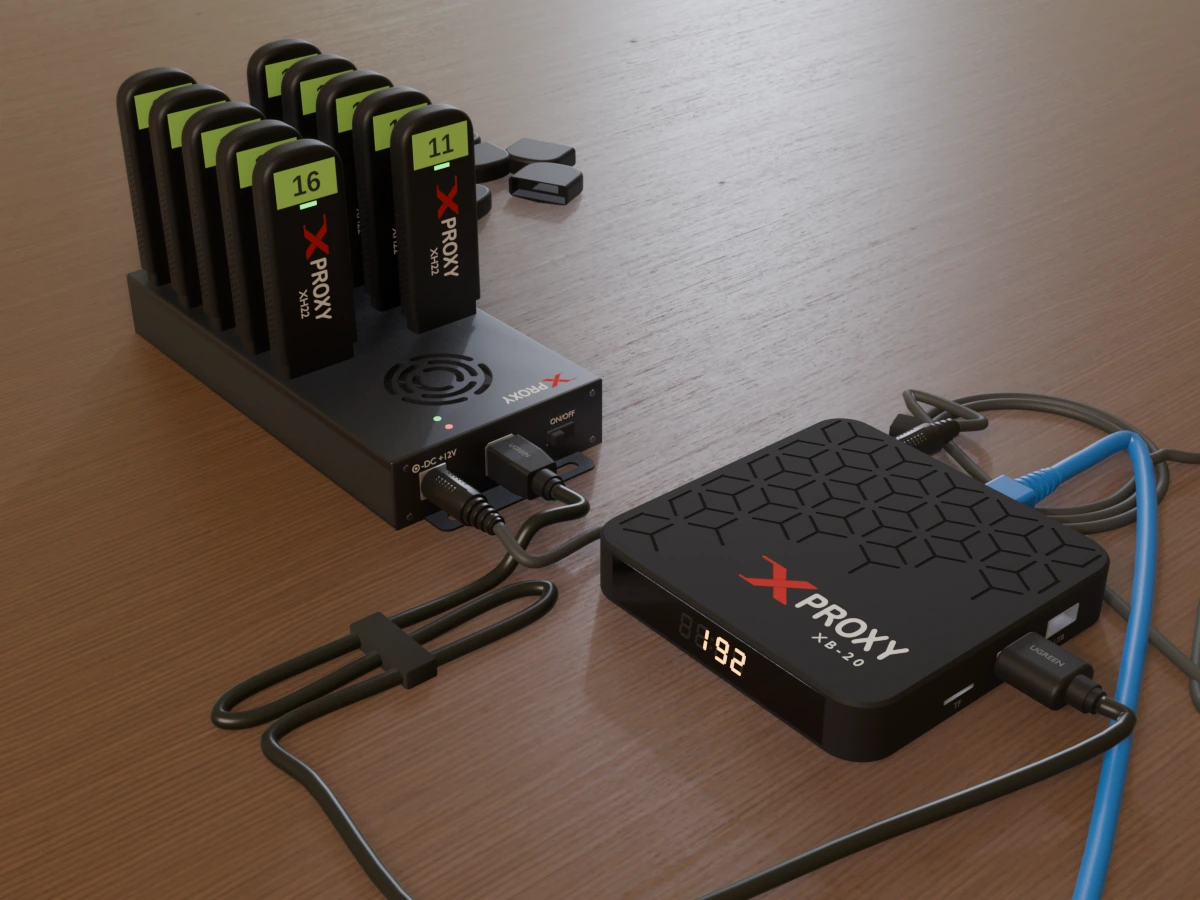 Plug them into the XProxy boxPlug the modems into a powered USB hub, and the hub into an XProxy box. No box? Install the software on your own PC.Install the software →
