

Installing the XLE5 Kit
Set up your XProxy XLE5 Kit step by step, about 25 minutes from the box to working proxies. Drag the 3D view to look from any side.
One XLE5 works on its own: it only needs power and a network cable to your router. With two or more units you also need the XProxy box (included in this kit).
You need: the kit, a standard-size SIM with mobile data for each SIM slot you want to use (up to 5 per unit), a router or modem that is online with a free LAN port for each unit (and one more for the XProxy box if you use 2 or more units), and a power strip with a free socket for each power adapter.
Set it up
How many XLE5 units do you have?
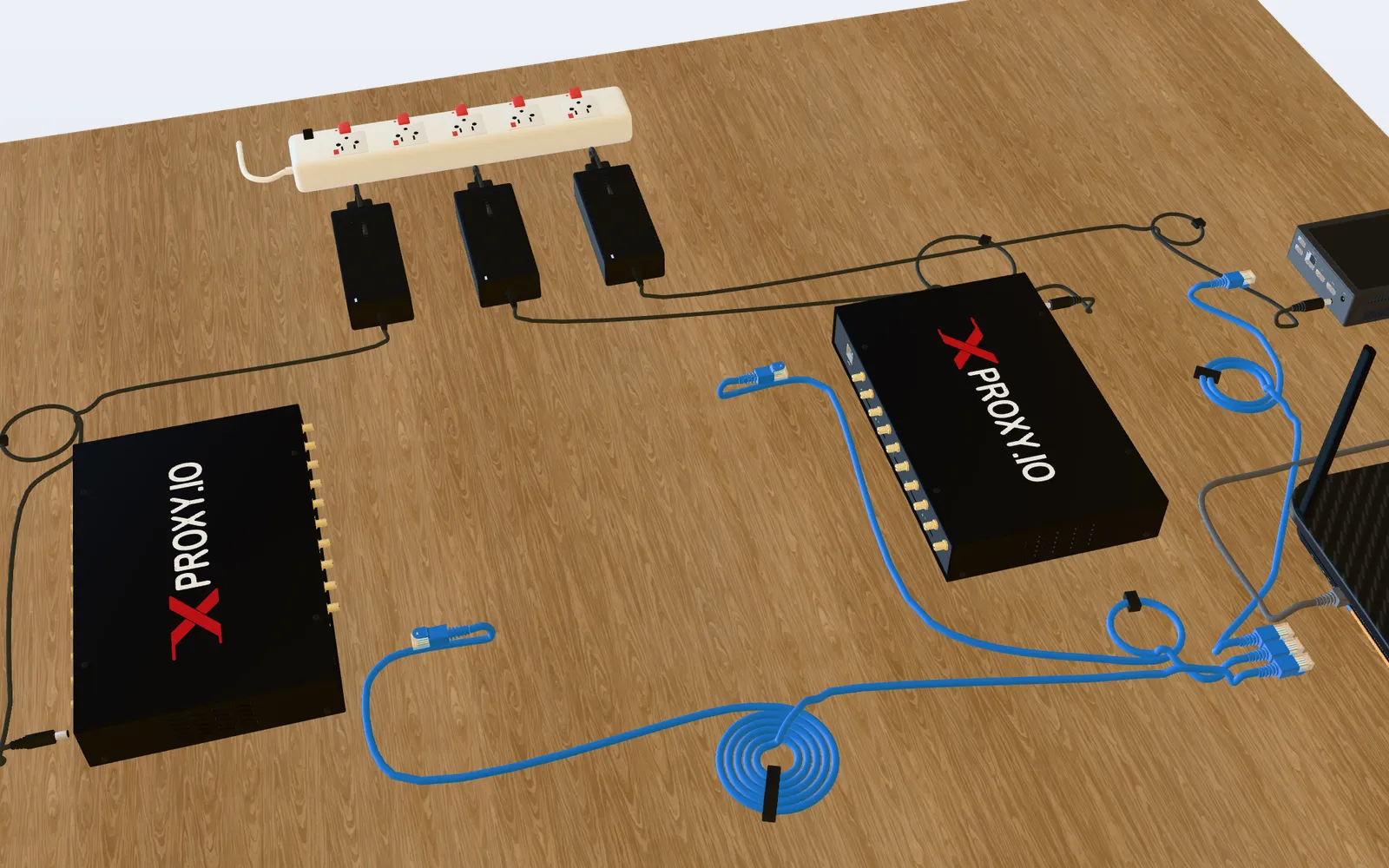
Step 1 of 9
Meet your kit
Here is everything on one desk. Tap a part to look at it.
In the box
Not in the box (you provide)
Each unit comes with 20 antennas. You also need a standard-size SIM with mobile data for each SIM slot you want to use.
Something not working?
| You see | What to do |
|---|---|
| No light on a unit or on the XProxy box | Check its power adapter is plugged in at both ends. |
| A SIM light stays off | Push the SIM all the way into its slot and check it has an active data plan. |
| Weak signal | Check all 20 antennas are attached to the unit. |
| The XProxy box does not see a unit | Check the network cables at both ends: unit, XProxy box and router. |
| No internet on the proxies | Check your router or modem is online and the network cables are in LAN ports. |
Still stuck?A technician can look at your device with a one-time PIN, or chat with us on Telegram.