
Multilogin との連携
Learn how to connect XProxy 4G/5G mobile proxies to Multilogin (Mimic & Stealthfox browsers) for stealth multi-account management.
Why use XProxy with Multilogin?
Multilogin is an enterprise-grade anti-detect platform that isolates browser environments using custom Mimic (Chromium-based) and Stealthfox (Firefox-based) engines. Combined with XProxy self-hosted 4G/5G mobile proxies, your browser profiles operate on genuine, high-trust residential mobile carrier IPs with zero proxy detection.
事前準備
- XProxy server running with active USB modems or 5G mobile phones.
- Multilogin application installed and logged in.
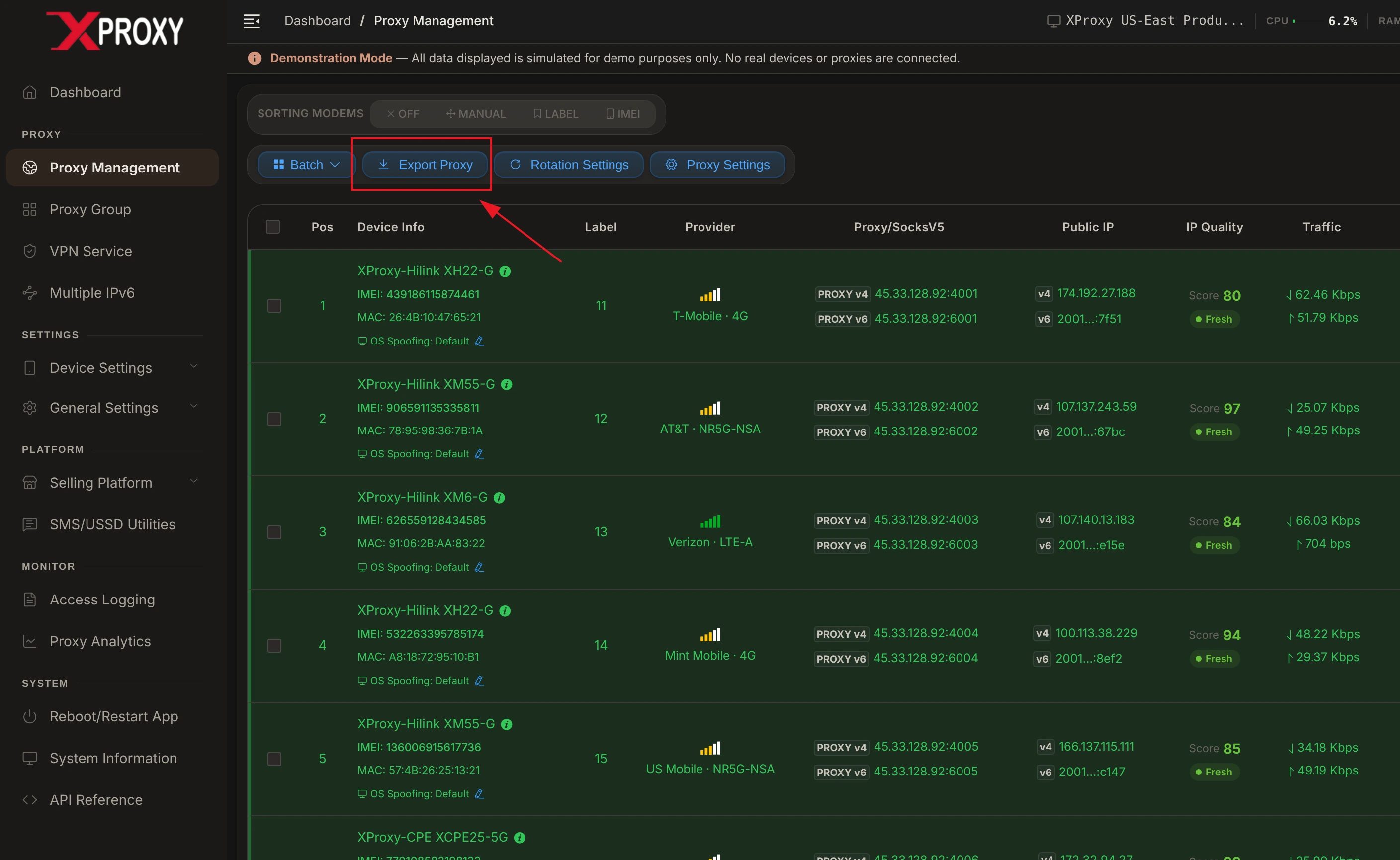
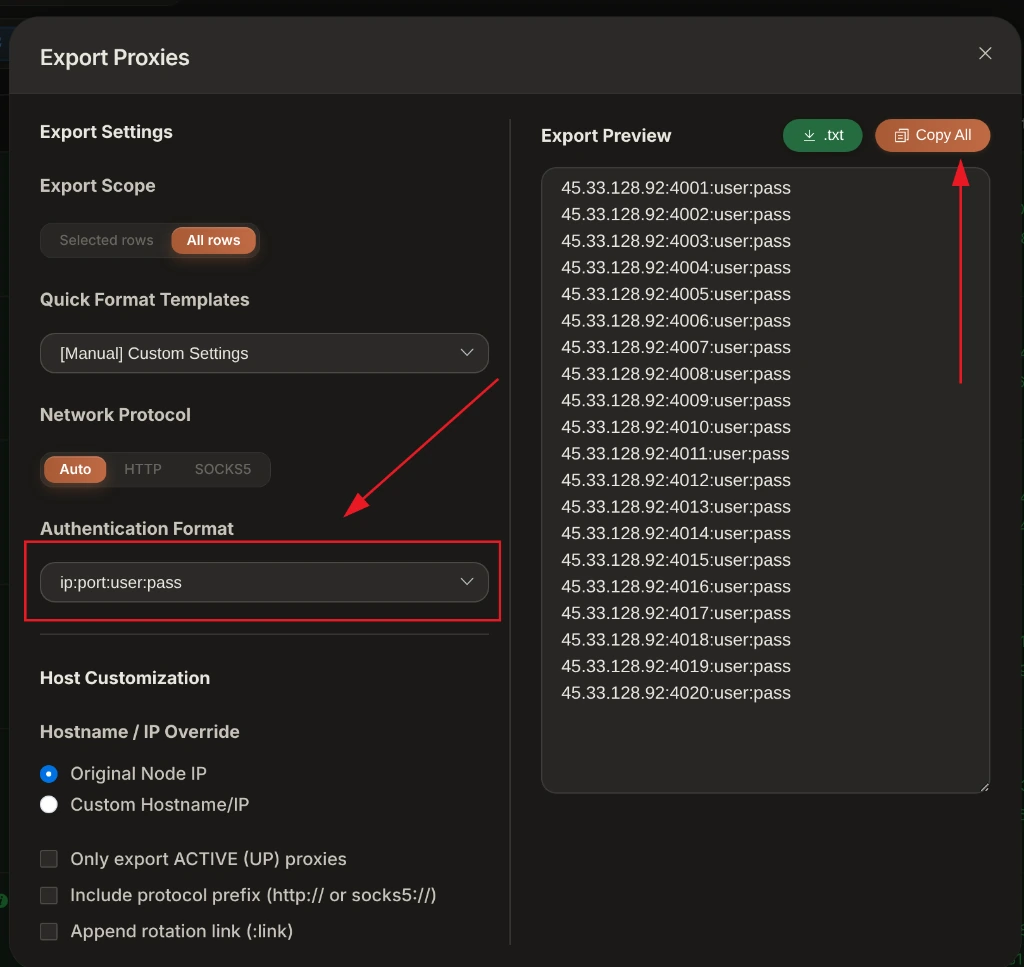
- Proxy credentials (IP, Port, Username, Password, Change IP Webhook URL) from XProxy Dashboard.
Step-by-step setup in Multilogin
1. Get your proxy credentials
In your XProxy Dashboard, note down your proxy access details for your target modem or channel:
- Proxy Host: Your XProxy server IP address.
- Port: Port assigned to your modem (e.g.
5001for SOCKS5 or6001for HTTP). - Username/Password: Required if proxy authentication is enabled.
- Rotation Webhook URL:
http://your-server-ip:5000/api/rotate?device=dongle1
2. Configure Proxy in Multilogin Profile
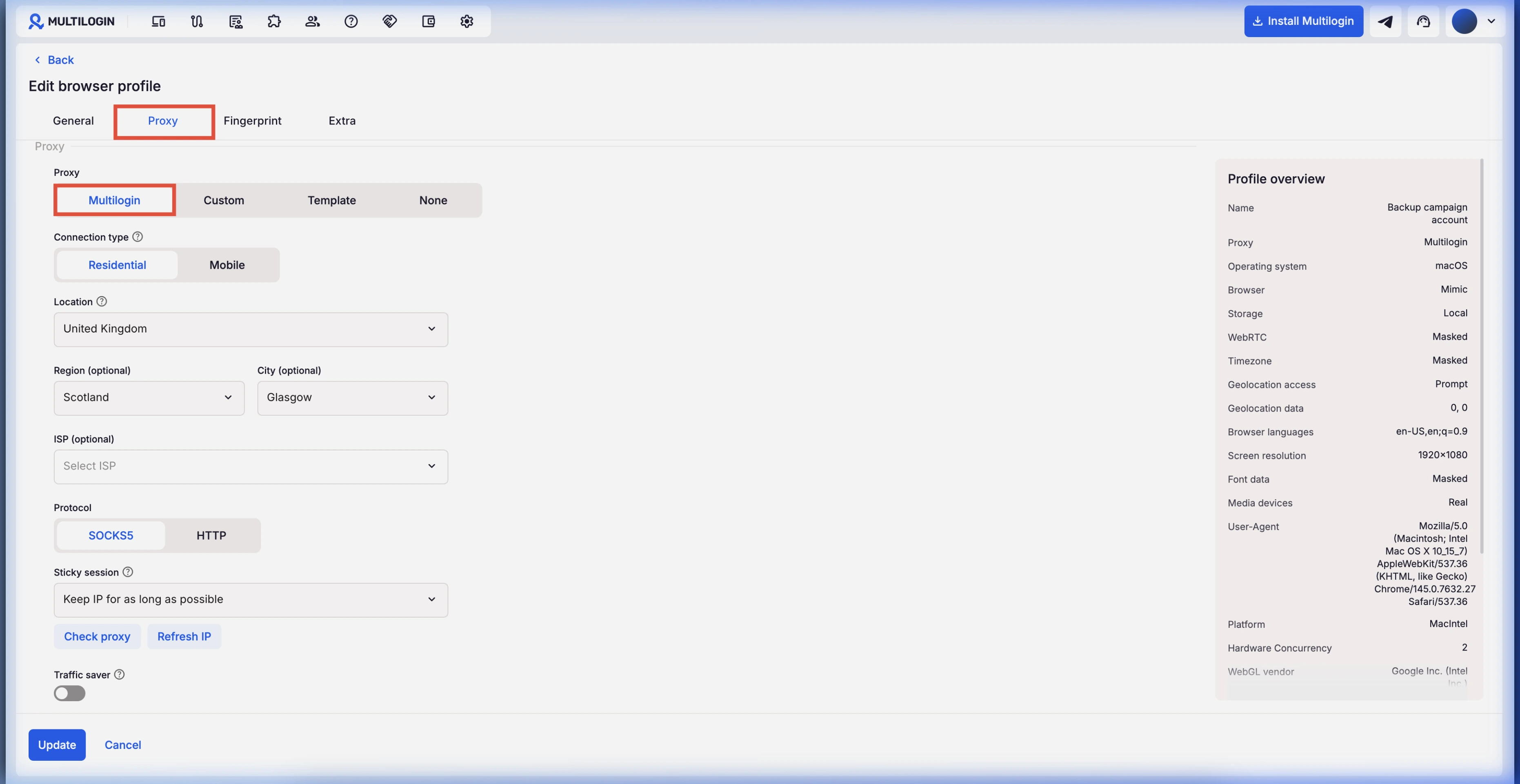
- Open Multilogin and click + New Profile.
- In the Proxy section, select SOCKS5 proxy (recommended) or HTTP proxy.
- Enter your XProxy IP, Port, Username, and Password.
- Click Check Proxy. Multilogin will test latency and exit IP geolocation.
XProxy Hardware & Fingerprint Synchronization
Multilogin is widely used for enterprise-grade profile isolation. Sync your XProxy hardware telemetry as follows:
- Timezone & Geolocation: Set to Auto / Based on IP. Multilogin will query XProxy's mobile exit IP and align system time and GPS coordinates with your SIM carrier location.
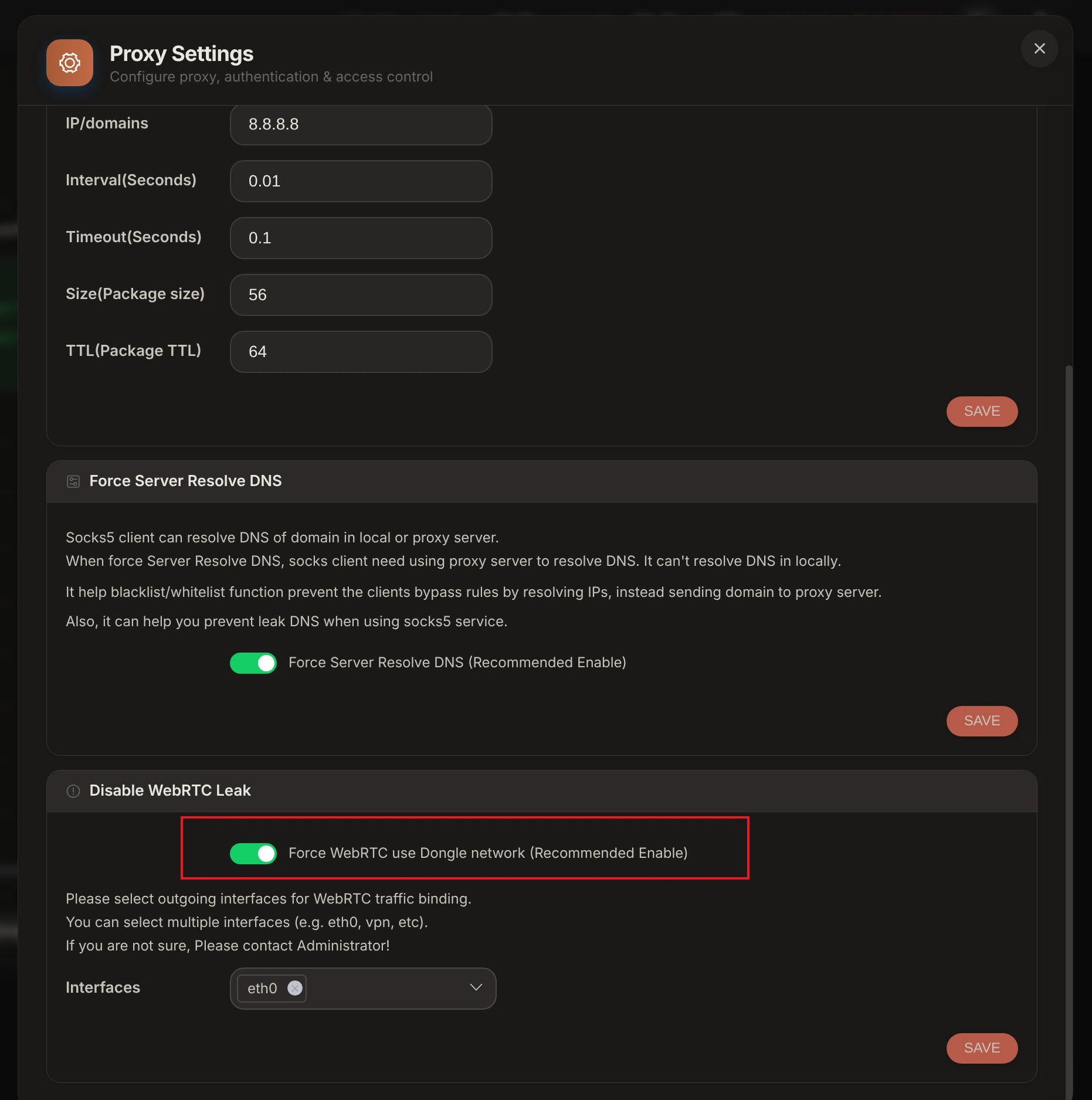
- WebRTC Leak Protection: Set WebRTC to Altered / Masked or Disabled to prevent WebRTC UDP requests from exposing your LAN IP address.
- Kernel TCP OS Signature: Turn on TCP OS Spoofing in XProxy Device Settings so SYN/ACK packet header signatures match your Multilogin profile OS.
Verification & Fingerprint Audit Tools
Before launching Multilogin profiles, audit your XProxy mobile connection using our free built-in leak checker and industry-standard verification suites:
- XProxy Free Proxy Leak Test (/proxy-leak-test) — Instantly verify WebRTC leaks, DNS queries, TCP OS fingerprinting, and cellular IP geolocation directly within XProxy.
- BrowserLeaks.com — Verify IP geolocation, WebRTC, and DNS leak protection.
- Whoer.net — Check overall anonymity score (target 100%).
- Pixelscan.net — Audit browser fingerprint consistency and detect proxy flags.
- IPhey.com — Evaluate browser hardware spoofing and IP trust level.
トラブルシューティング Common Issues
- Check Proxy Returns Error: Verify that your XProxy server IP and port are accessible. Check username/password authentication formatting.
- Connection Timeout during Check: Cellular reconnection on 4G/5G modems requires 3 to 8 seconds. Ensure Multilogin timeout buffer is set to at least 10s.
- Credential Parse Error: Ensure copied proxy strings contain no trailing whitespace or hidden unprintable characters.
