セリング プラットフォームの使い方
The Selling Platform is XProxy's highest plan — designed for proxy businesses that need to generate, manage, and sell proxies with full control over bandwidth, quotas, authentication, and rotation.
Who is it for?
- Running a proxy reselling business.
- Creating shared proxies for multiple users.
- Controlling bandwidth, quotas, and connection limits per proxy.
- Setting whitelist/blacklist rules per proxy.
Features
- Generate multiple proxies from one dongle.
- Choose port type: HTTP, HTTPS, or SOCKS5.
- Choose IP type: IPv4 or IPv6.
- Set username/password or IP authentication per proxy.
- Set expiration date per proxy.
- Set rotation policy (manual, interval, API-triggered).
- Set custom DNS, max connections, whitelist/blacklist, bandwidth limits, and upload/download quotas per proxy.
- Monitor upload/download counters per proxy.
- Customizable proxy info templates for customers.
- XProxy Client API with per-proxy tokens for customer self-service.
開始する前の準備
- Set a static IP for your XProxy server
- Configure NAT/DMZ for public access
- Enable dashboard authentication (General Settings → System Settings)
- Set up Dynamic DNS
ステップ 1
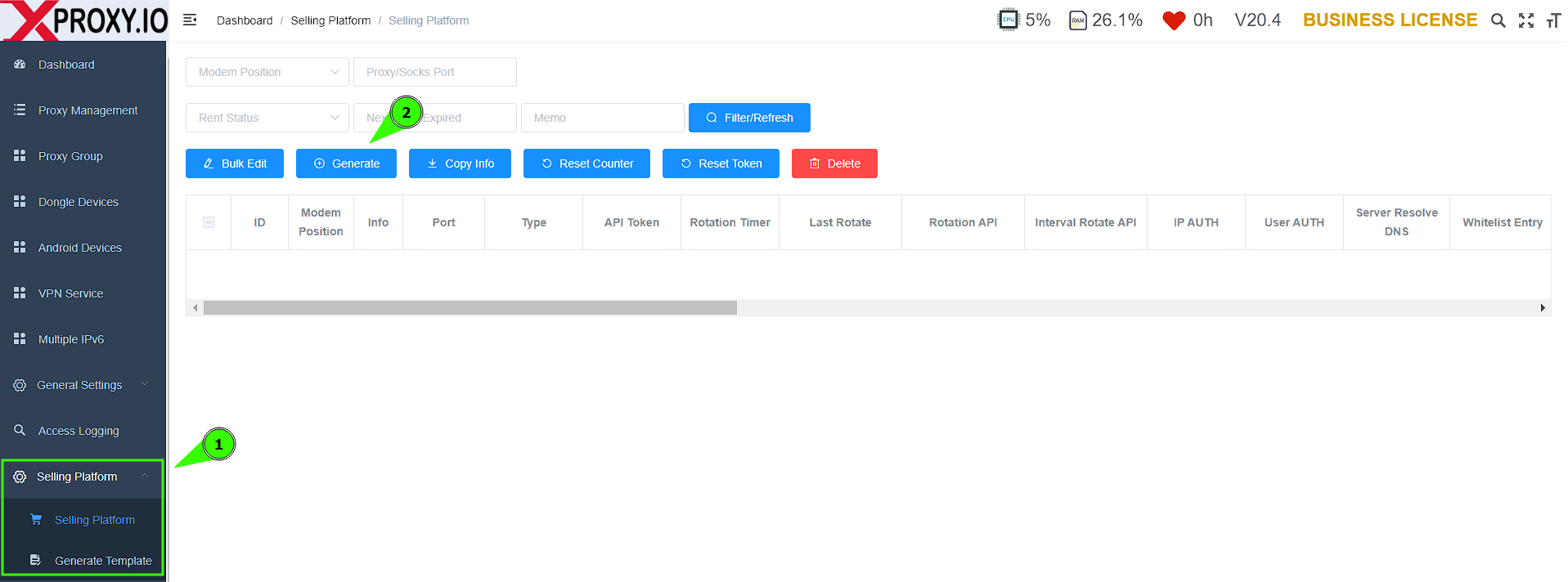
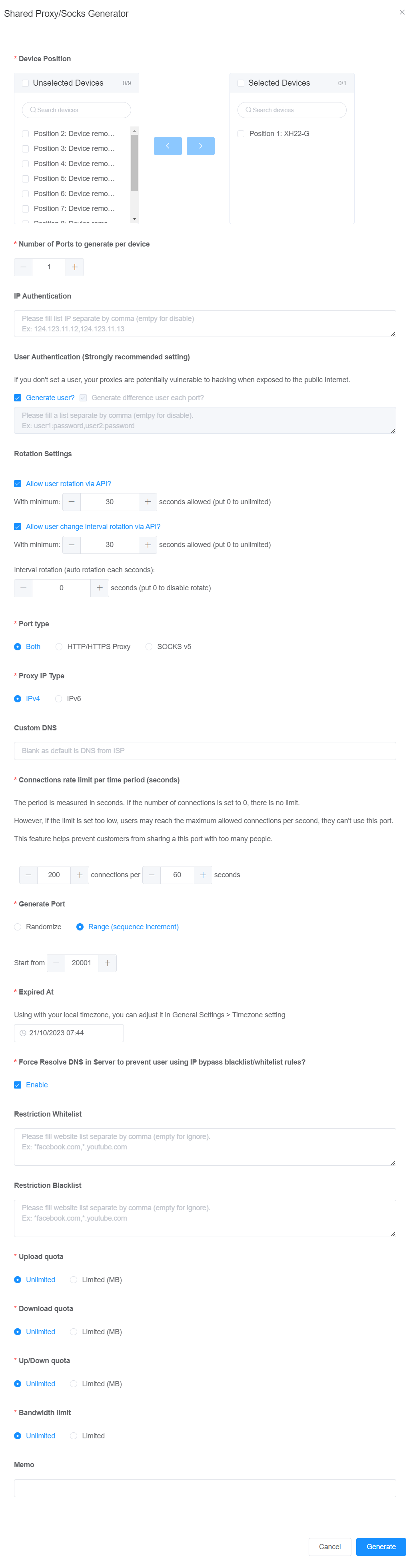
Go to the XProxy dashboard → Selling Platform → click Generate. Configure:
- Device Position — which dongle(s) to use.
- Number of Ports — 1 for dedicated proxy, 2+ for shared proxy.
- IP/User Authentication — same credentials for all, or unique per proxy.
- Rotation Settings — allow customer to request rotation or change interval.
- Port Type — HTTP/HTTPS or SOCKS5. IP Type — IPv4 or IPv6.
- Connection Rate Limit — max connections per second (0 = unlimited).
- Generate Port — Range recommended for easier management.
- Expired At — auto-close the proxy port on this date.
- Resolve DNS — enable if using whitelist/blacklist rules.
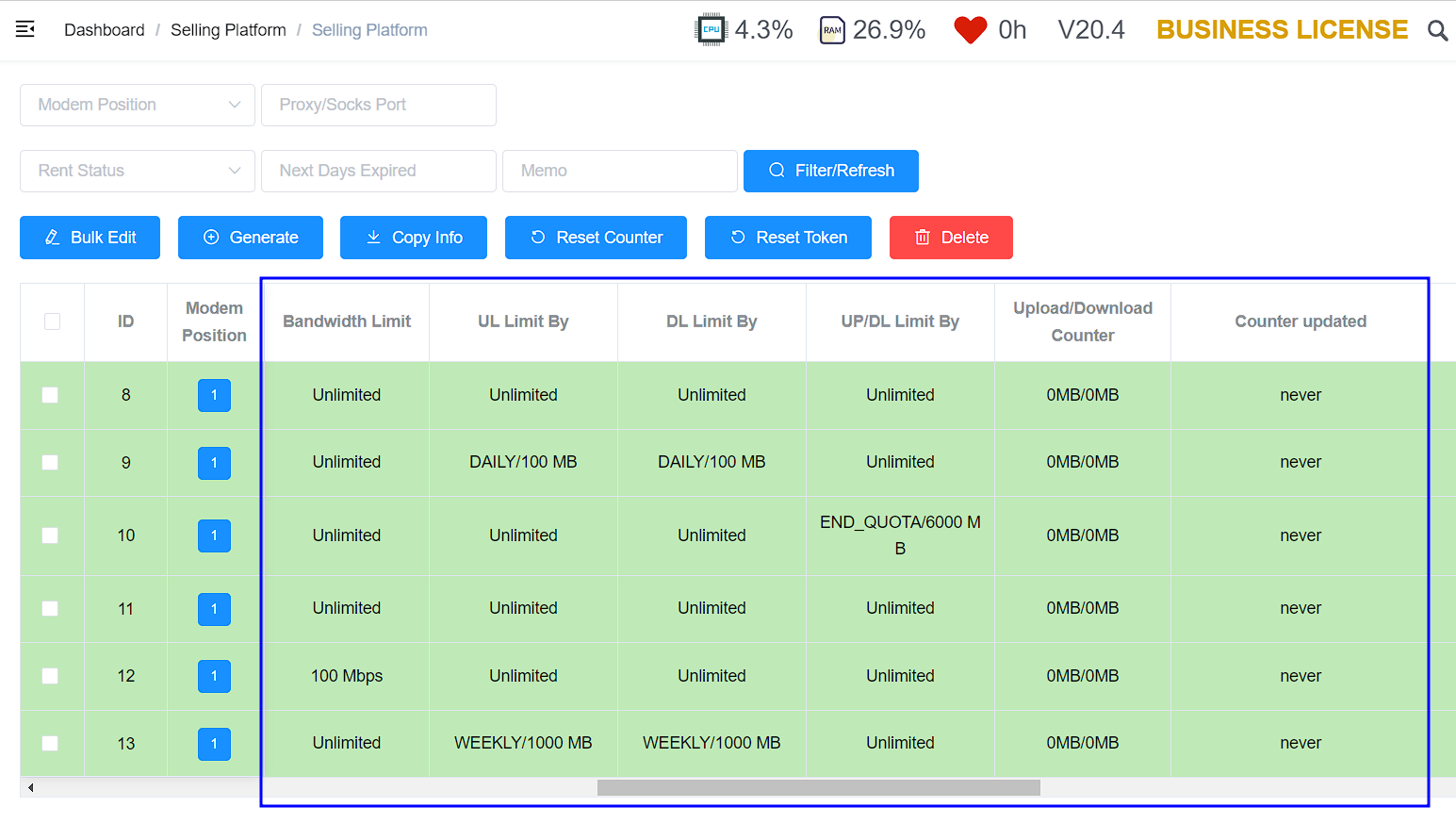
- Upload/Download Quota — daily, weekly, monthly, or total capacity limit.
- Bandwidth Limit — rate limit in Mbps.
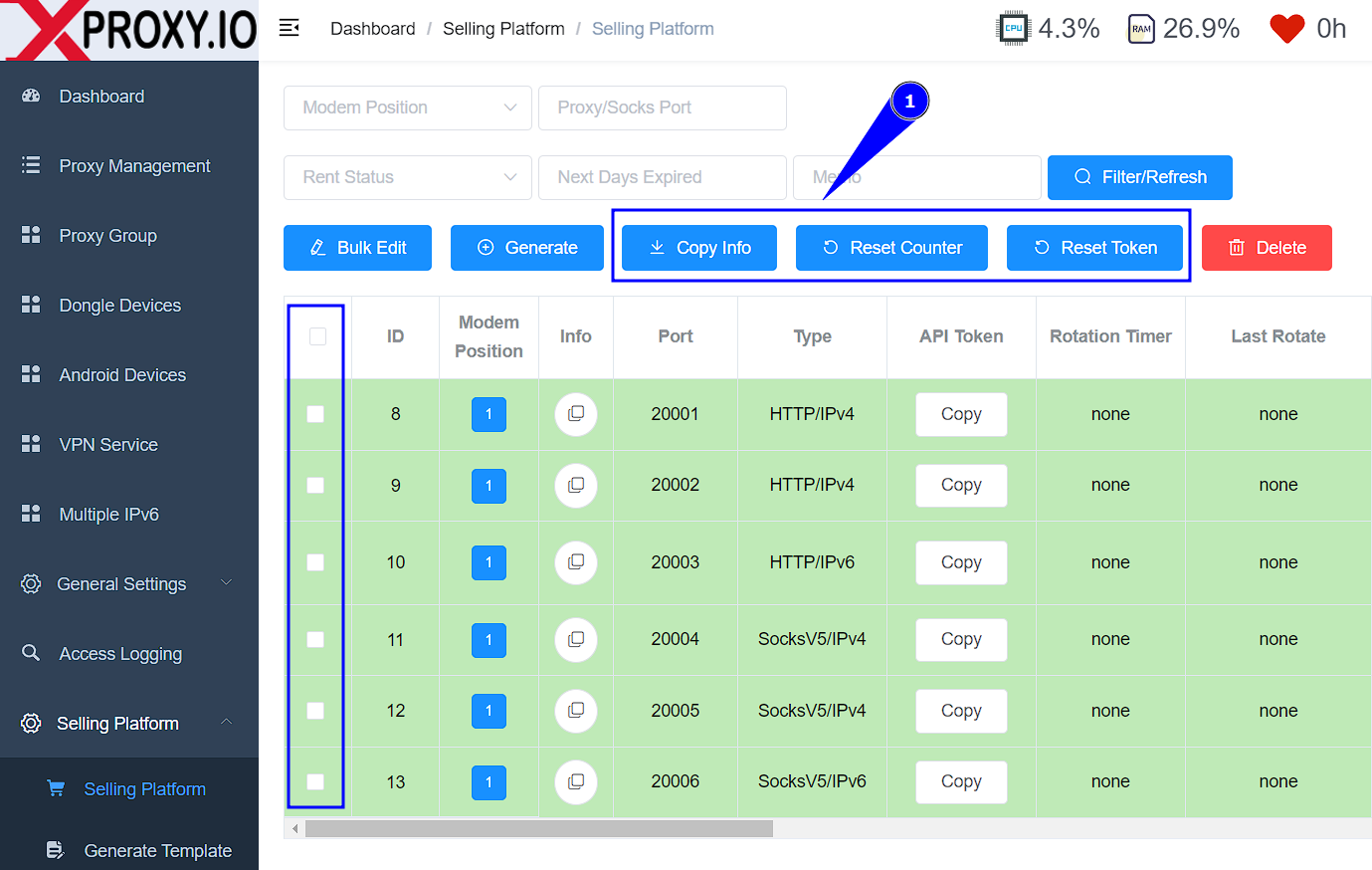
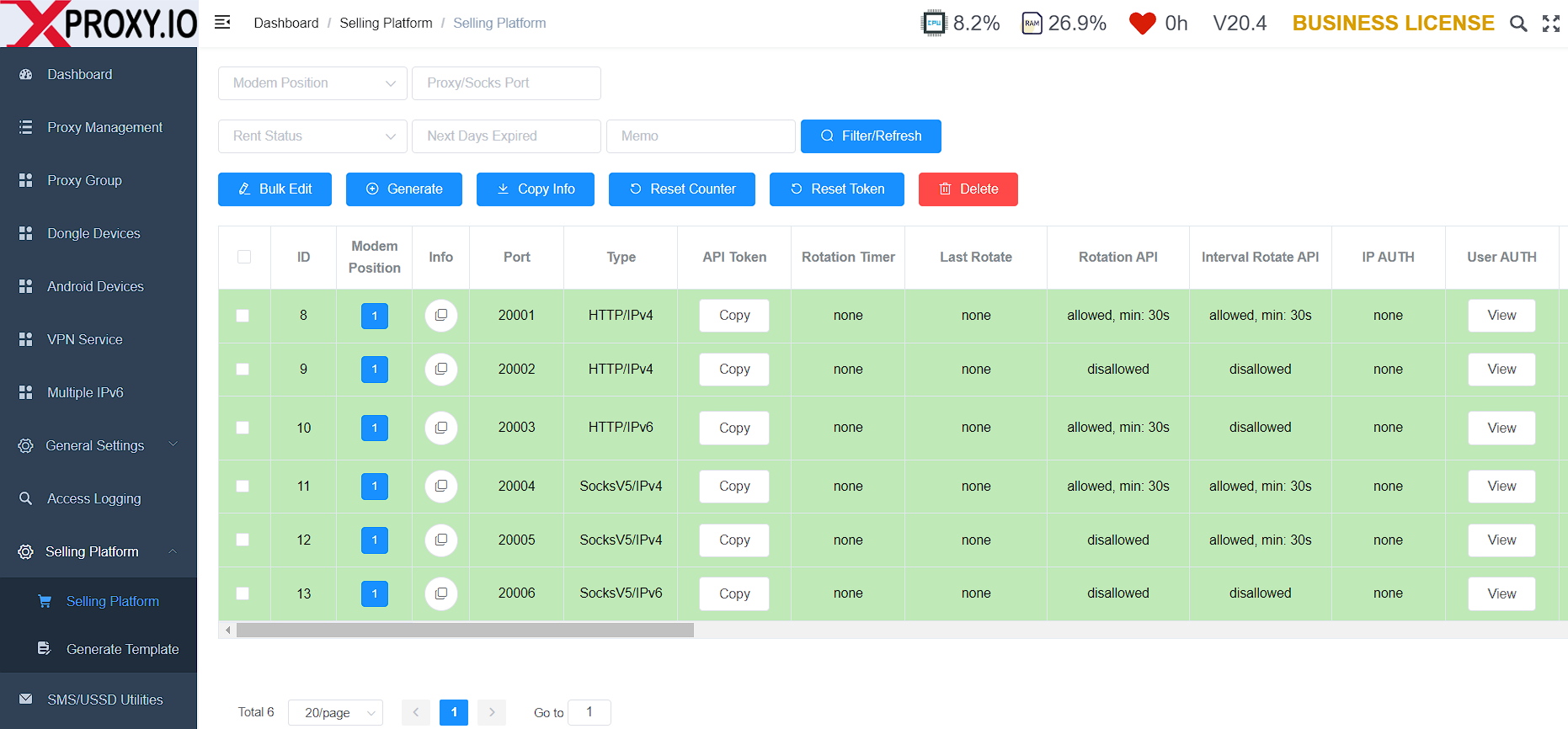
これは販売用プロキシの一覧です。各プロキシのダウンロード/アップロードカウンターを監視できます。
ステップ 2
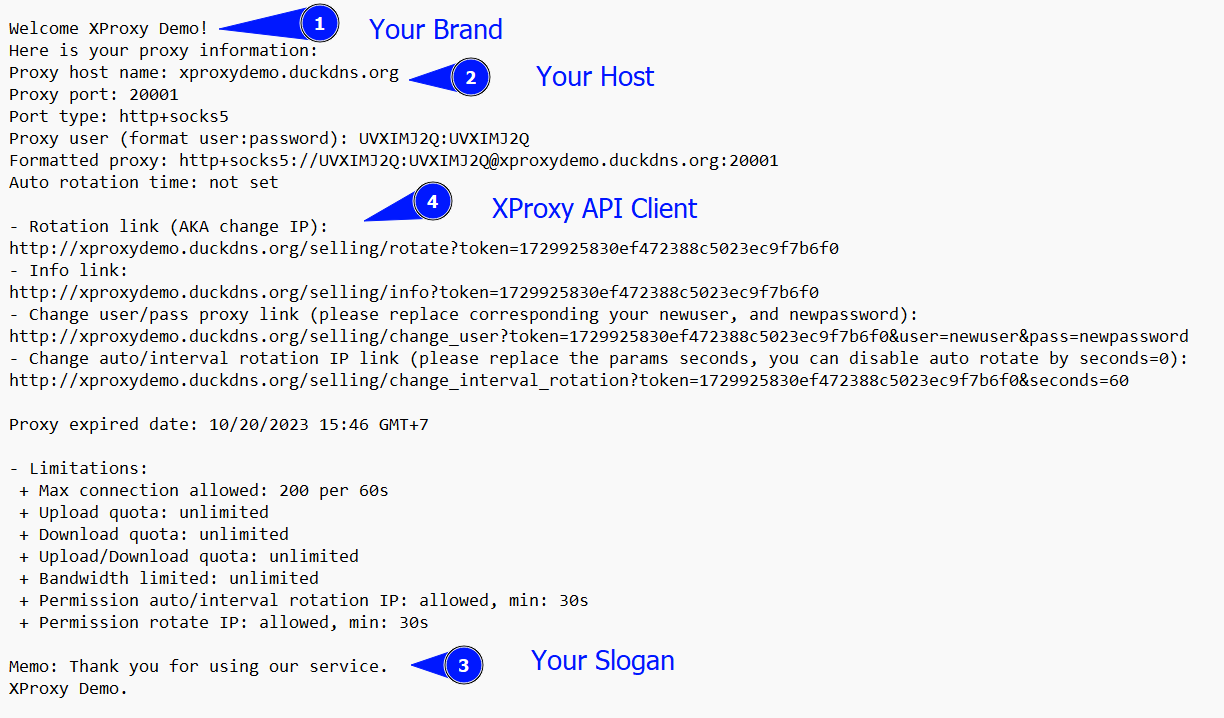
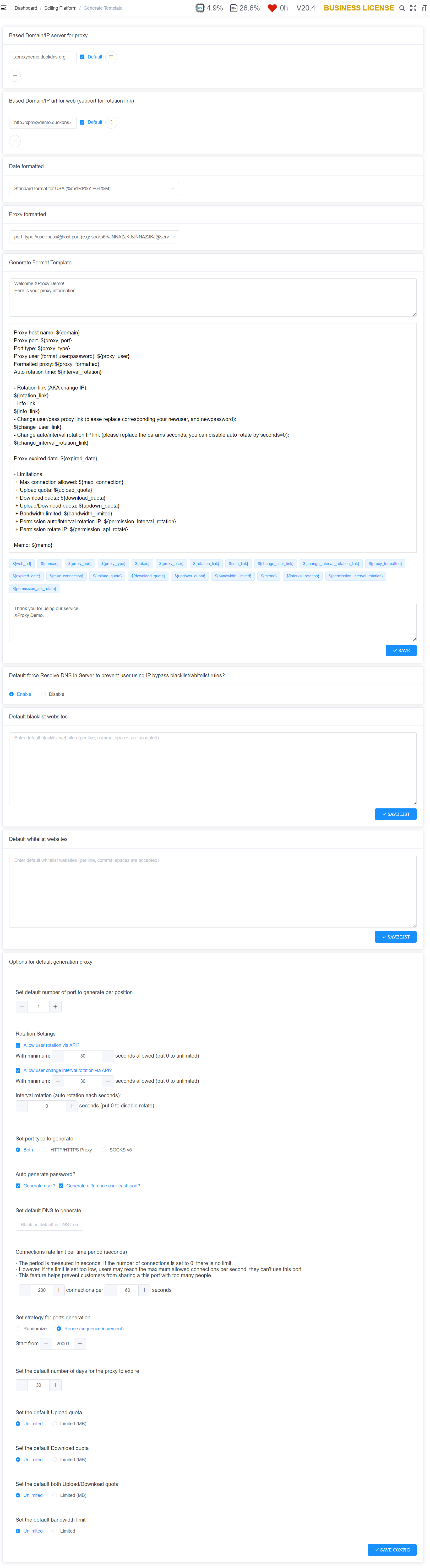
Go to Selling Platform → Generate Template. Set your brand name, proxy host, and the guide text sent to customers. The template uses your Dynamic DNS domain automatically.
ステップ 3
From the proxy list, click the copy button to export proxy details in your template format and share with customers.
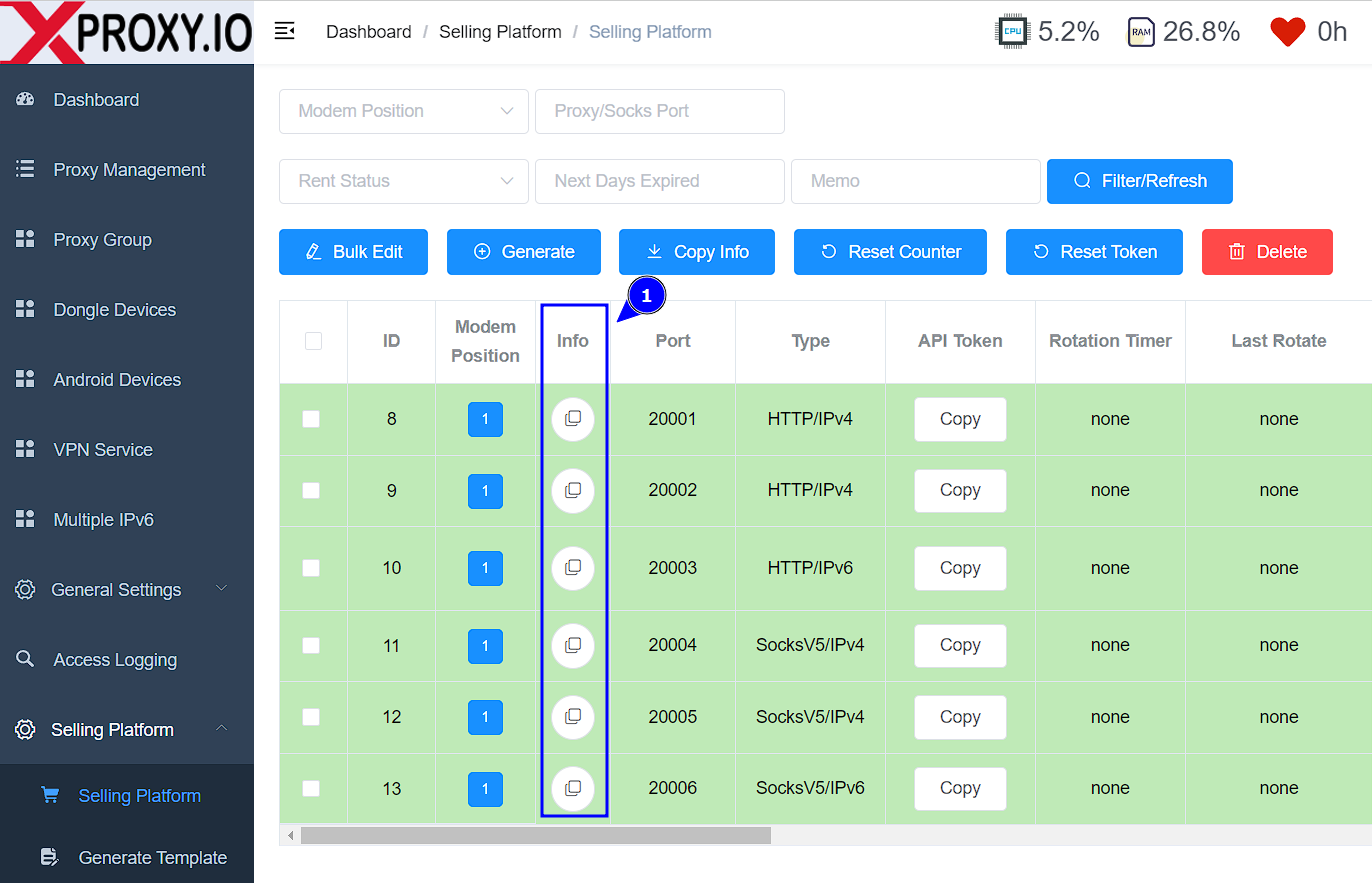
これは顧客に送信されるプロキシ情報です:
XProxy Client API
Each generated proxy has a unique token. Customers can self-manage their proxy:
# Rotate IP
http://your-proxy-host/selling/rotate?token=TOKEN

# Get proxy info
http://your-proxy-host/selling/info?token=TOKEN

# Change username/password
http://your-proxy-host/selling/change_user?token=TOKEN&user=newuser&pass=newpassword

# Change auto-rotation interval (seconds=0 to disable)
http://your-proxy-host/selling/change_interval_rotation?token=TOKEN&seconds=60Upload / Download quotas
Quotas let you sell proxies by capacity — the proxy auto-closes when the customer uses up their allowance.
- Daily / Weekly / Monthly — resets at 00:00 each period (uses your server timezone).
- End of Quota — total lifetime capacity. When exhausted, the proxy closes and shows as expired.
- Quota can track Download, Upload, or Both.
- Use Reset Counter or Reset Token when transferring a proxy to a new customer.