
Octo Browser との連携
Learn how to connect XProxy 4G/5G mobile proxies to Octo Browser anti-detect browser for fast, secure multi-account management.
Why use XProxy with Octo Browser?
Octo Browser is a high-performance anti-detect browser designed for team collaboration, web scraping, and multi-account social media management. Pairing Octo Browser with XProxy self-hosted mobile proxies provides raw, unthrottled 4G/5G cellular IPs with dynamic rotation capability.
事前準備
- XProxy server running with active 4G/5G USB modems or Android phones.
- Octo Browser application installed.
- Proxy credentials (IP, Port, Username, Password, Change IP URL) from XProxy Console.
Step-by-step setup in Octo Browser
1. Get your proxy details
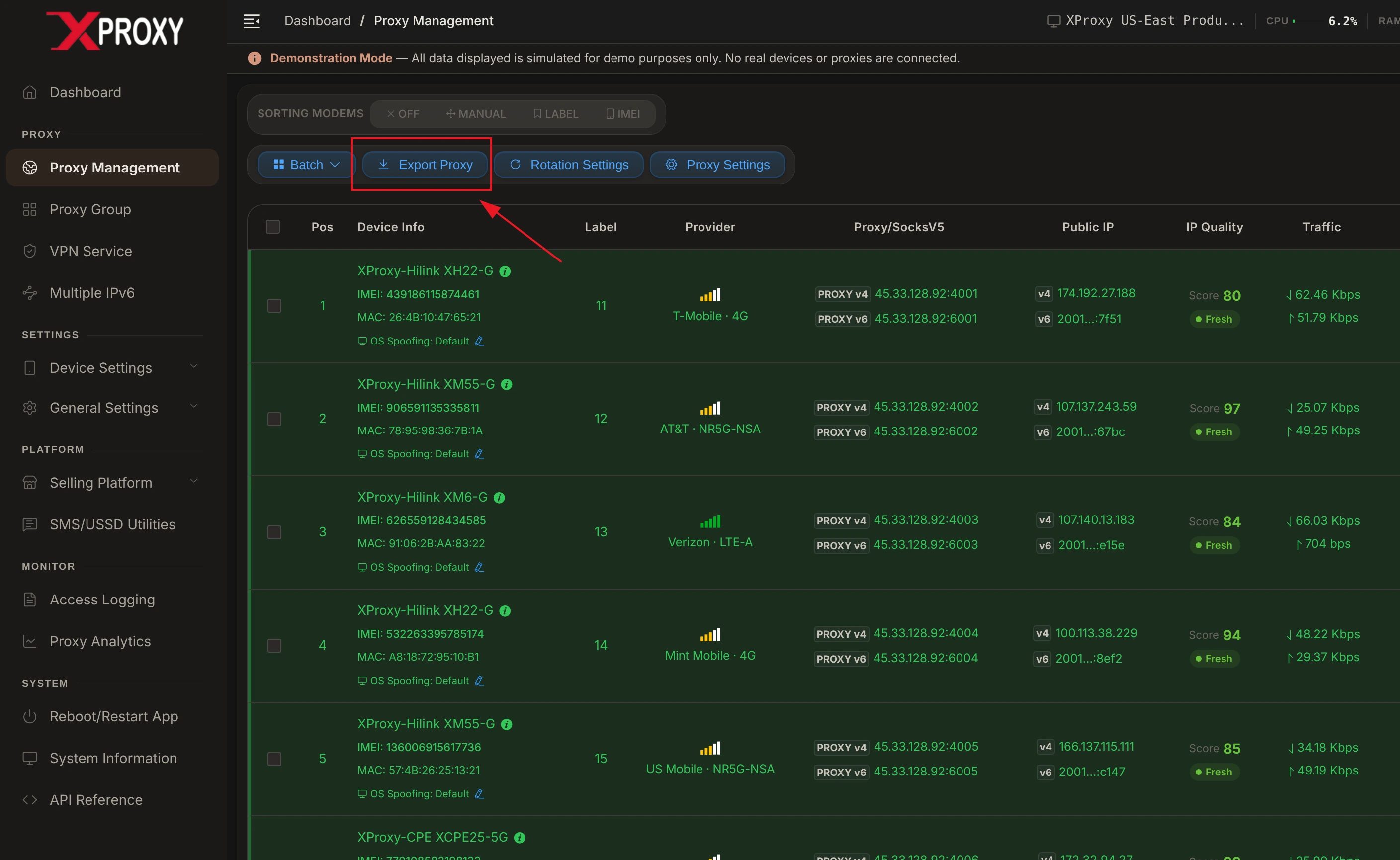
Log in to your XProxy Dashboard, navigate to Proxy Management, and click the Export Proxy button on the top toolbar:
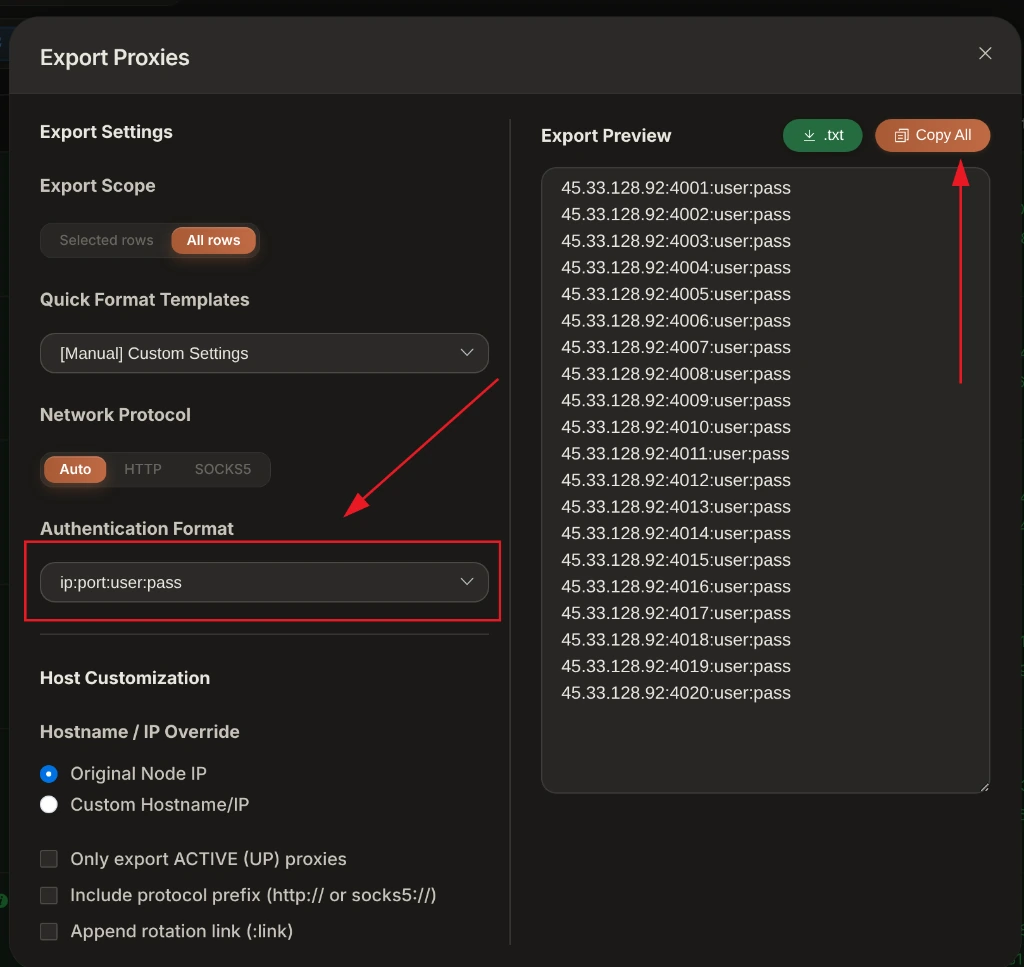
In the Export Proxies window, select your desired Authentication Format (e.g. ip:port:user:pass or ip:port) and click Copy All:
2. Add proxy to Octo Browser
- Open Octo Browser and click Create Profile (or Proxy Manager).
- Set proxy protocol to SOCKS5 (recommended) or HTTP.
- Enter your XProxy IP, Port, Username, and Password.
- Paste your XProxy rotation URL into the Change IP URL field:
http://192.168.6.7:8081/api/v1/rotate_ip/position/1 - Click Check Proxy to verify connection.
XProxy Hardware & Fingerprint Synchronization
Octo Browser provides deep hardware spoofing. For maximum account safety when paired with XProxy 4G/5G mobile modems:
- Timezone & Geolocation: Set to Auto / Based on IP. Octo Browser will automatically sync system time and coordinates with XProxy's exit IP.
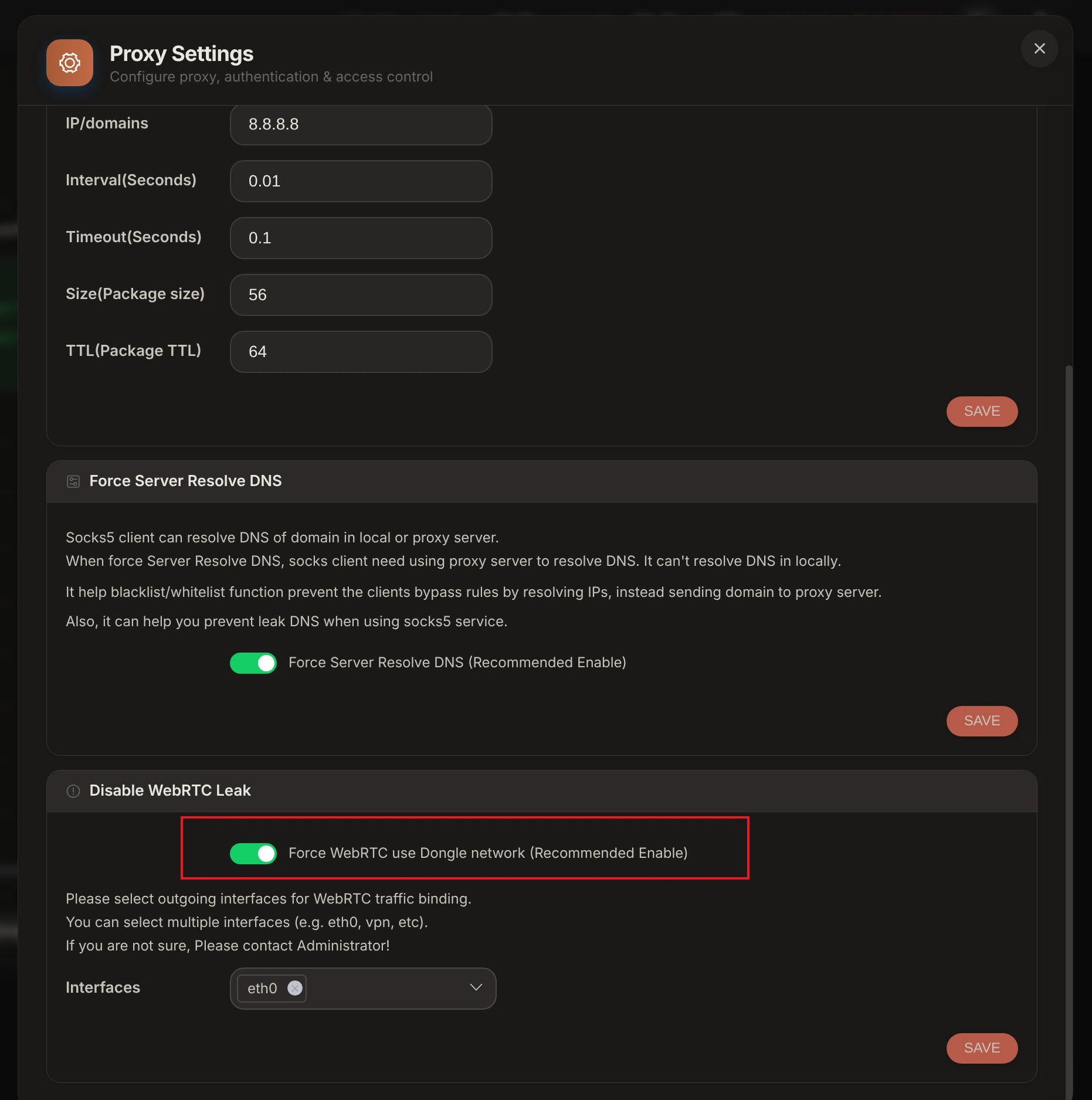
- WebRTC Leak Protection: Set WebRTC to Replace / Altered or Disabled. Avoid Real mode as UDP requests bypass proxy layers and leak local LAN IP addresses.
- Kernel TCP OS Signature: Turn on TCP OS Spoofing in XProxy Device Settings so SYN/ACK packet header signatures match your Octo Browser profile OS.
Verification & Fingerprint Audit Tools
Before launching Octo Browser profiles, audit your XProxy mobile connection using our free built-in leak checker and industry-standard verification suites:
- XProxy Free Proxy Leak Test (/proxy-leak-test) — Instantly verify WebRTC leaks, DNS queries, TCP OS fingerprinting, and cellular IP geolocation directly within XProxy.
- BrowserLeaks.com — Verify IP geolocation, WebRTC, and DNS leak protection.
- Whoer.net — Check overall anonymity score (target 100%).
- Pixelscan.net — Audit browser fingerprint consistency and detect proxy flags.
- IPhey.com — Evaluate browser hardware spoofing and IP trust level.
トラブルシューティング Common Issues
- Connection Timeout during Check: Cellular reconnection on 4G/5G modems requires 3 to 8 seconds. Ensure Octo Browser timeout buffer is set to at least 10s.
- Credential Parse Error: Ensure copied proxy strings contain no trailing whitespace or hidden unprintable characters.
