
ダイナミック DNS(DDNS)
ダイナミック DNS (DDNS) 設定 lets you use a stable domain name (like myproxy.example.com) to access your XProxy dashboard and proxies — even when your public IP changes.
DDNS とは?
DDNS は、パブリック IP が変更されるたびにドメインレコードを自動的に更新します。ツールはドメイン名を指すだけで、XProxy がその背後の IP を常に最新に保ちます。これにより、IP がローテーションしたりルーターが再起動したりしても、時間を節約しリンク切れを防げます。
Why use DDNS with XProxy?
- One stable domain for your dashboard and all proxy endpoints.
- No need to remember or update IPs when your ISP changes them.
- XProxy automatically keeps the domain pointing to your current public IP.
開始する前の準備
- XProxy サーバーがオンラインでインターネットに接続できること。
- 使用する DDNS プロバイダーのアカウントを 1 つ以上持っていること。
- 希望するホスト名またはドメイン(例:
yourname.ddns.netや Cloudflare の独自ドメイン)が決まっていること。
Quick start
- Open XProxy → General Settings → Dynamic DNS.
- Select a provider tab.
- Toggle Enabled ON.
- Fill in the required fields (see provider details below).
- Set Update interval to 60 seconds.
- Click Save. XProxy syncs immediately.
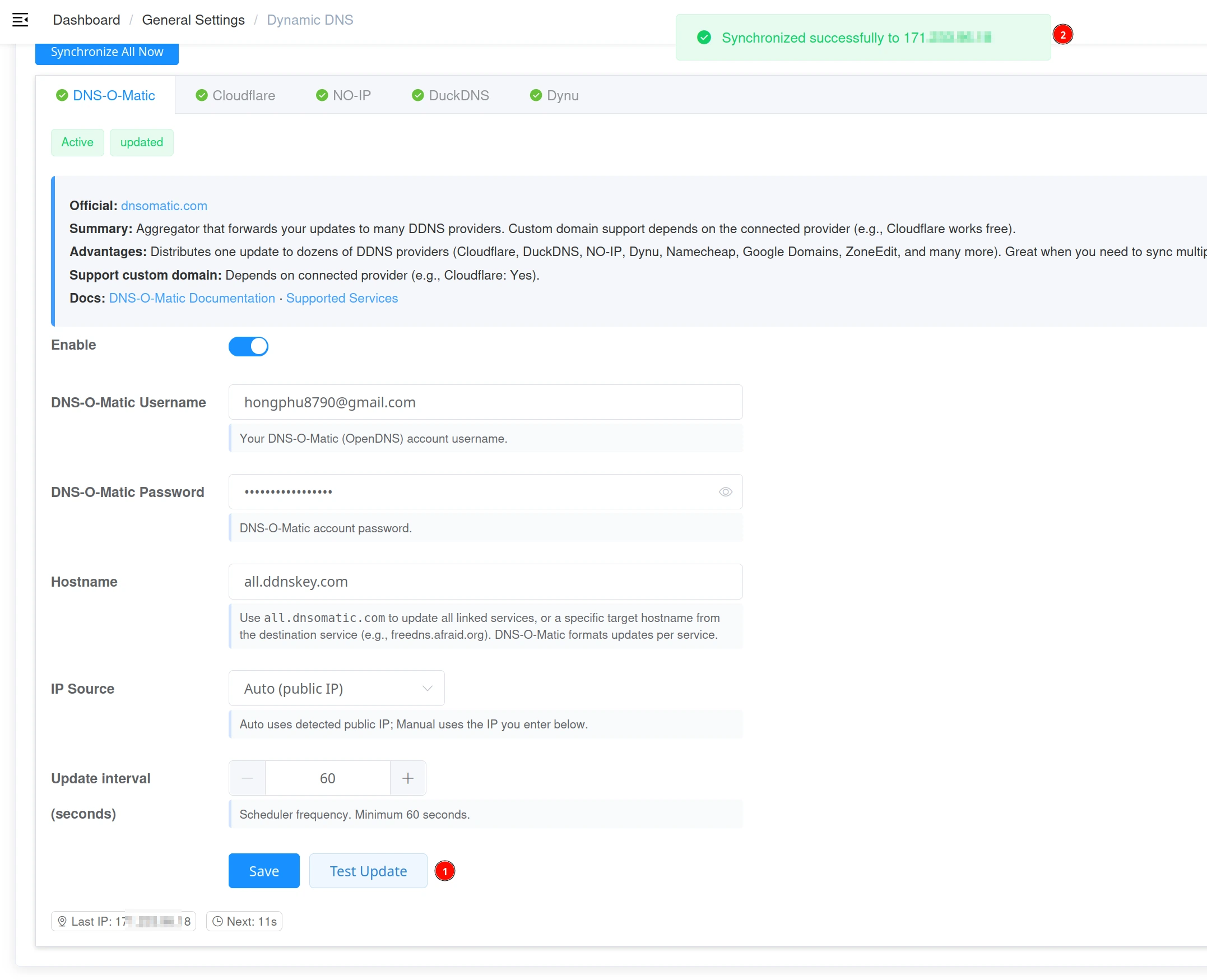
- Click Test to confirm the provider returns "Synchronized".
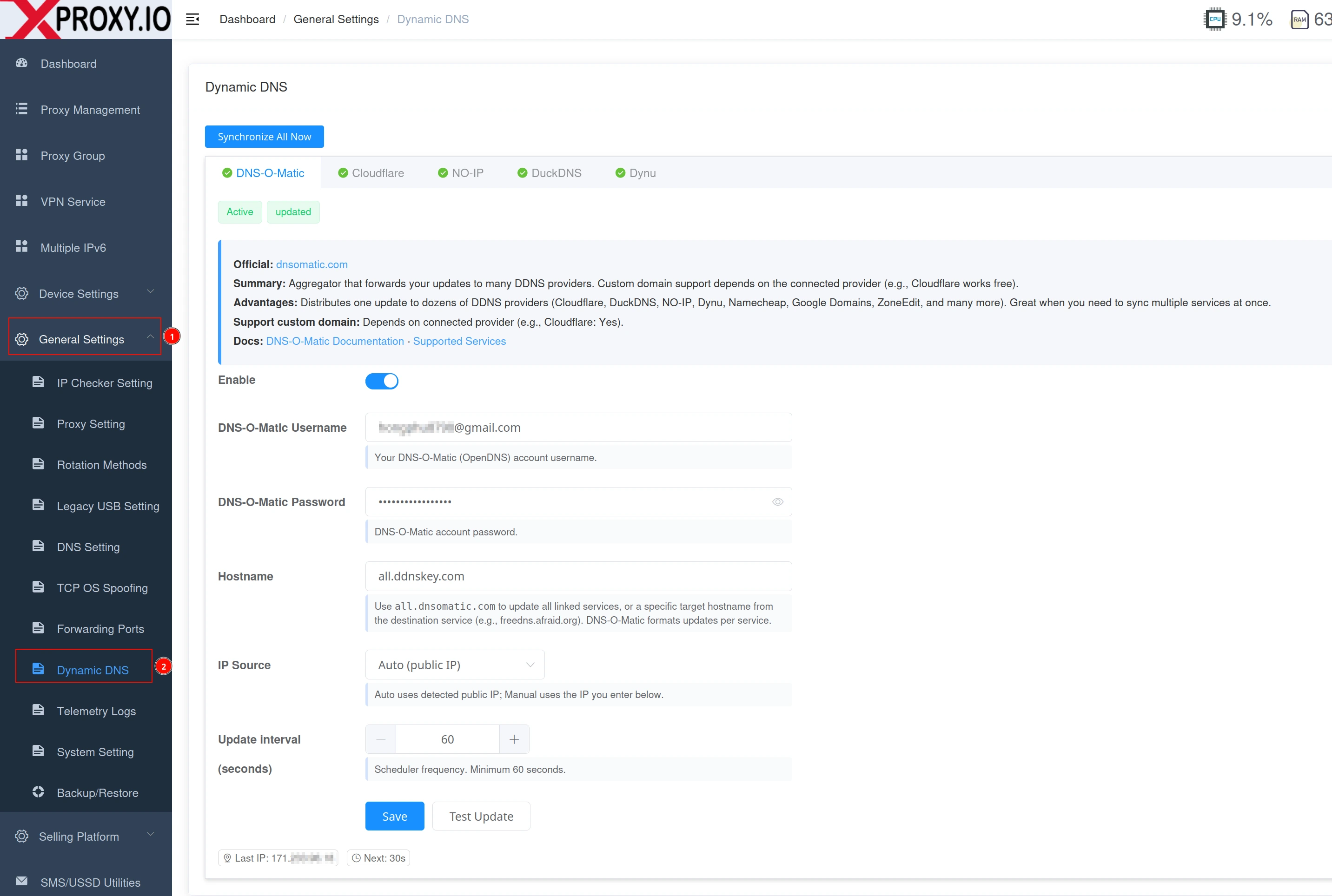
Provider 1 — DNS-O-Matic
- Username — your DNS-O-Matic account email/username.
- Password — your DNS-O-Matic password.
- Hostname — leave empty to update
all.dnsomatic.com, or set a specific host.
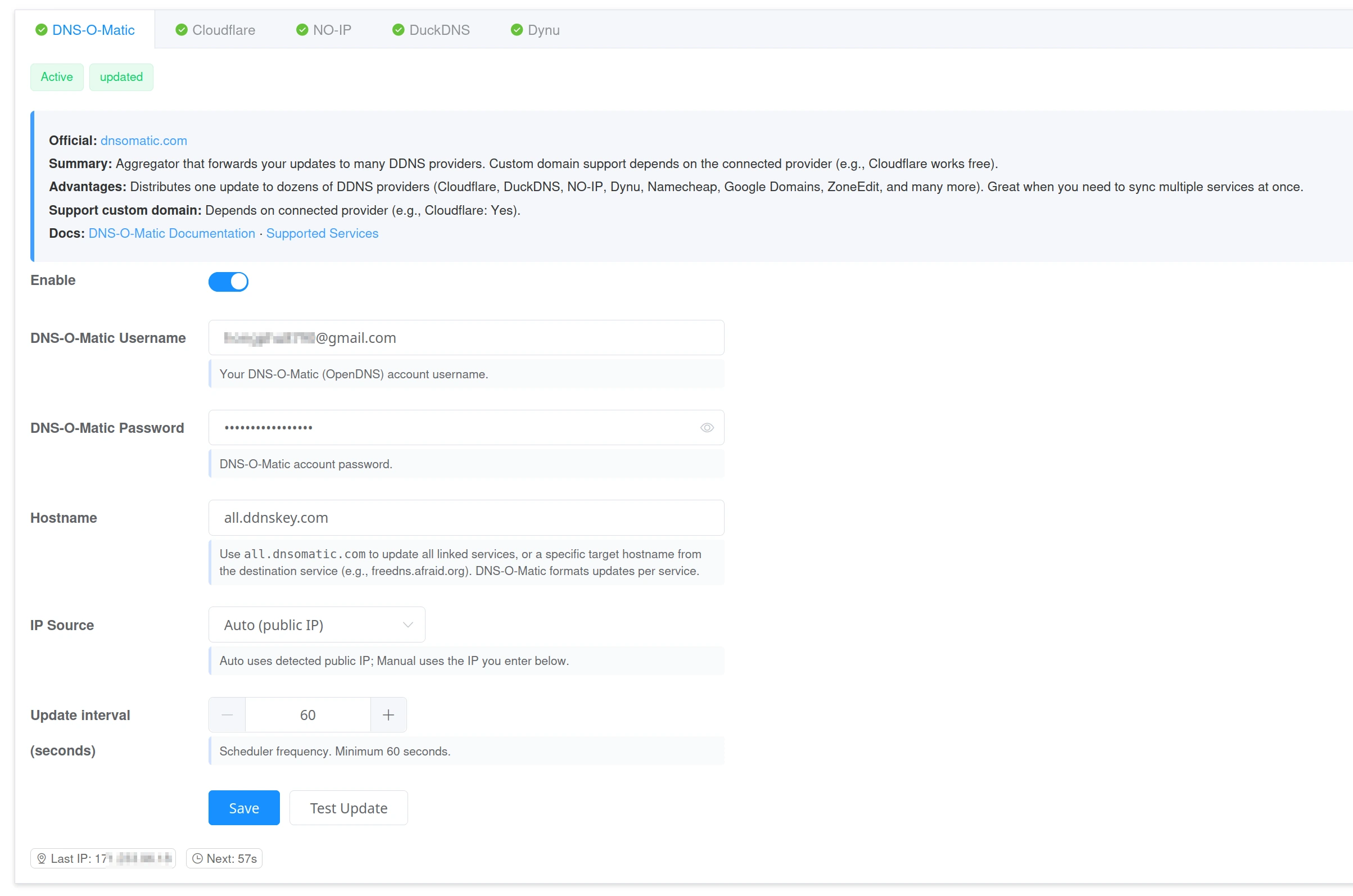
Provider 2 — Cloudflare
- API Token — token with DNS Read + DNS Edit for the target zone.
- Zone ID — the zone where your domain lives.
- Record Name — the DNS A record to update (e.g.
proxy.example.com). - Proxied — keep OFF for proxy endpoints; ON for public websites/dashboard only.
- TTL — use 60–120 seconds for faster global updates.
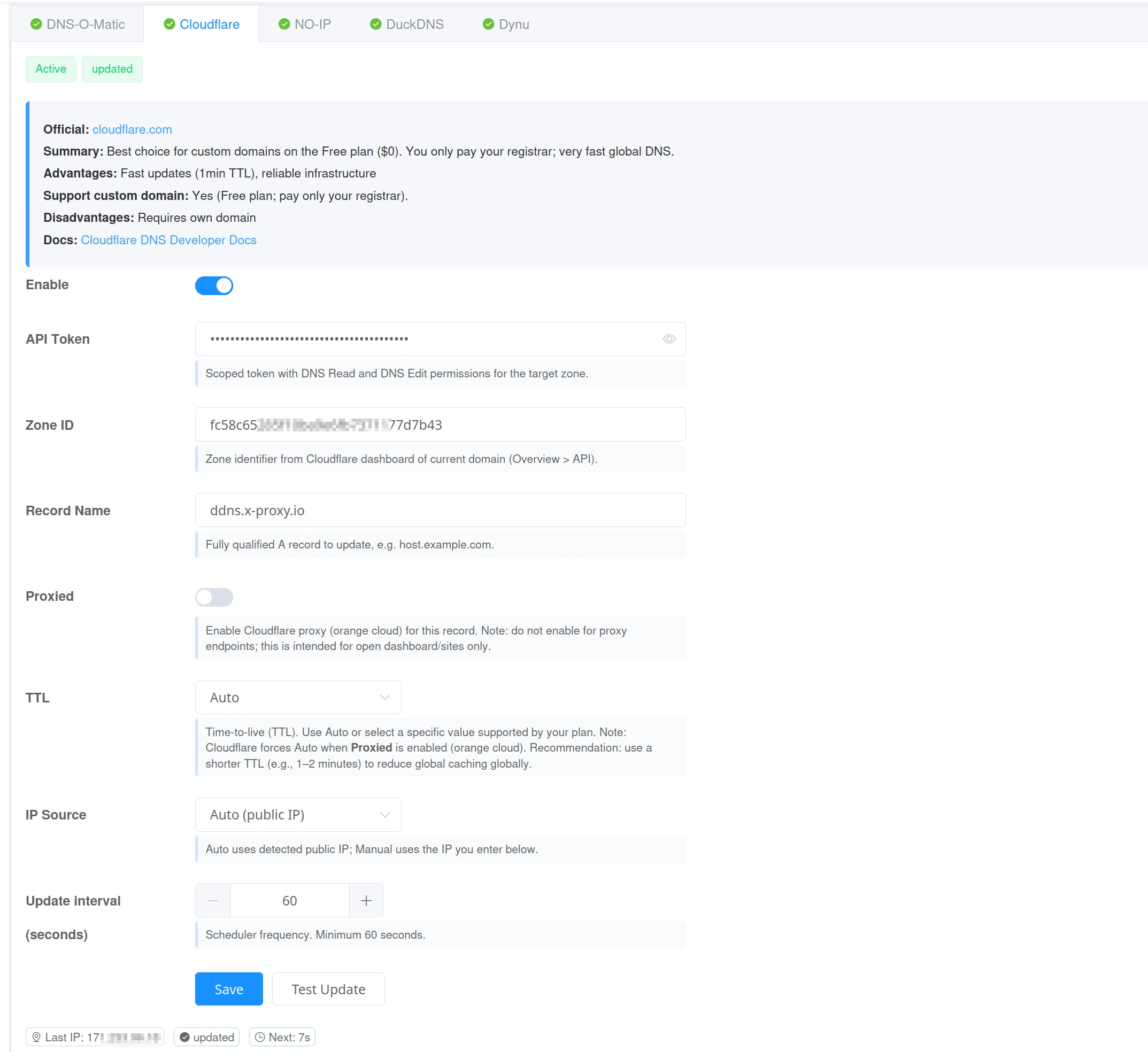
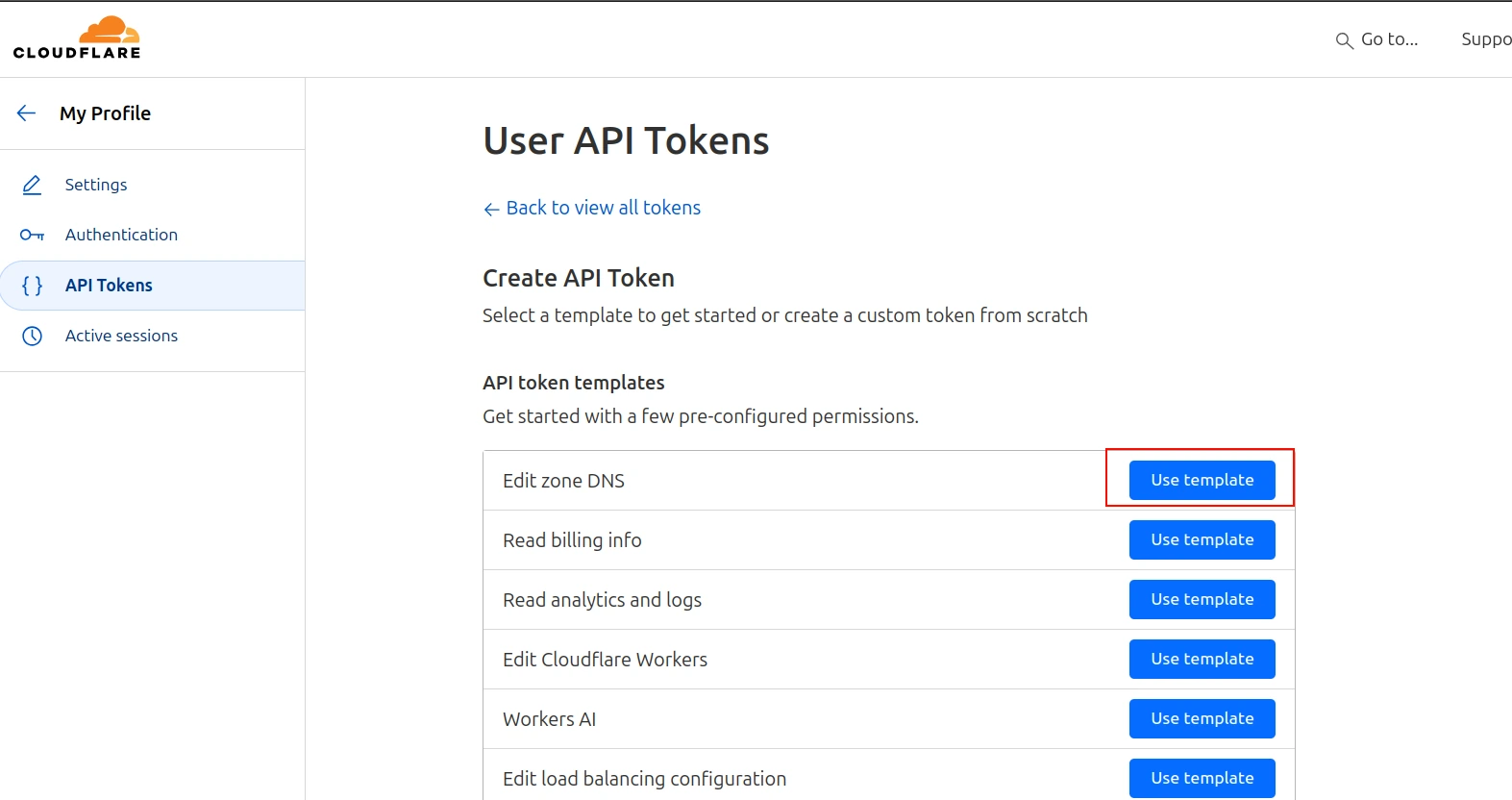
ステップ 1
Open Cloudflare → My Profile → API Tokens → Create Token. Use the "Edit DNS" template. Scope must include Zone.DNS Read and Zone.DNS Edit. Limit to your target zone. Copy the token.
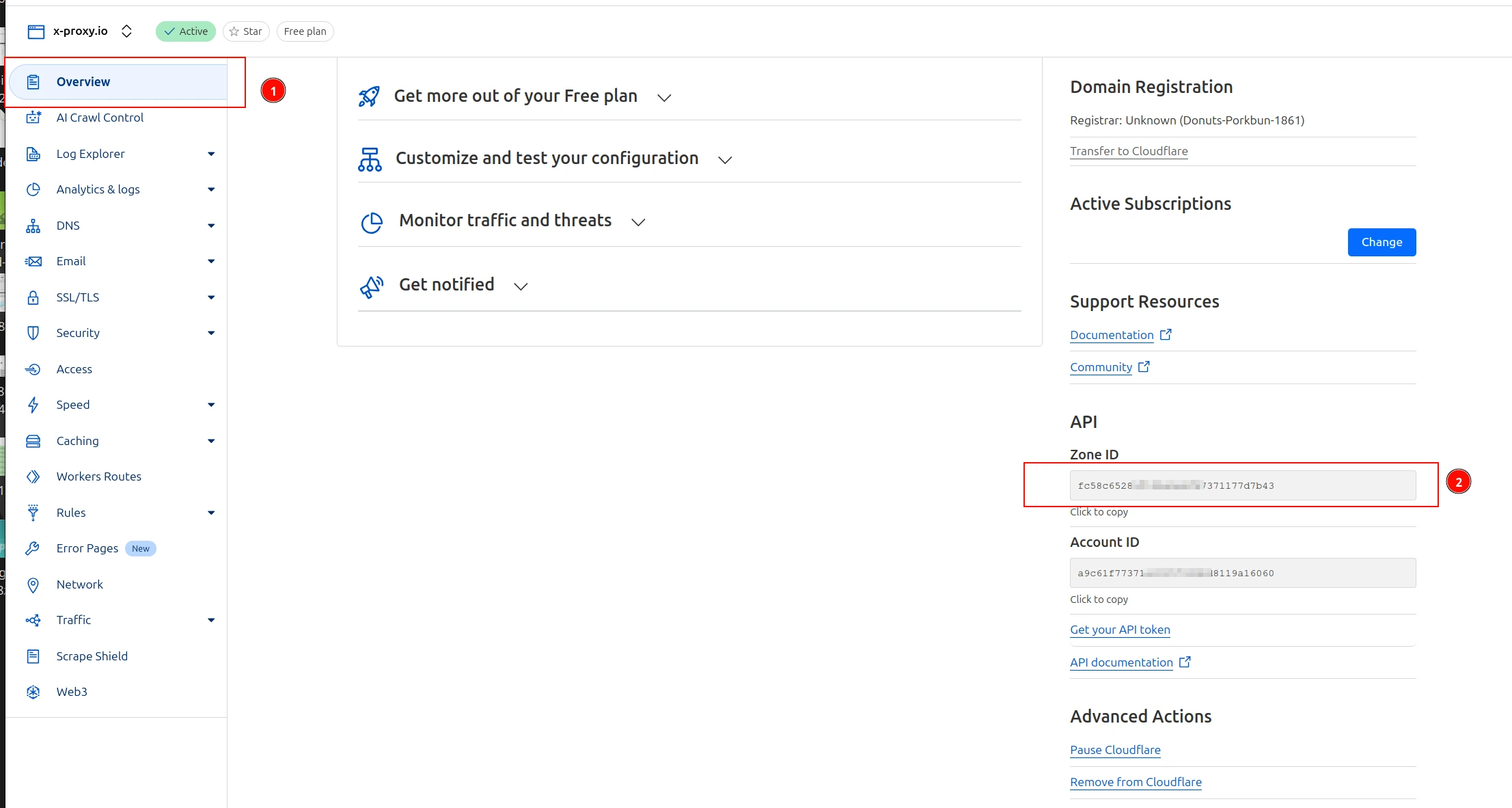
ステップ 2
Open your domain in Cloudflare → 概要 → copy the Zone ID.
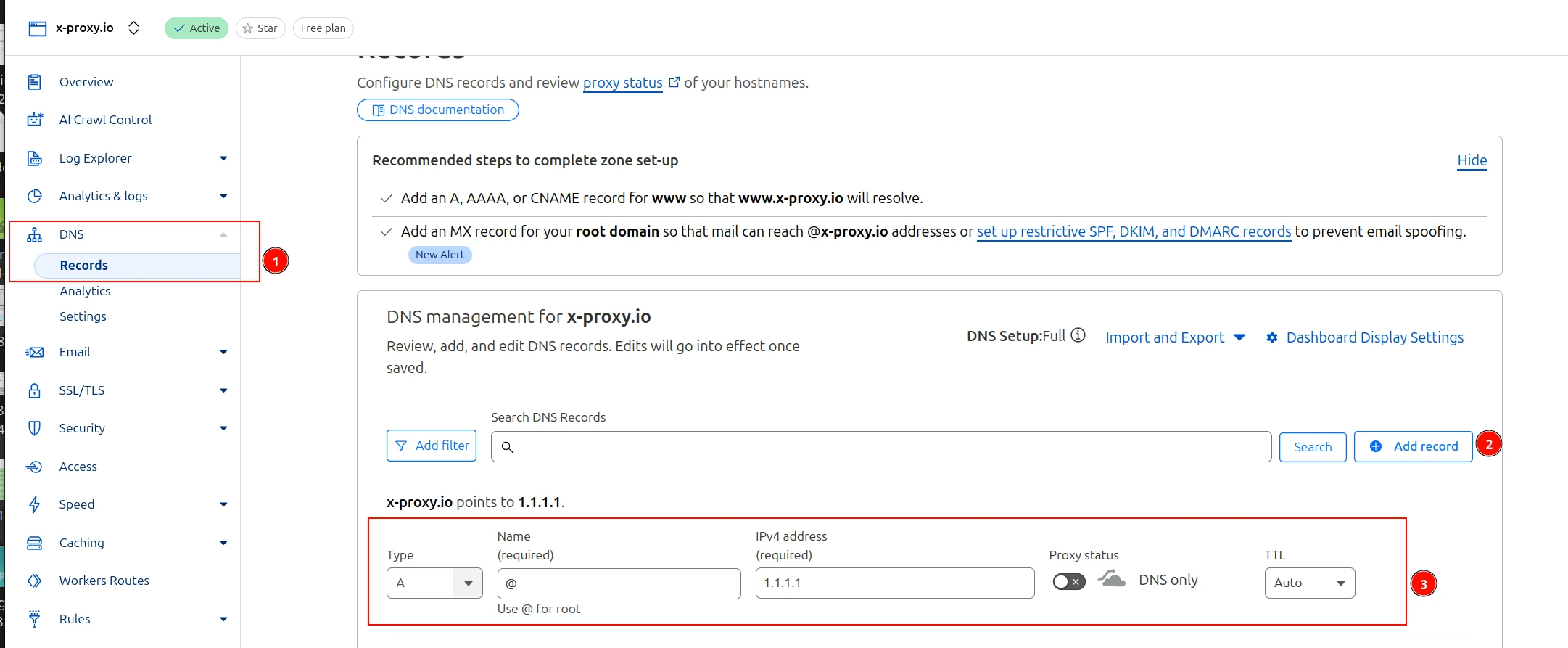
ステップ 3
Open the DNS tab in Cloudflare and create an A record for your host (e.g. proxy.example.com). Use any IP now — XProxy will keep it updated.
ステップ 4
After saving in XProxy, click Test. Then verify from a terminal:
nslookup proxy.example.com
# or
dig +short proxy.example.com
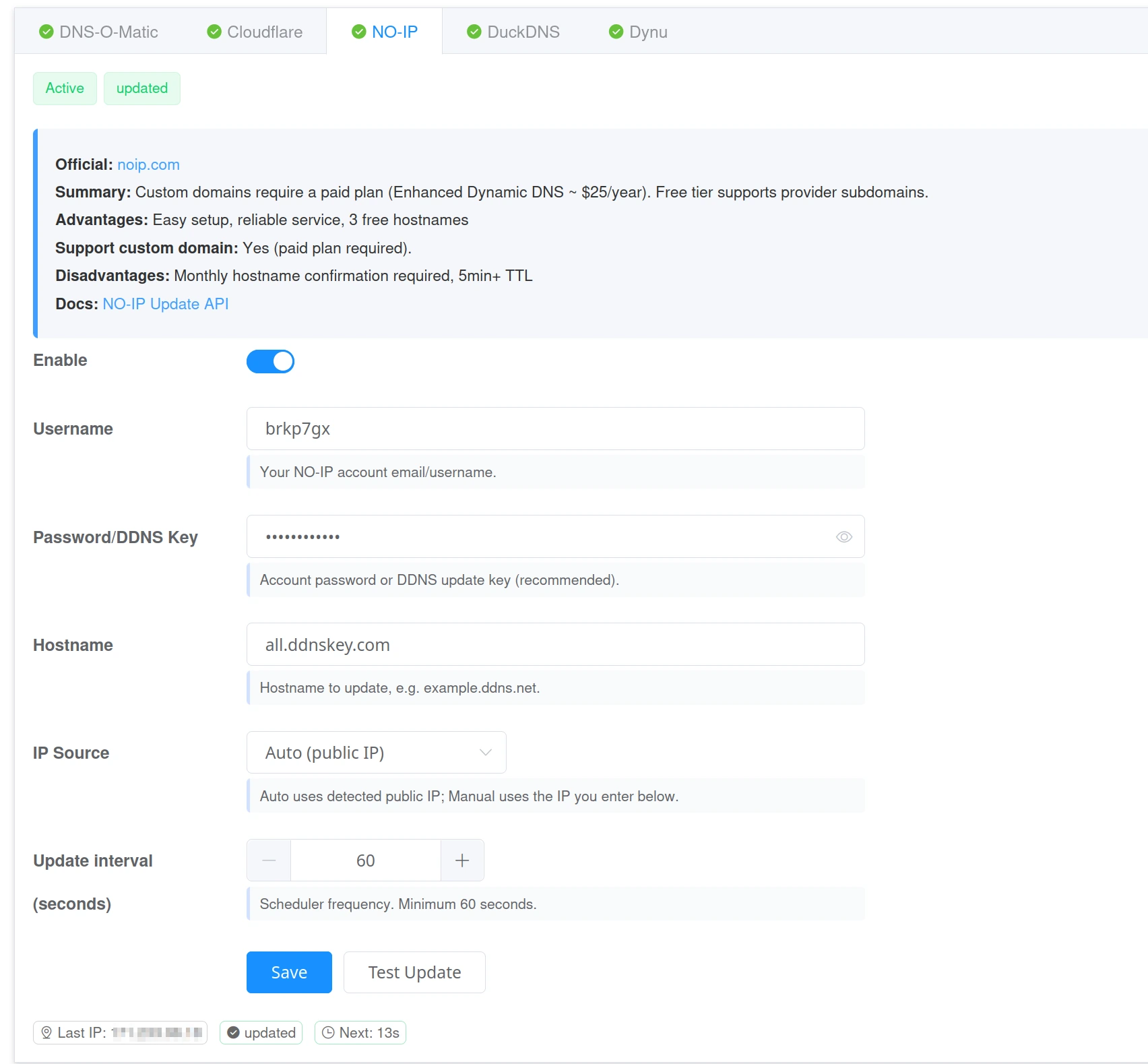
Provider 3 — NO-IP
- Username and Password/Key — your NO-IP credentials.
- Hostname — your NO-IP host (e.g.
yourname.ddns.net).
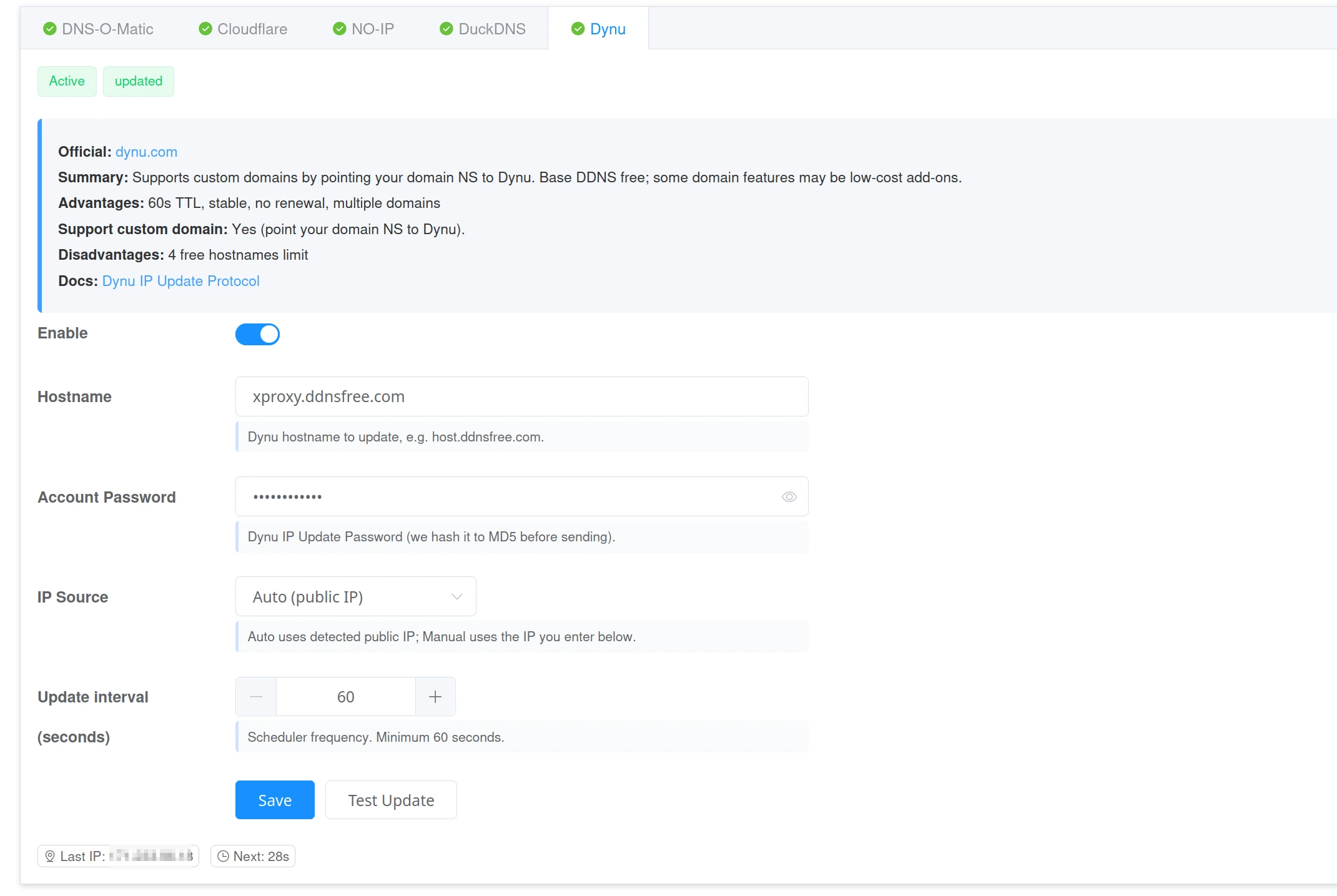
Provider 4 — Dynu
- Hostname — your Dynu host (e.g.
yourname.ddnsfree.com). - Password — your Dynu account password (hashed automatically).
- Supports custom domains (point your domain NS to Dynu).
Provider 5 — DuckDNS
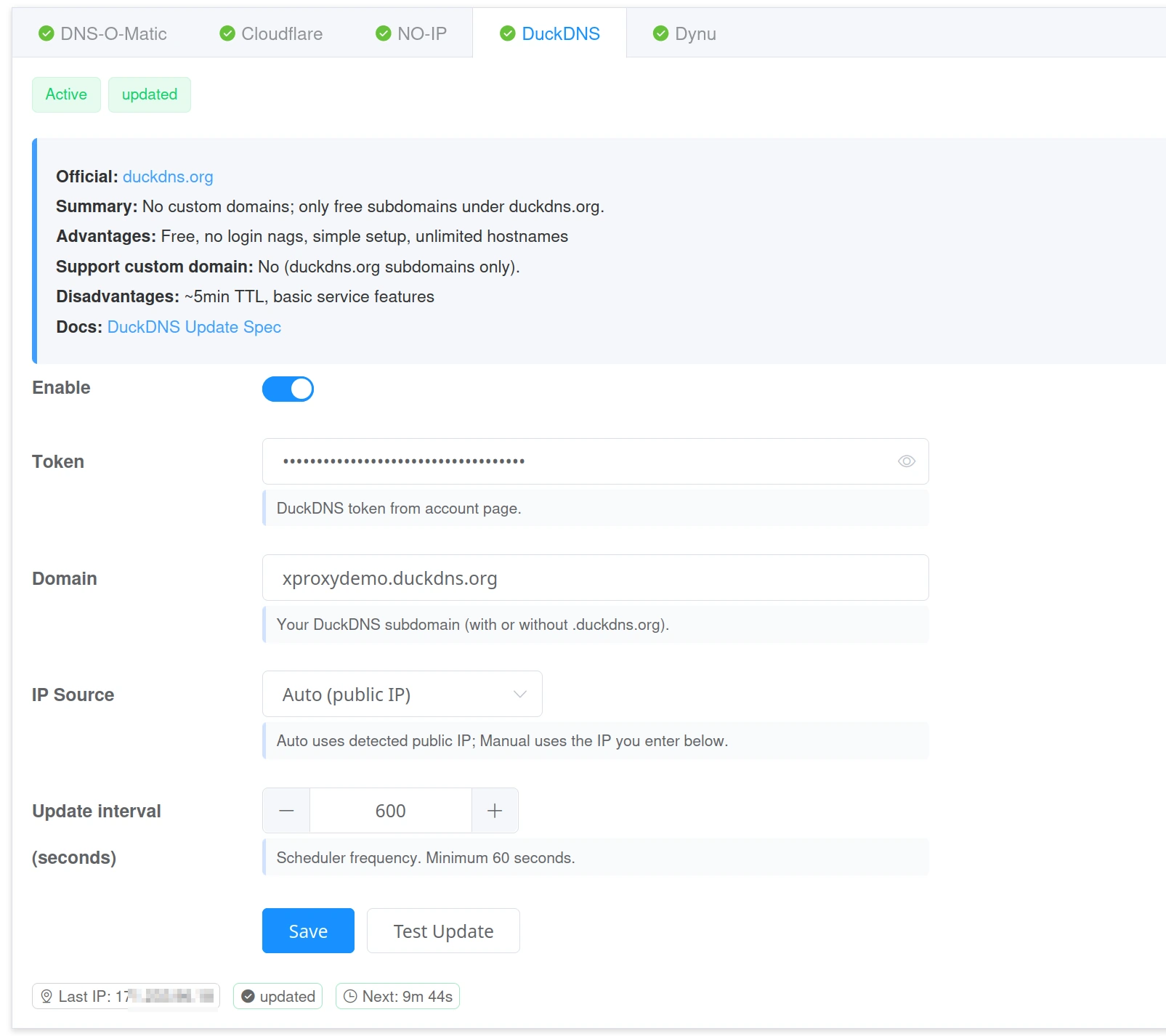
- Token — your DuckDNS token.
- Domain — your DuckDNS subdomain (e.g.
yourname.duckdns.org). - Note: DuckDNS only supports
.duckdns.orgsubdomains — no custom domains.
TTL and propagation
TTL (Time To Live) is how long DNS servers cache your record. A shorter TTL means the world learns your new IP faster when it changes.
- Recommended TTL: 60–120 seconds for proxy use.
- If using Cloudflare Proxied mode, TTL is managed automatically.
- Keep Cloudflare Proxied OFF for proxy endpoints — proxied mode routes traffic through Cloudflare, which breaks proxy protocols.
Status indicators
- Synchronized — provider accepted the update. DNS record matches your current IP.
- No change — IP is already correct; next update is scheduled.
- Warning — temporary issue (e.g. rate limit); system will retry automatically.
- Error — wrong credentials or record not found. Fix the values and test again.
トラブルシューティング
- Authentication failed — check username, token, or password.
- Record not found — confirm the host exists in your provider dashboard.
- Still showing old IP — wait for TTL to expire, or lower TTL for faster updates next time.
- Service offline — make sure DDNS is enabled in XProxy and you clicked Save.
最良の結果を得るためのヒント
- Update interval を 60 秒に設定して素早く反応させます。
- フィールドの空白を取り除き、ホスト名には英数字とドットのみを使用します。
- グローバルな反映を早めるため、短い TTL(60〜120 秒)を使用します。
- Cloudflare の Proxied を有効にする場合、TTL が自動管理される点に注意してください。
FAQ
Can I use more than one DDNS provider at the same time?
Yes. Enable multiple providers and XProxy will update them all.
How do I check that my domain points to the new IP?
nslookup your.domain.com
# or
dig +short your.domain.com
What TTL should I use?
Use 60–120 seconds for proxy use. This ensures fast global propagation when your IP changes.
「Synchronized」とはどういう意味ですか?
プロバイダーが更新を確認したことを意味します。DNS レコードが現在の IP と一致しています。
ドメインにまだ古い IP が表示されます。どうすればよいですか?
TTL が経過するまでもう少し待ってください。次回は 60〜120 秒のような短い TTL を使用してください。デバイスやルーターの DNS キャッシュをクリアすることもできます。
