
MoreLogin との連携
Learn how to connect XProxy 4G/5G mobile proxies to MoreLogin anti-detect browser for managing multiple social media, e-commerce, and crypto accounts safely.
Why use XProxy with MoreLogin?
MoreLogin is a widely used anti-detect browser for TikTok, Facebook Ads, Amazon, and crypto Airdrop farming. When paired with XProxy self-hosted mobile proxies, each profile runs on a private, high-trust 4G/5G mobile carrier IP with full TCP OS fingerprint alignment.
事前準備
- XProxy server running with active 4G/5G USB modems or Android devices.
- MoreLogin application installed and logged in.
- Proxy IP, Port, Username, Password, and Rotation API Link from XProxy Dashboard.
Step-by-Step setup in MoreLogin
1. Get your proxy details
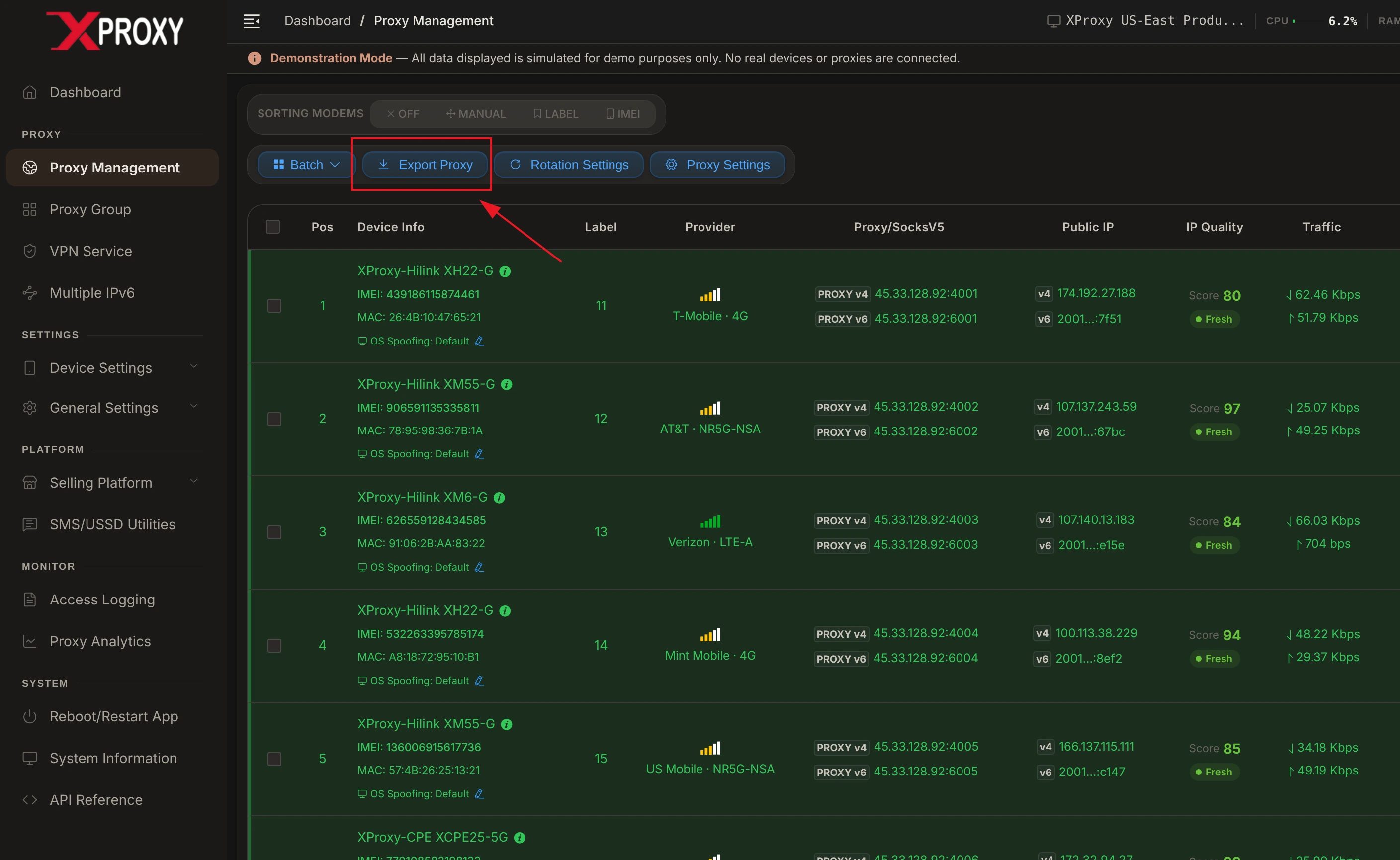
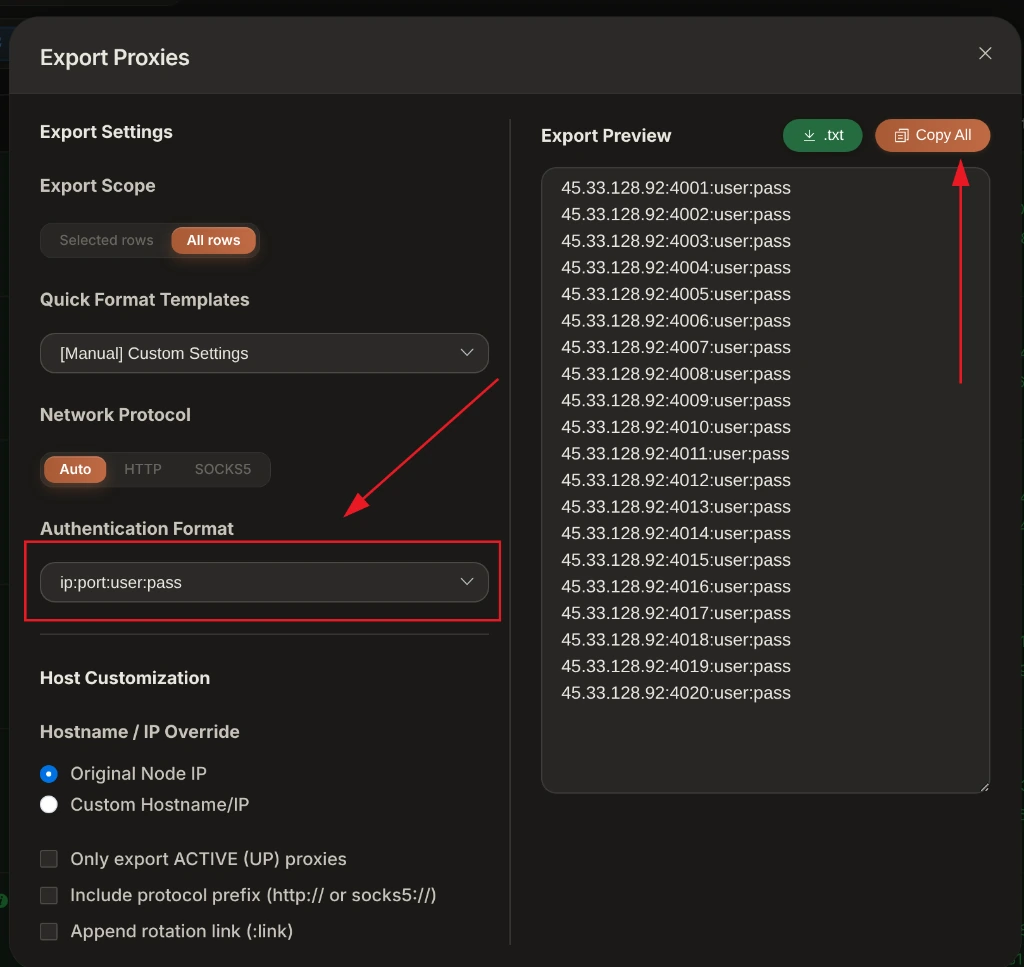
In XProxy Dashboard, navigate to Device List and note your proxy channel details or copy the proxy string. MoreLogin supports standard formats:
host:port:username:passwordusername:password@host:portsocks5://username:[email protected]:5001[http://192.168.6.7:8081/api/v1/rotate_ip/position/1]
2. Add Proxy in MoreLogin Profile
- Open MoreLogin and click + New Profile.
- Set Proxy Type to
SOCKS5(recommended) orHTTP. - Fill in your XProxy IP, Port, Username, and Password.
- Paste your XProxy rotation endpoint into the Change IP URL field:
http://192.168.6.7:8081/api/v1/rotate_ip/position/1 - Click Proxy Test to confirm connectivity.
XProxy Hardware & Fingerprint Synchronization
To ensure 100% profile isolation and prevent account flags in MoreLogin:
- Timezone & Geolocation: Set to Auto / Based on IP. MoreLogin will query XProxy's mobile exit IP and align system time and GPS coordinates with your SIM carrier location.
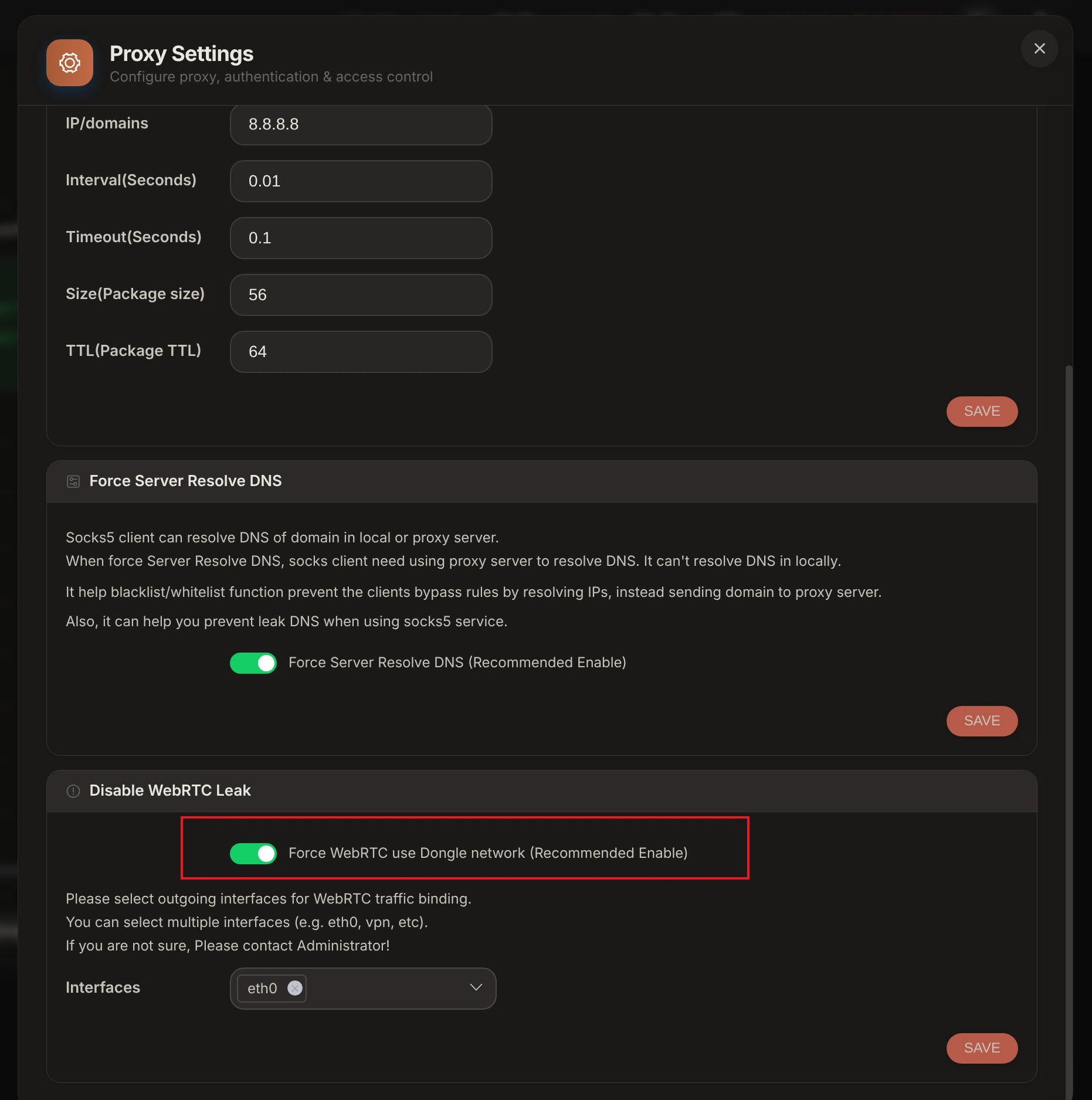
- WebRTC Leak Protection: Set WebRTC to Altered / Masked or Disabled. Avoid Real mode as WebRTC UDP requests will bypass proxy layers and leak your true LAN IP address.
- Kernel TCP OS Signature: Turn on TCP OS Spoofing in XProxy Device Settings so SYN/ACK packet header signatures match your MoreLogin profile OS.
Verification & Fingerprint Audit Tools
Before launching MoreLogin profiles, audit your XProxy mobile connection using our free built-in leak checker and industry-standard verification suites:
- XProxy Free Proxy Leak Test (/proxy-leak-test) — Instantly verify WebRTC leaks, DNS queries, TCP OS fingerprinting, and cellular IP geolocation directly within XProxy.
- BrowserLeaks.com — Verify IP geolocation, WebRTC, and DNS leak protection.
- Whoer.net — Check overall anonymity score (target 100%).
- Pixelscan.net — Audit browser fingerprint consistency and detect proxy flags.
- IPhey.com — Evaluate browser hardware spoofing and IP trust level.
トラブルシューティング Common Issues
- Connection Timeout during Check: Cellular reconnection on 4G/5G modems requires 3 to 8 seconds. Ensure MoreLogin timeout buffer is set to at least 10s.
- Credential Parse Error: Ensure copied proxy strings contain no trailing whitespace or hidden unprintable characters.
