
Your own 4G mobile proxies, in one box
The XProxy XH22 kit turns SIM cards into private mobile proxies: USB 4G dongles, a powered hub and an XProxy box with the software installed. Plug it in, add your SIMs, go live.
- 150 MbpsLTE CAT4
- ~3 snew IP
- SOCKS5and HTTP(S)
- IMEIchange
Everything you need, in one box
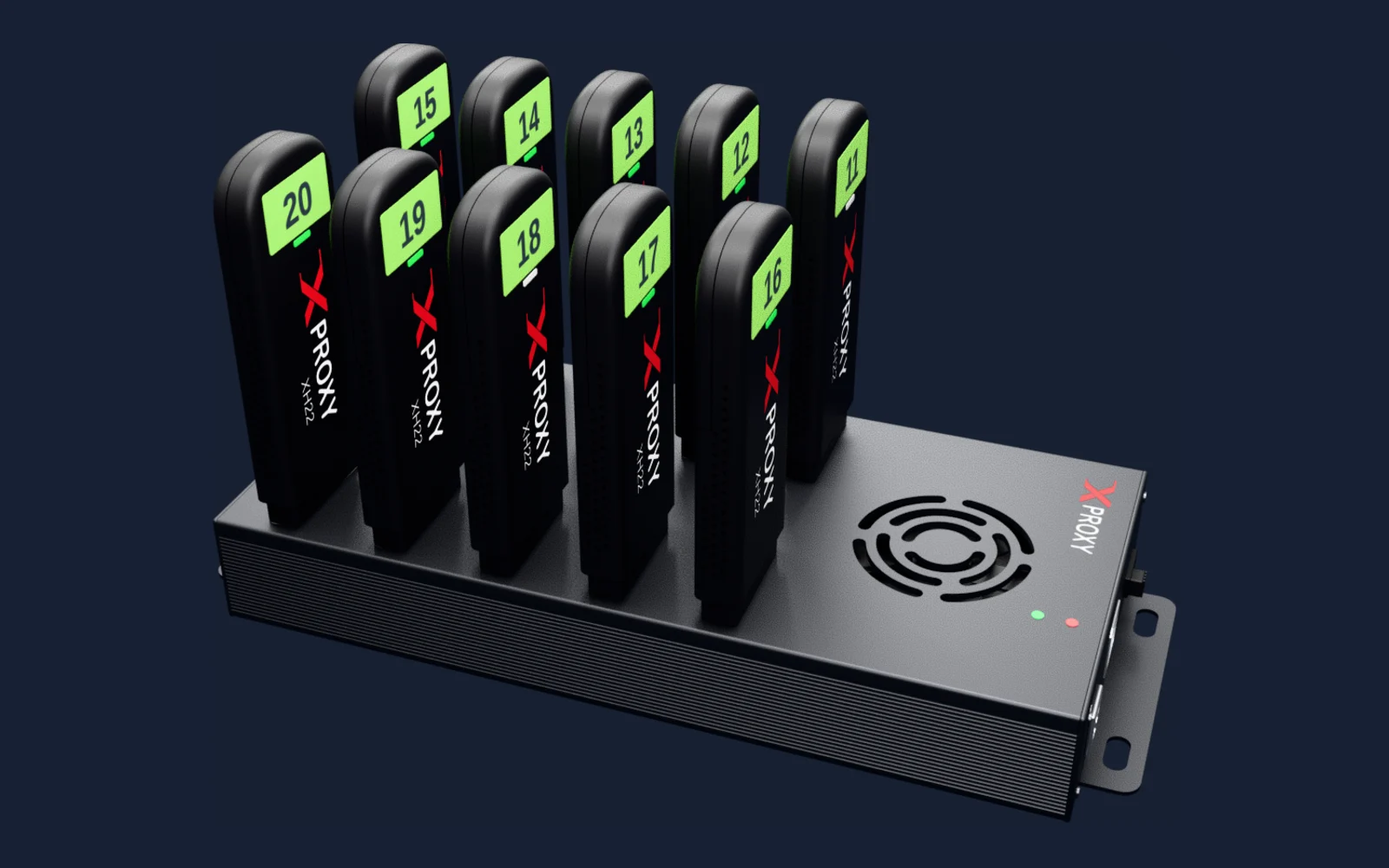
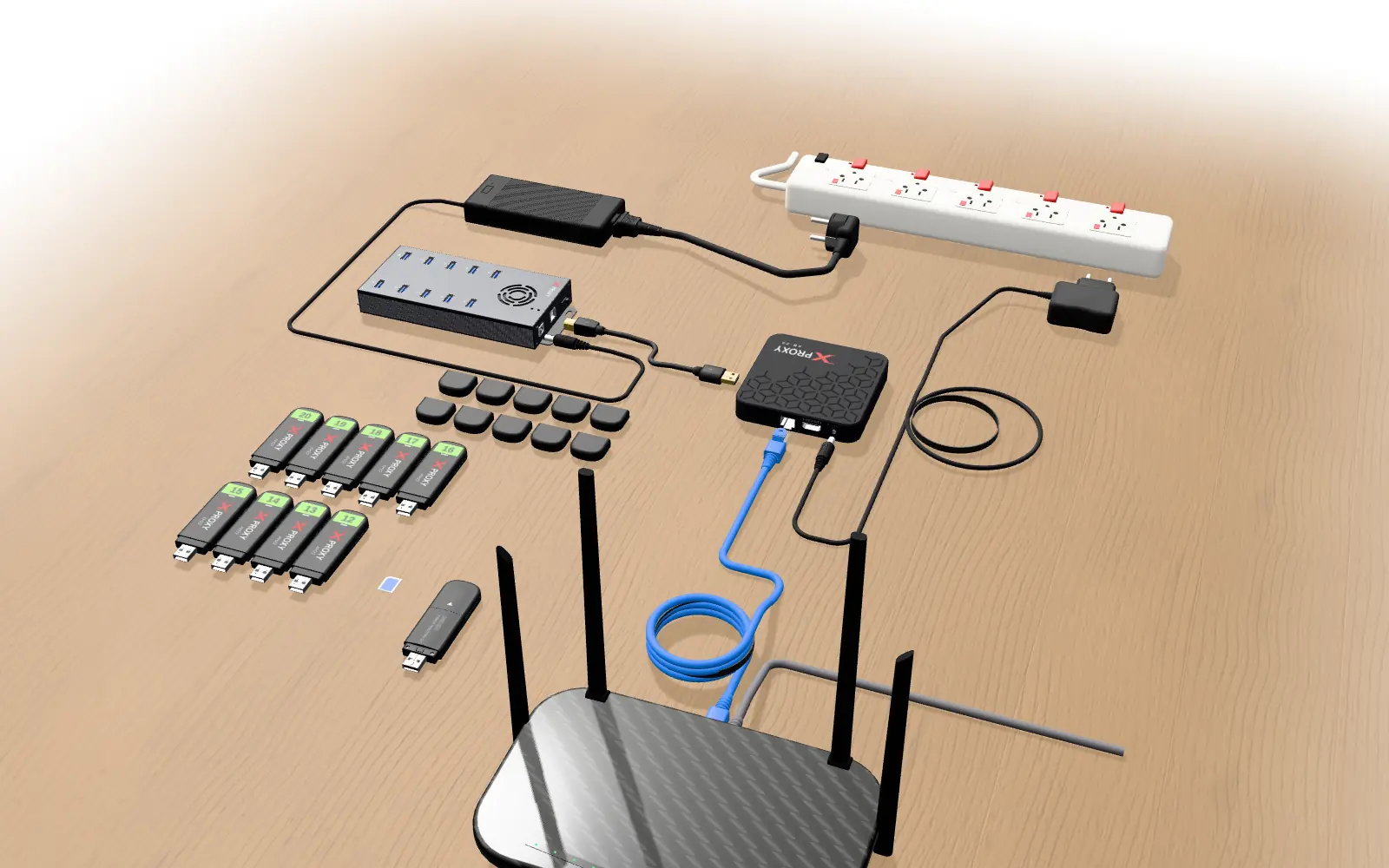
XH22 4G dongles, an industrial powered USB hub, the XProxy box with the software already installed, and every cable and adapter. You bring your router, a power strip and your SIM cards.
- XH22 dongles with number labels, one per proxy
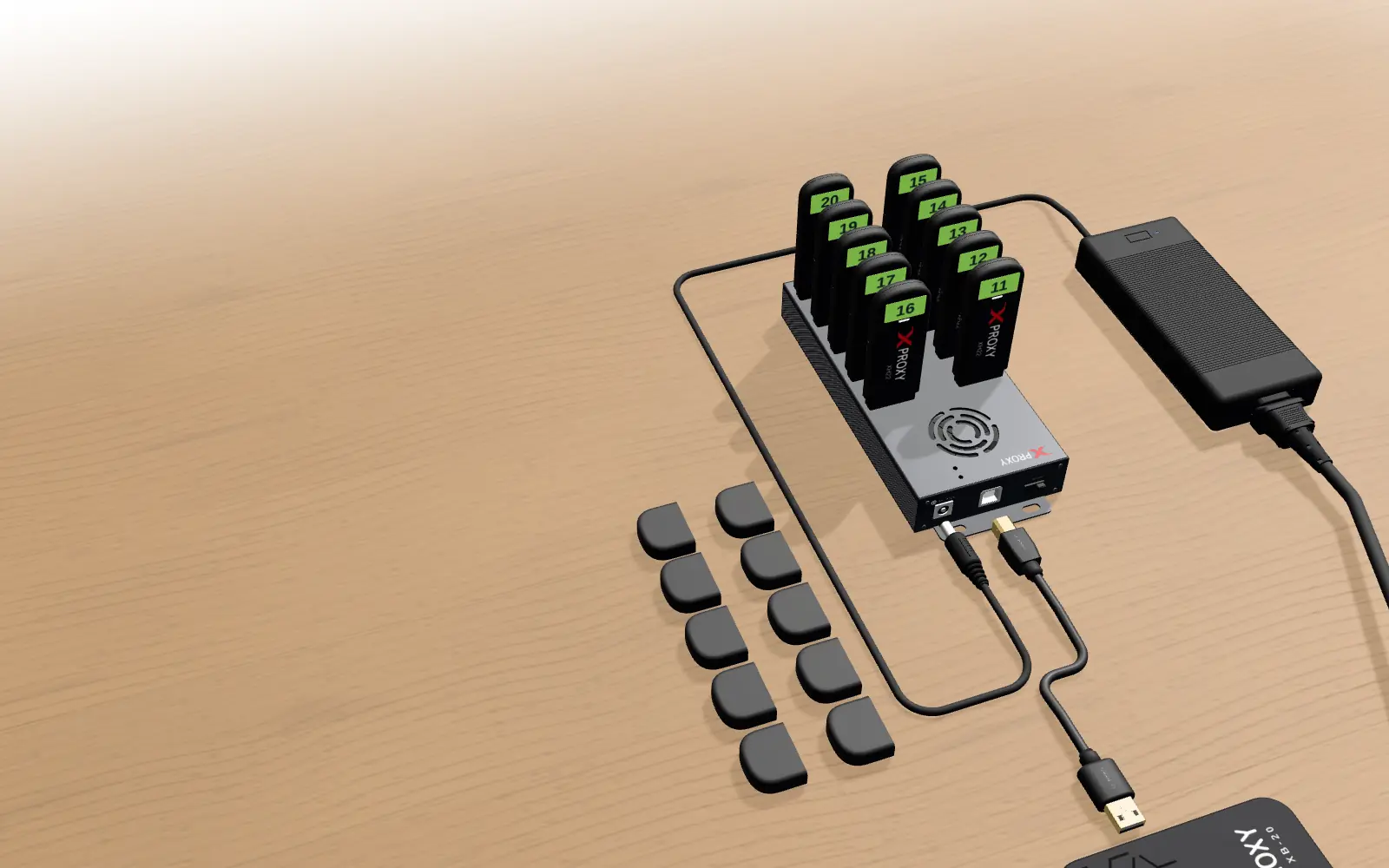
- Powered USB hub with its own 12 V adapter
- XProxy box, ready out of the box
One SIM, one mobile IP
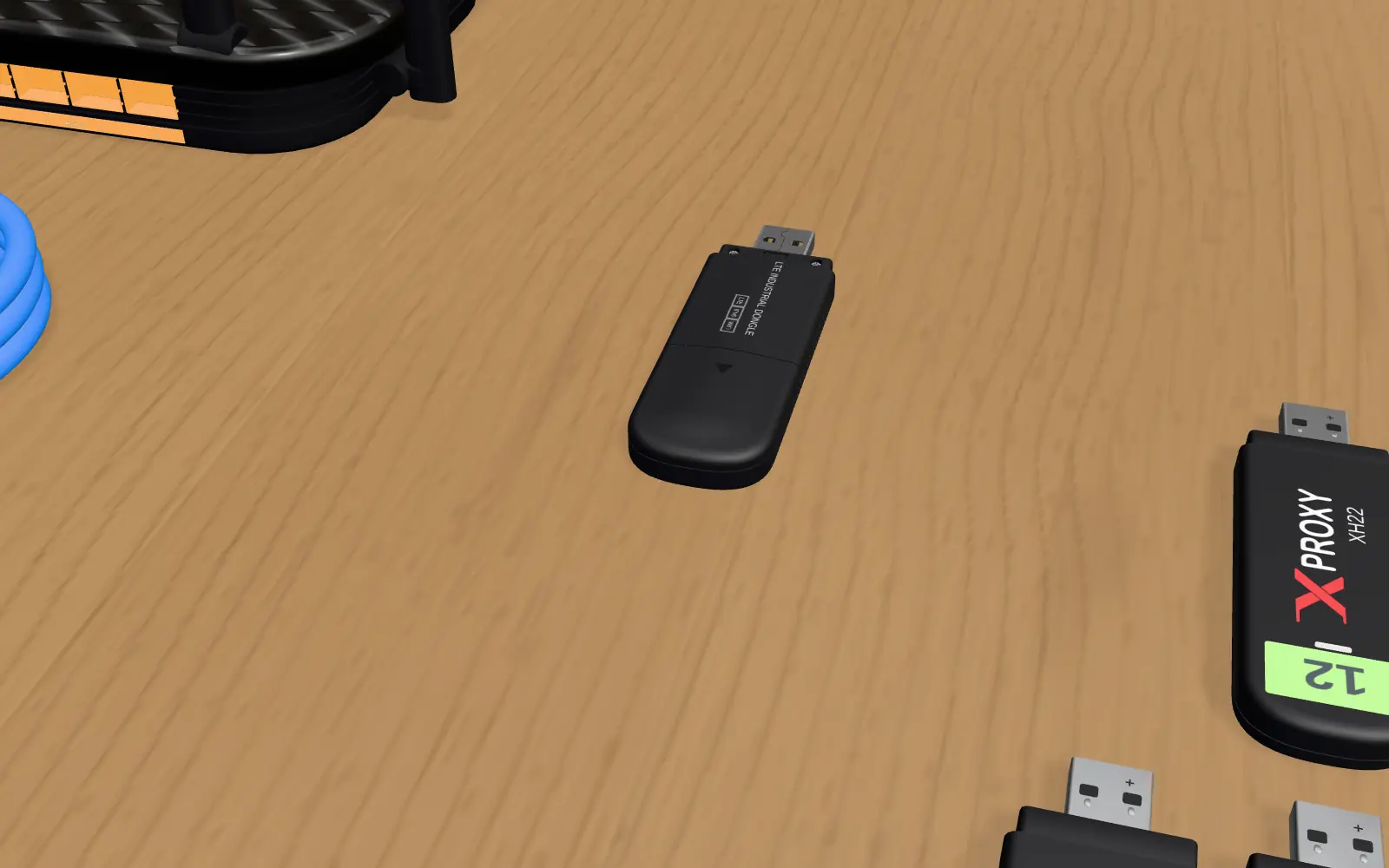
Slide a Micro SIM (3FF) into each dongle. Every dongle joins your carrier’s 4G network and becomes its own proxy, with a real mobile IP that websites trust.
- Works worldwide: 11 FDD and 5 TDD LTE bands, plus 3G fallback
- Hardware IMEI change on every dongle
- LTE CAT4: up to 150 Mbps down, 50 Mbps up
Plug the dongles in. That is it.
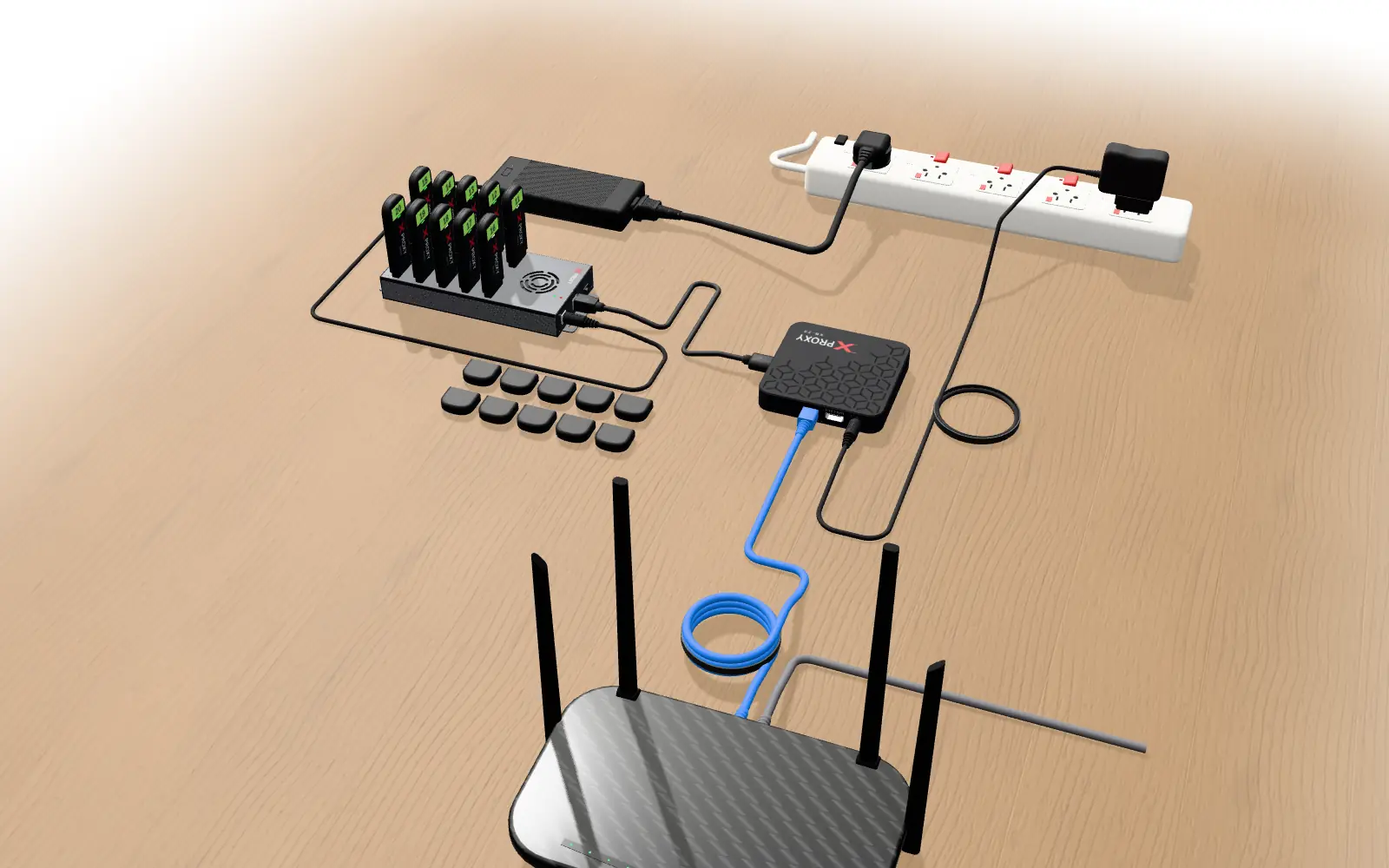
The dongles go straight into the hub, one per port. The kit comes configured, so the XProxy box finds each dongle on its own: nothing to install on the dongles.
- Numbered dongles: you always know which proxy is which
- Dedicated 12 V power for steady 4G under load
- Add more dongles as your farm grows
Two cables and you are online
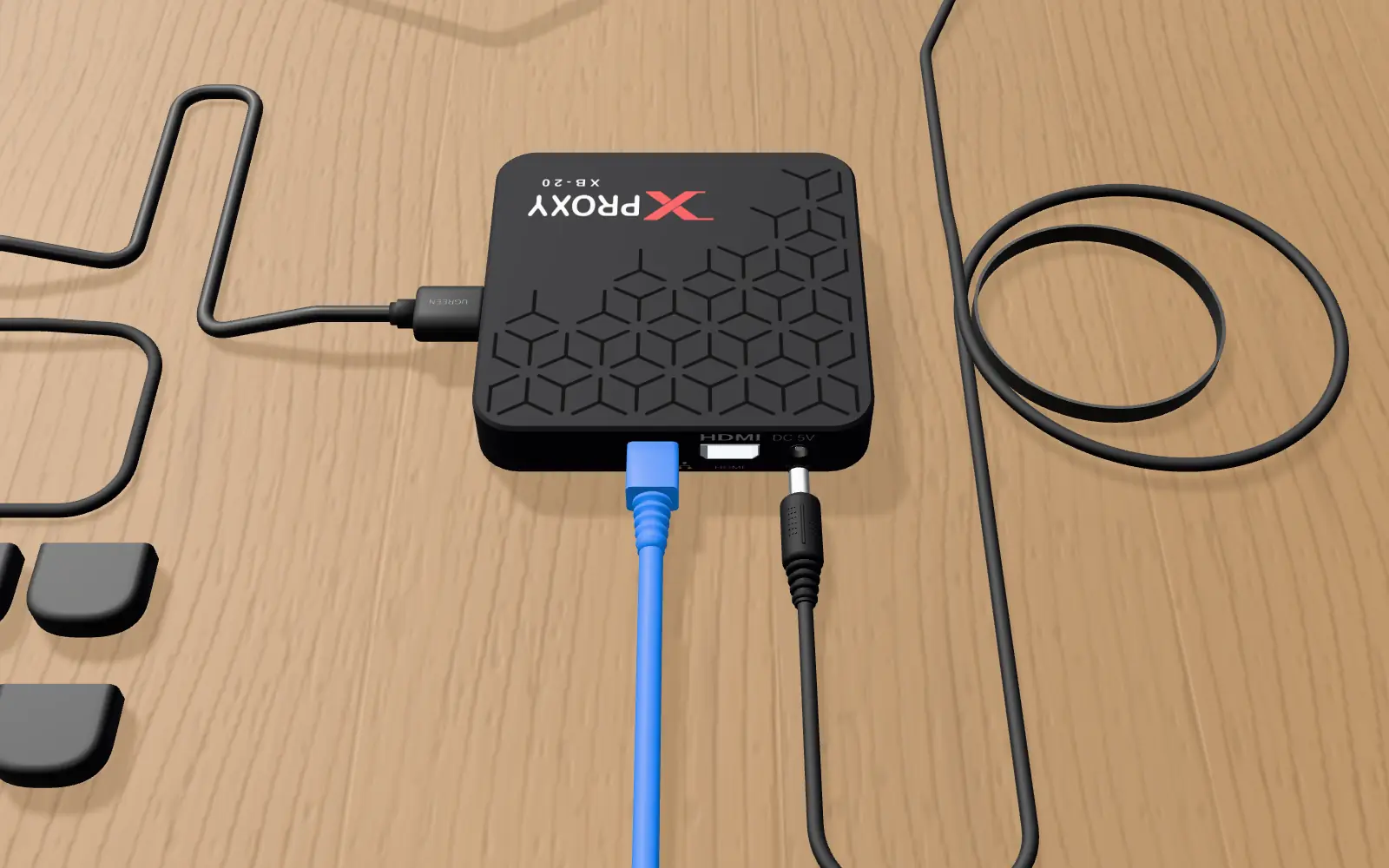
One USB cable from the hub to the XProxy box. One network cable from the box to a free LAN port on your router. No cable mess, nothing else to wire.
Power on. Your proxies are live.
Switch on and each dongle lights up as it finds its network. The XProxy box shows its own address on its display: open it in your browser and copy your proxies.
- New IP in about 3 seconds: one click, on a timer or by API
- HTTP(S) and SOCKS5, IPv4 and IPv6
- Free plan for up to 5 modems
XH22 kit specifications
The numbers that matter for a 4G mobile proxy farm.
| Network | 4G LTE CAT4, 3G fallback |
| Speed | Up to 150 Mbps down, 50 Mbps up |
| 4G FDD-LTE bands | B1, B2, B3, B4, B5, B7, B8, B20, B26, B28, B66 |
| 4G TDD-LTE bands | B28, B38, B39, B40, B41 |
| 3G WCDMA bands | B1, B2, B4, B5, B8 |
| SIM | Micro SIM (3FF), one per dongle |
| IP rotation | About 3 seconds (hardware reset) |
| IMEI | Changeable on every dongle |
| Proxy protocols | HTTP(S), SOCKS5, IPv4 and IPv6 |
| USB hub | Industrial USB 2.0 hub with its own 12 V power supply |
| Software | XProxy pre-installed, free plan up to 5 modems |
| Warranty | 12 months |
What people run on it
Social media accounts
Each account gets its own real mobile IP, from a real carrier, like a phone.
Web scraping
Rotate to a fresh mobile IP in seconds when a site starts to limit you.
Ads and QA from carrier networks
See pages and ads the way mobile users in your country see them.
Your first proxy farm
The most affordable XProxy kit: start small, add dongles as you grow.
Pick your kit size
Every size ships with the dongles, hub, XProxy box and cables.
XH22 kit questions
How fast does the IP change?
About 3 seconds. You rotate from the dashboard with one click, on a timer, or through the API.
Which SIM cards do I need?
One Micro SIM (3FF) with mobile data per dongle, PIN lock off. The XH22 covers 11 FDD and 5 TDD LTE bands, so it works with GSM carriers in most countries. See the country guides for carriers.
Do I need to install software?
No. The XProxy box comes with the software installed and the kit configured. You open the dashboard in your browser and link it to your free xproxy.io account. The free plan covers up to 5 modems.
How long does the setup take?
About 10 minutes: SIMs in, dongles in the hub, two cables, power on. The 3D setup guide shows every step.
XH22, XM16 or XM55?
XH22 is 4G LTE and the most affordable. XM16 is LTE Advanced for more speed, XM55 is 5G. Compare the kits.
