Home › Shop › XB-20 Proxy Server - Compact XProxy Box for Small 4G Farms
← Back to shop
Pre-order

XB-20 Proxy Server - Compact XProxy Box for Small 4G Farms

Small, low-cost proxy server box for small 4G farms, with XProxy OS pre-installed. Runs up to 20 XH22 dongles or 10 XM16 modems. The front display shows its IP address at start-up. Pre-order: ships when ready.

  • XProxy OS pre-installed: plug in and manage everything from your browser
  • For small 4G farms: up to 20 XH22 or 10 XM16
  • Front 4-digit display shows the box's IP address at start-up
  • Small 10.5 × 10.5 × 1.8 cm box that fits on any desk or shelf
  • LAN (RJ45), HDMI, 2 USB ports and a TF card slot
  • 5 V power adapter included
  • Pick it as the server when you buy a small XH22 or XM16 kit
Unit Price$130.00 / pc
Total today$130.00
* Shipping calculated at checkout Shipping policy
● Pre-order

Pre-order item: not in stock yet. Ask our sales team for the expected ship date.

  • 12-month hardware warranty
  • Ships worldwide in 3–7 business days
  • Free lifetime tech support
  • Pay with crypto or arrange it with sales

Overview

The XB-20 is a small, low-cost XProxy server box for small 4G farms. XProxy OS comes pre-installed, so you only plug in the network cable, your USB hub and power to start a mobile proxy farm.

It runs up to 20 XH22 dongles or 10 XM16 modems. The XB-20 is on pre-order: it ships when ready, and a kit ordered with it ships together in the same order.

See it in action

Real hardware and the real dashboard, in a short silent loop.

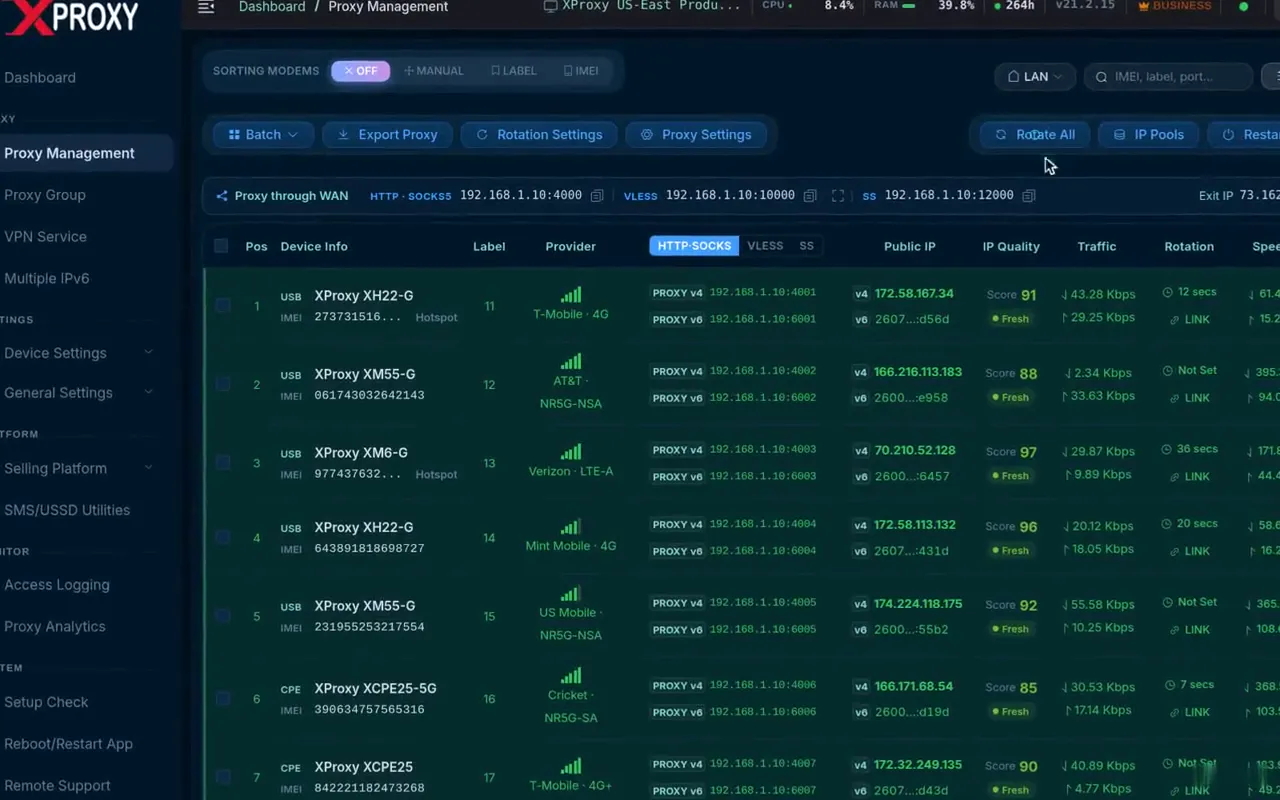
  • All your modems in one dashboard
  • Every SIM is its own mobile IP
  • Rotate any IP in seconds
Demo data
Click to zoom

Plug In, Read the IP, Go Live

The XB-20 makes a first proxy farm easy. Connect it to your router, plug in your USB hub and turn it on: the front display shows the box's IP address, so you know right away where to find it.

IP Address on the Front Display

The 4-digit display shows the IP address at start-up. No need to search your router for the box.

XProxy OS Pre-installed

Nothing to install. Manage dongles, proxies and IP rotation from your browser.

All the Ports You Need

Back: DC 5V, HDMI and LAN (RJ45). Side: 2 USB ports and a TF card slot.

Click to zoom

Pick the XB-20 With Your Kit

When you buy an XH22 or XM16 kit, you choose the server on the kit page. The XB-20 is the lowest-cost choice for kits up to 20 XH22 or 10 XM16.

Small Box, Real Capacity

Runs up to 20 XH22 dongles or 10 XM16 modems.

Pre-order Shipping

The XB-20 ships when ready. A kit ordered with it ships together, as one order.

Need More Lines?

For more than 20 XH22 or 10 XM16, or for XM55 5G modems, pick the XB26 Tiny Server or the Mini XS (up to 100 modems).

Performance & details

  • XProxy OS pre-installed: plug in and manage everything from your browser
  • For small 4G farms: up to 20 XH22 or 10 XM16
  • Front 4-digit display shows the box's IP address at start-up
  • Small 10.5 × 10.5 × 1.8 cm box that fits on any desk or shelf
  • LAN (RJ45), HDMI, 2 USB ports and a TF card slot
  • 5 V power adapter included
  • Pick it as the server when you buy a small XH22 or XM16 kit

Ideal Use Cases

  • Your first mobile proxy farm with up to 20 dongles
  • XH22 farms with up to 20 dongles
  • XM16 farms with up to 10 modems
  • Low-cost server for small XH22 and XM16 kits
  • A second site or spare box next to a bigger farm

Specs at a glance

The numbers that matter. The full spec sheet is below.

  • displayShows its IP address
  • ConnectionLAN (RJ45)
  • Ports2 USB · HDMI · TF slot
  • power5 V adapter included
  • CapacityUp to 20 XH22 or 10 XM16 · not for 5G
  • size10.5 × 10.5 × 1.8 cm

Technical specifications

Dimensions10.5 × 10.5 × 1.8 cm (4.1″ × 4.1″ × 0.7″)
Back PortsDC 5V, HDMI, LAN (RJ45)
Side Ports2x USB, TF card slot
Front Display4-digit display that shows the IP address at start-up
Power5 V power adapter included
CapacityUp to 20x XH22 or 10x XM16 (not for XM55 5G modems)
Operating SystemXProxy OS pre-installed
AvailabilityPre-order: ships when ready
Warranty12 Months Full Hardware Warranty

Powered by the XProxy dashboard

Every XProxy kit and modem runs the same software. The free plan covers up to 5 modems; paid plans add the tools below.

Rotate any IP in one click

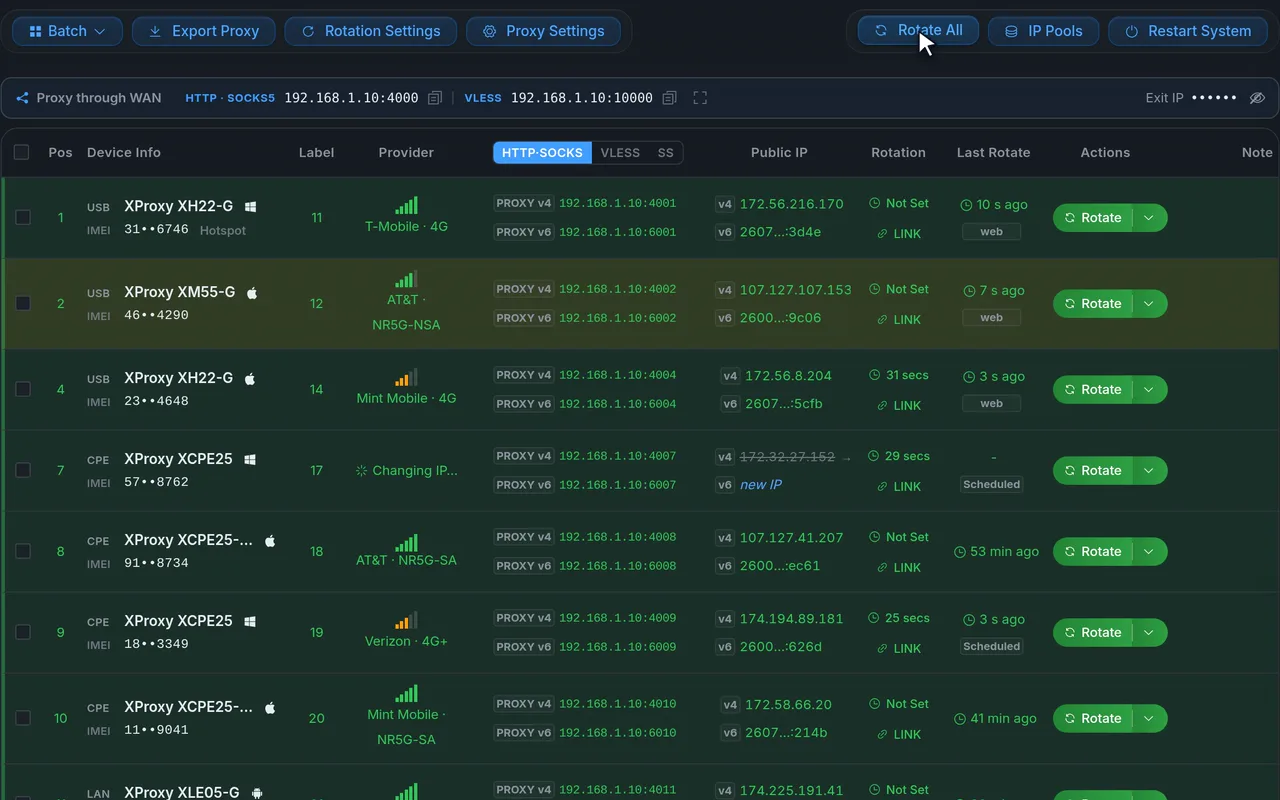
Every modem is a row in one web dashboard: its proxy address, carrier, public IP and signal. Rotate one modem or all of them, and watch the new IP come in.

  • Rotate by click, on a timer, by link or through the API
  • IP change history and rotation stats
  • Speed test, IP quality score and setup check per modem
Demo data
Every protocol your tools speak

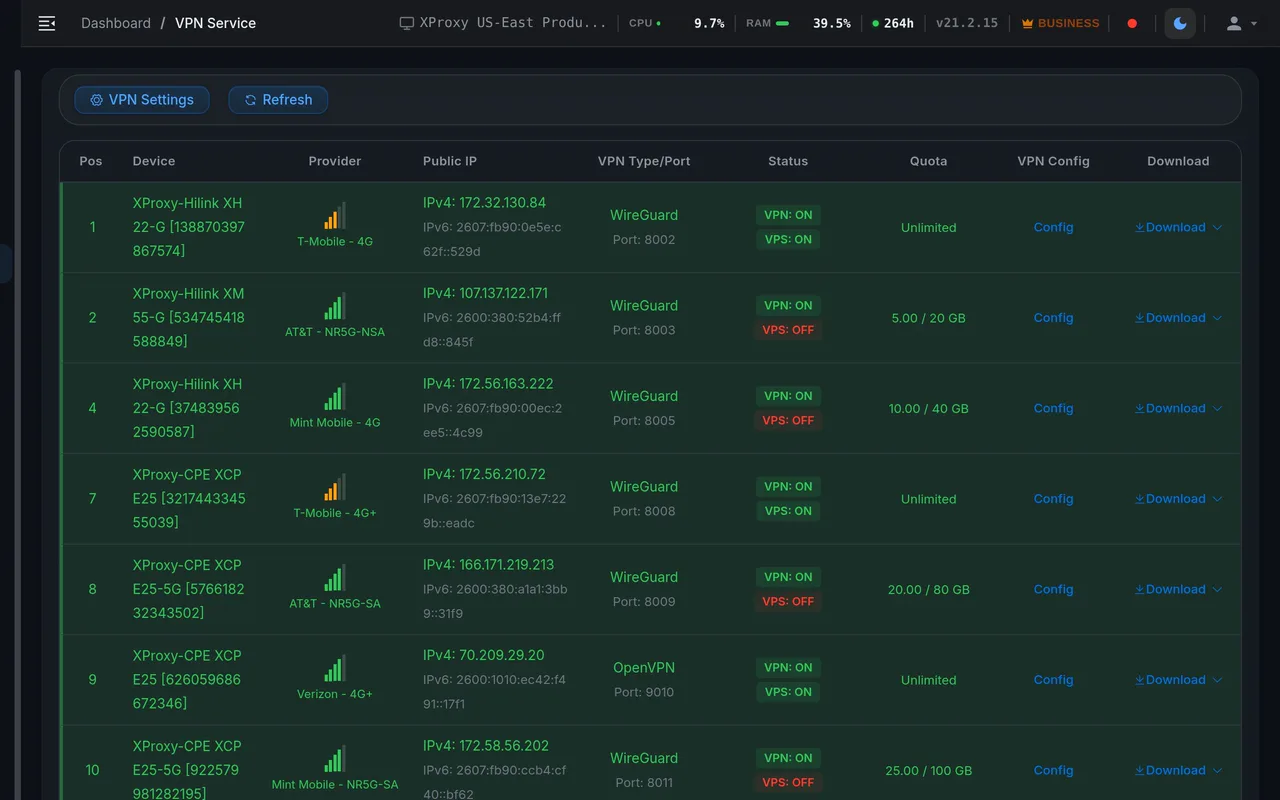
Each modem serves HTTP(S) and SOCKS5 out of the box, plus encrypted VLESS and Shadowsocks, and a ready OpenVPN or WireGuard config to route a whole device through one SIM.

  • HTTP(S)
  • SOCKS5 + UDP
  • VLESS
  • Shadowsocks
  • OpenVPN
  • WireGuard
  • IPv4 / IPv6
  • SOCKS5 with UDP, so QUIC and HTTP/3 work
  • Password or whitelist-IP login on every port
Demo data

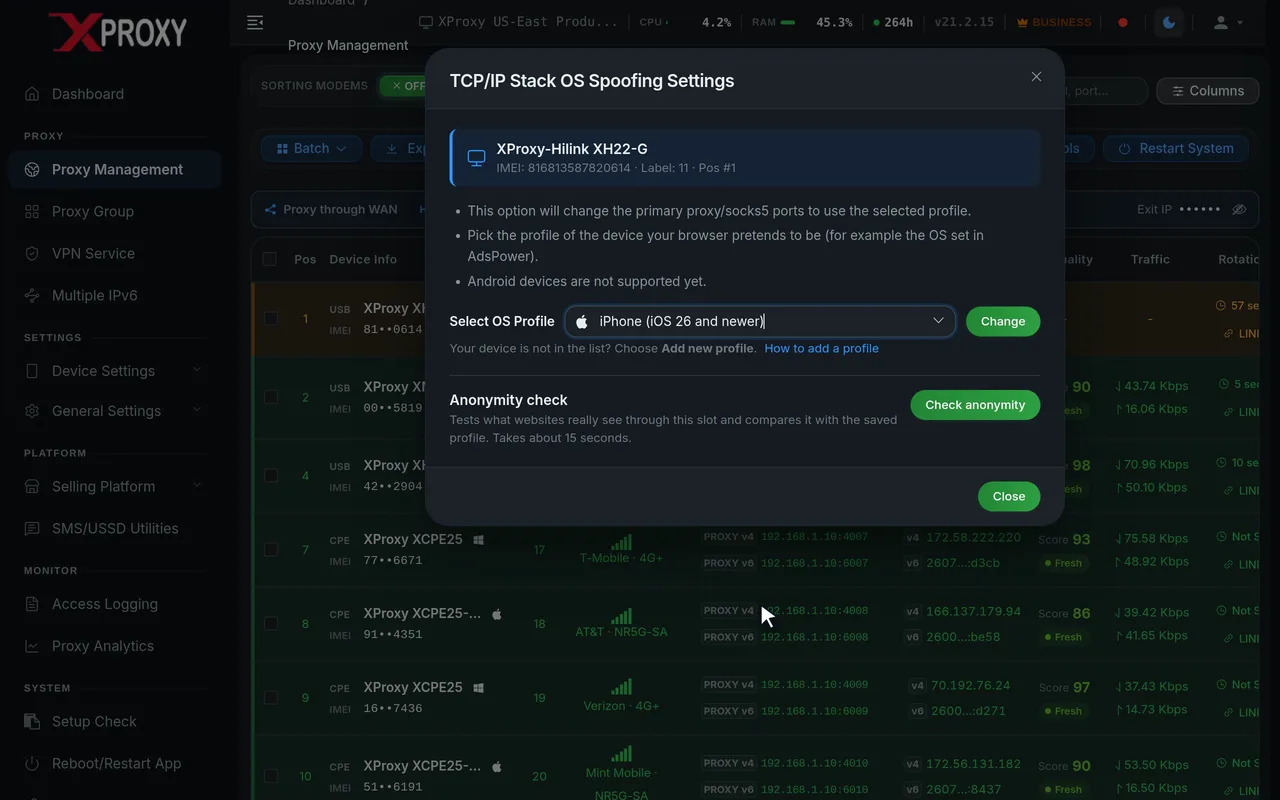
Looks like a real phone or PC

Pick the device each proxy should look like: Windows, macOS, iPhone or Android. XProxy shapes the connection to match, so websites see the same device your browser profile claims to be.

  • TCP/OS fingerprint profile per proxy
  • DNS Faker and WebRTC leak prevention
  • TTL presets and IMEI change
Demo data

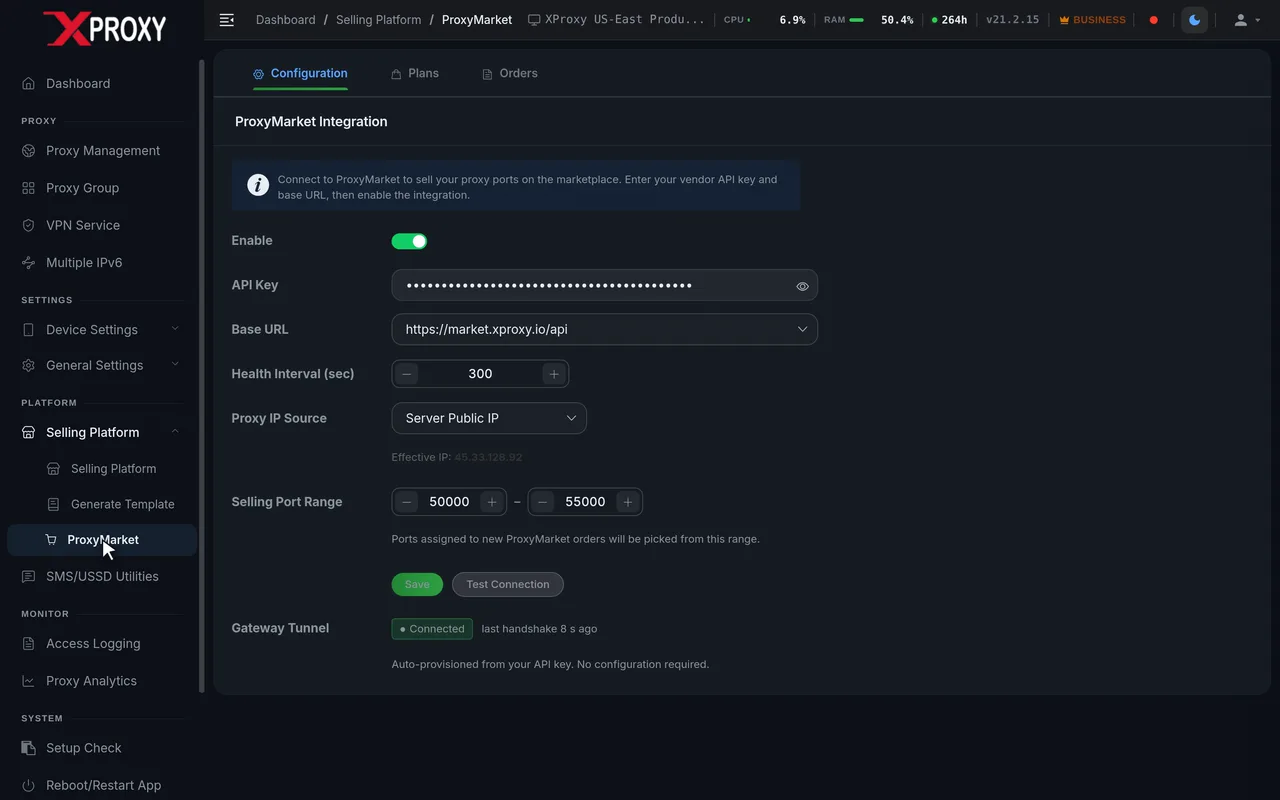
Sell proxies like a provider

Turn your farm into a proxy business: create shared ports for your customers, set data quotas, speed limits and expiry dates, hand each customer a link to rotate their own IP, and reuse your setups as templates.

  • Shared ports and proxy groups across modems
  • Customer token links with data quotas
  • Selling Platform with payouts, and listing on ProxyMarket
Demo data

Frequently asked

How many modems can the XB-20 run?

The XB-20 runs up to 20 XH22 dongles or up to 10 XM16 modems. It is not made for XM55 5G modems. For more modems, or for XM55, choose the XB26 Tiny Server or the Mini XS.

When does the XB-20 ship?

The XB-20 is on pre-order, and we ship it as soon as it is ready. If you order it with a kit, the whole order ships together when the XB-20 is ready. If you need your kit sooner, choose the XB26 Tiny Server, which is in stock.

XB-20, XB26 or Mini XS: which one should I pick?

All three run XProxy OS. The XB-20 has the lowest price and is made for small 4G farms: up to 20 XH22 or 10 XM16, on pre-order. The XB26 Tiny Server runs every modem, up to 40 XH22 or 20 XM16 / XM55, and is in stock now; it is the default server in our kits. The Mini XS is for bigger farms, up to 100 modems: you need it for more than 40 XH22 or more than 20 XM16 / XM55.

How do I find the XB-20's IP address?

Look at the front display. When the XB-20 starts, its 4-digit display shows its IP address. Use that address to open the XProxy panel from a computer on the same network.

Do I need Linux skills to set up the XB-20?

No. XProxy OS is pre-installed. Connect the LAN cable to your router, plug in your USB hub with dongles and the 5 V power adapter, then manage everything from the browser dashboard.

Total today$130.00
Telegram