Home › Shop › Proxy Router — Smart Proxy Manager for Your Router
← Back to shop
Router

Proxy Router — Smart Proxy Manager for Your Router

Pre-configured industrial router to route all home or office device traffic automatically through HTTP/SOCKS5 proxies with zero client setup and complete leak prevention.

  • Automatic Per-Device Proxy routing and protection
  • Zero client configuration required on connected end devices
  • Full DNS and WebRTC traffic leak protection built-in
  • Flexible HTTP, HTTPS, and SOCKS5 proxy protocol routing
  • Real-time network traffic and proxy status monitoring dashboard
  • Comprehensive REST API for automated rotation and rule changes
  • Industrial fanless silent casing with Gigabit Ethernet ports
  • Works with smart TVs, gaming consoles, phones, PCs, and IoT
Unit Price$300.00 / pc
Total today$300.00
* Shipping calculated at checkout Shipping policy
● In Stock
  • 12-month hardware warranty
  • Ships worldwide in 3–7 business days
  • Free lifetime tech support
  • Pay with crypto or arrange it with sales

Overview

Secure your entire network with xProxy Router, the ultimate hardware proxy gateway. Seamlessly assign dedicated mobile or datacenter proxies to any device on your local network without installing client apps or browser extensions.

By intercepting and redirecting connections at the gateway, it guarantees complete anonymity, prevents WebRTC/DNS leaks, and unlocks global geo-restricted content effortlessly.

How the XProxy Router works

Every device on your network is sent through its own proxy at the gateway. The diagram uses demo IPs.

Smart TV
HTTP :4001172.58.203.18
Console
SOCKS5 :4002166.216.57.209
Phone
HTTP :400370.210.85.62
Laptop
SOCKS5 :4004174.224.118.175
IoT device
HTTP :4005107.127.252.116
  • Smart TVHTTP :4001172.58.203.18
  • ConsoleSOCKS5 :4002166.216.57.209
  • PhoneHTTP :400370.210.85.62
  • LaptopSOCKS5 :4004174.224.118.175
  • IoT deviceHTTP :4005107.127.252.116
Demo data
  1. Devices just connectNothing to install and no proxy settings on your TV, console, phone, laptop or smart devices.
  2. Each device gets its own proxyThe router assigns an HTTP, HTTPS or SOCKS5 proxy per device, so every device shows its own IP.
  3. Leaks have nowhere to goDNS and WebRTC traffic is forced through the proxy at the gateway, so a direct request never leaves with your real IP.

Server or router? See the comparison →

Ideal Use Cases

  • Protecting entire office or household networks through mobile proxies
  • Assigning proxies to Smart TVs, PlayStation/Xbox consoles, and IoT devices
  • Centralizing proxy management without installing software on every machine
  • Ensuring 100% leak prevention and anonymity for testing teams

Specs at a glance

The numbers that matter. The full spec sheet is below.

  • PortsGigabit Ethernet
  • ProtocolsHTTP · HTTPS · SOCKS5
  • ManagementWeb dashboard + REST API
  • Leak protectionDNS + WebRTC
  • Client setupNone on your devices

Technical specifications

Hardware ClassPre-configured Industrial Gigabit Proxy Router
Network PortsGigabit Ethernet WAN/LAN (10/100/1000 Mbps)
Supported ProtocolsHTTP, HTTPS, SOCKS5 (with per-device rule assignment)
Management InterfaceWeb Dashboard & Full REST API
Leak ProtectionFull DNS & WebRTC Leak Prevention Built-in
Client ConfigurationZero client setup required (Automatic Gateway Routing)
Warranty12 Months Replacement Warranty

Powered by the XProxy dashboard

Every XProxy kit and modem runs the same software. The free plan covers up to 5 modems; paid plans add the tools below.

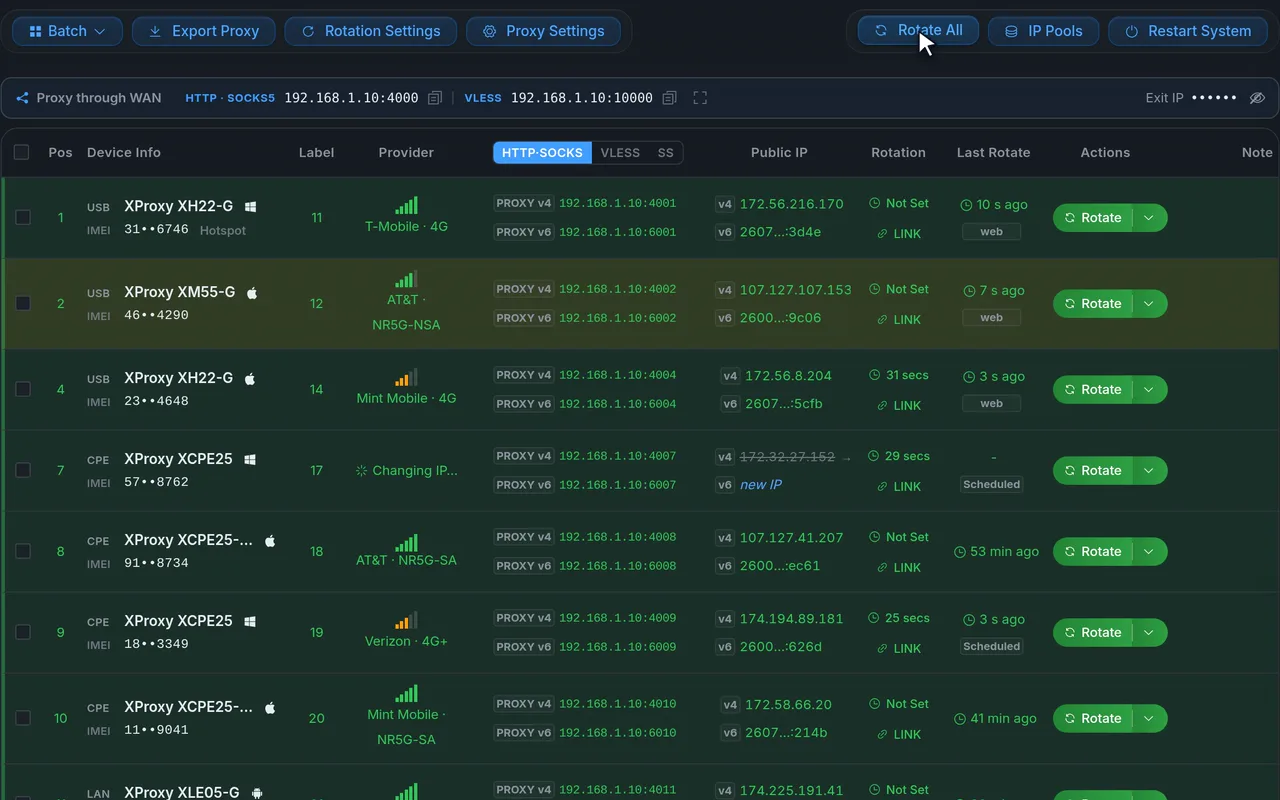
Rotate any IP in one click

Every modem is a row in one web dashboard: its proxy address, carrier, public IP and signal. Rotate one modem or all of them, and watch the new IP come in.

  • Rotate by click, on a timer, by link or through the API
  • IP change history and rotation stats
  • Speed test, IP quality score and setup check per modem
Demo data
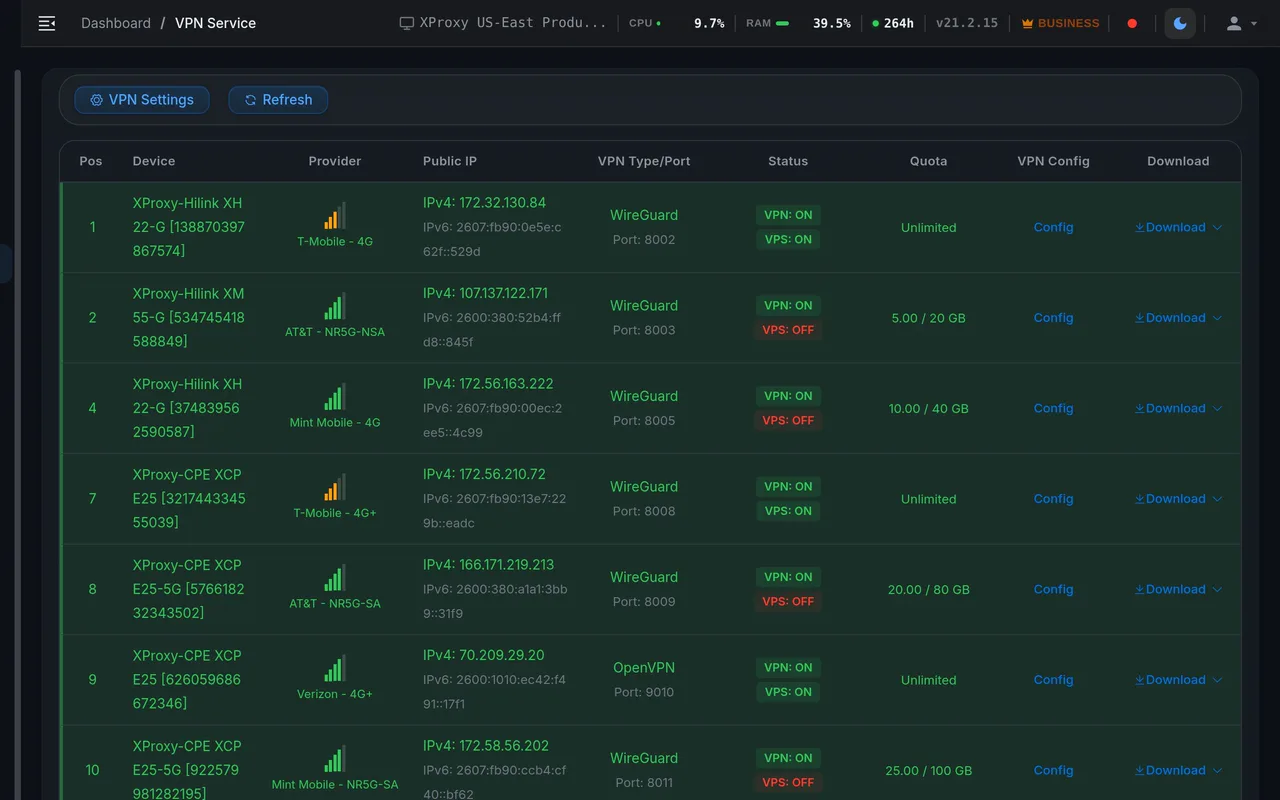
Every protocol your tools speak

Each modem serves HTTP(S) and SOCKS5 out of the box, plus encrypted VLESS and Shadowsocks, and a ready OpenVPN or WireGuard config to route a whole device through one SIM.

  • HTTP(S)
  • SOCKS5 + UDP
  • VLESS
  • Shadowsocks
  • OpenVPN
  • WireGuard
  • IPv4 / IPv6
  • SOCKS5 with UDP, so QUIC and HTTP/3 work
  • Password or whitelist-IP login on every port
Demo data

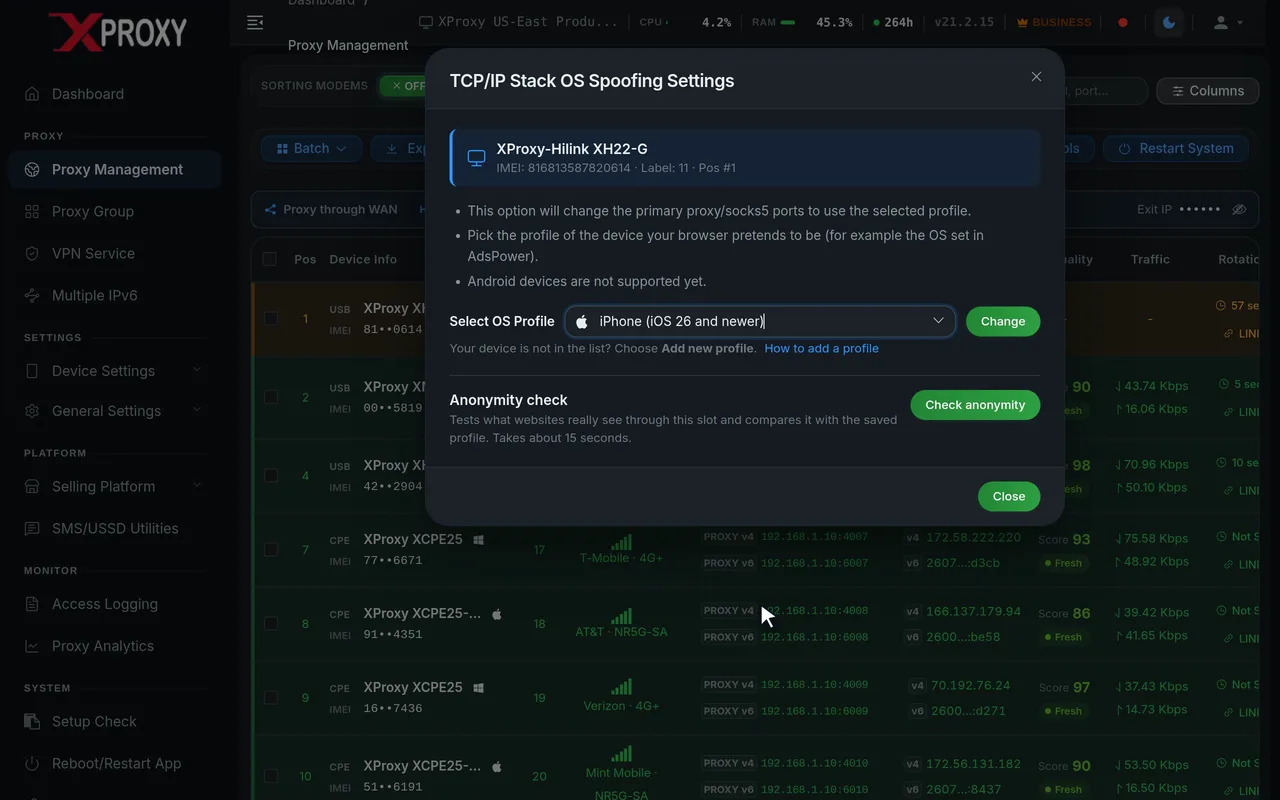
Looks like a real phone or PC

Pick the device each proxy should look like: Windows, macOS, iPhone or Android. XProxy shapes the connection to match, so websites see the same device your browser profile claims to be.

  • TCP/OS fingerprint profile per proxy
  • DNS Faker and WebRTC leak prevention
  • TTL presets and IMEI change
Demo data

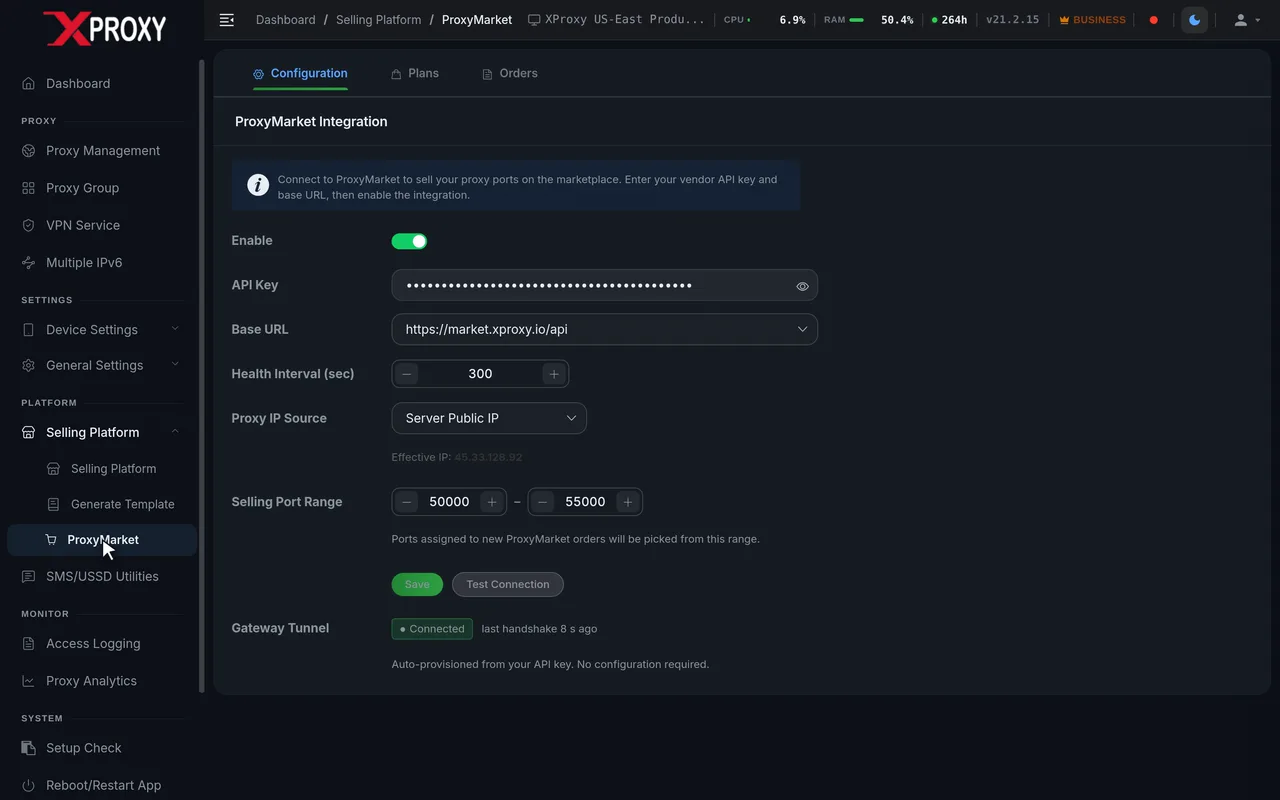
Sell proxies like a provider

Turn your farm into a proxy business: create shared ports for your customers, set data quotas, speed limits and expiry dates, hand each customer a link to rotate their own IP, and reuse your setups as templates.

  • Shared ports and proxy groups across modems
  • Customer token links with data quotas
  • Selling Platform with payouts, and listing on ProxyMarket
Demo data

Frequently asked

Why choose xProxy Router over traditional software proxies?

Manual proxy setup in browsers or operating systems frequently leaks your true IP via DNS and WebRTC. Moreover, devices like Smart TVs or game consoles do not support proxy settings. The xProxy Router forces all device traffic through your proxy at the network gateway level.

Does the router require a separate subscription?

The hardware comes fully pre-configured out of the box. A yearly license ($200/year) ensures ongoing over-the-air firmware updates, new protocol features, and priority technical support.

Total today$300.00
Telegram