
Self-Built Mobile Proxy Architecture
See how XProxy routes your scraper requests through physical SIM cards in Australia for 100% clean mobile connections.
Client / Scraper
Anti-detect browsers (AdsPower, GoLogin) or custom scripts.
XProxy OS Console
Routing, auto IP rotations, TTL Spoofing, Vless/VPN endpoints.
USB Modems & Hub
XM16/XM55 dongles connected to a Sipolar USB Hub.
Carrier Tower (🇦🇺)
Telstra, Optus, Vodafone Australia CGNAT IPs.
Target Website
Google, Facebook, Amazon see you as a real mobile visitor.
Carrier Compatibility in Australia
XProxy hardware and software are fully compatible with major cellular networks in Australia. Here are the verified bands and integration status.
| Carrier | Network Type | LTE / 5G Bands | XProxy Compatibility | Operational Notes |
|---|---|---|---|---|
| Telstra | 4G/5G | B1, B3, B7, B8, B28, n78 | Excellent | Widest network. Premium choice for high-speed Australian mobile proxies. |
| Optus | 4G/5G | B1, B3, B7, B28, B40, n78 | Excellent | Very fast speeds, highly stable IP rotation. |
| Vodafone Australia | 4G/5G | B1, B3, B5, n78 | Very Good | Budget-friendly options for high bandwidth mobile data. |
Carrier-Specific Setup & Protocol Compatibility
Specific guidelines to configure SOCKS5, HTTP/3, Vless, and WireGuard VPN for each national cellular network.
Telstra
4G/5G ReadyLearn how to build a private mobile proxy, SOCKS5 tunnel, Vless endpoint, or WireGuard VPN utilizing a local SIM card.
- Supported Protocols: SOCKS5 (with UDP Association), HTTP/3 (QUIC), WireGuard, OpenVPN, Vless / Trojan
- Optimal Frequency Locking: Lock modem to bands
B1, B3, B7, B8, B28, n78for stable connections. - Carrier Note: Widest network. Premium choice for high-speed Australian mobile proxies.
Optus
4G/5G ReadyLearn how to build a private mobile proxy, SOCKS5 tunnel, Vless endpoint, or WireGuard VPN utilizing a local SIM card.
- Supported Protocols: SOCKS5 (with UDP Association), HTTP/3 (QUIC), WireGuard, OpenVPN, Vless / Trojan
- Optimal Frequency Locking: Lock modem to bands
B1, B3, B7, B28, B40, n78for stable connections. - Carrier Note: Very fast speeds, highly stable IP rotation.
Vodafone Australia
4G/5G ReadyLearn how to build a private mobile proxy, SOCKS5 tunnel, Vless endpoint, or WireGuard VPN utilizing a local SIM card.
- Supported Protocols: SOCKS5 (with UDP Association), HTTP/3 (QUIC), WireGuard, OpenVPN, Vless / Trojan
- Optimal Frequency Locking: Lock modem to bands
B1, B3, B5, n78for stable connections. - Carrier Note: Budget-friendly options for high bandwidth mobile data.
Renting vs. Building ROI in Australia
Compare the monthly cost of renting dynamic mobile proxies in Australia vs. building your own local farm using XProxy.
| Scale (Ports) | Commercial Rental Cost Average monthly rate | XProxy Setup & SIM Cost Flat software + local SIMs | Your Monthly Savings |
|---|---|---|---|
| 5 PortsSolo / Small team | $450/moat approx. $90 per port | $30 - $50 AUD x 5 + softwareUnlimited bandwidth | ~70% Saved ROIBreakeven in < 2 months |
| 10 PortsGrowing agency | $900/moat approx. $90 per port | $30 - $50 AUD x 10 + softwareUnlimited bandwidth | ~75% Saved ROIBreakeven in < 1.5 months |
| 40 PortsEnterprise scraping | $3,600/moat approx. $90 per port | $30 - $50 AUD x 40 + softwareUnlimited bandwidth | ~80% Saved ROIBreakeven in < 1 month |
Pro DIY & Self-Build Tips for Australia
Unlock the highest quality connections and bypass carrier restrictions with these market-specific optimization tricks.
TIP 1WebRTC Leak Prevention
When managing multiple accounts in anti-detect browsers, WebRTC can leak your real local IP. XProxy manages WebRTC UDP routing natively, ensuring your actual connection IP is never exposed to Australian carrier networks.
TIP 2WireGuard VPN Integration
Set up a WireGuard VPN tunnel on XProxy to route remote crawler traffic directly to your Australian SIM card. WireGuard reduces latency overhead compared to OpenVPN, giving you faster responses on Optus or Telstra networks.
TIP 3Indoor Performance (Band Locking)
In residential or office setups, Australian structures can block high-frequency signals. Use XProxy to lock modems to Band 28 (700MHz) for Optus/Telstra to secure a stable indoor signal.
3 Steps to Start Your Australia Proxy Network
Setting up your private proxy infrastructure is simple. Follow these steps to go live.
Acquire Local SIM Cards
Get data SIM plans from compatible local carriers with high or unlimited data caps.
Deploy XProxy Hardware
Connect your SIM cards into XProxy USB dongles (XM16/XM55) and plug them into an XProxy Tiny Server or custom Linux host.
Compare Hardware Kits →Activate & Rotate
Access the XProxy dashboard to configure automated IP rotation periods and fetch SOCKS5/HTTP credentials.
Explore Software Features →Recommended Hardware for Australia
Get the optimal hardware kit to build your dynamic proxy network in Australia.
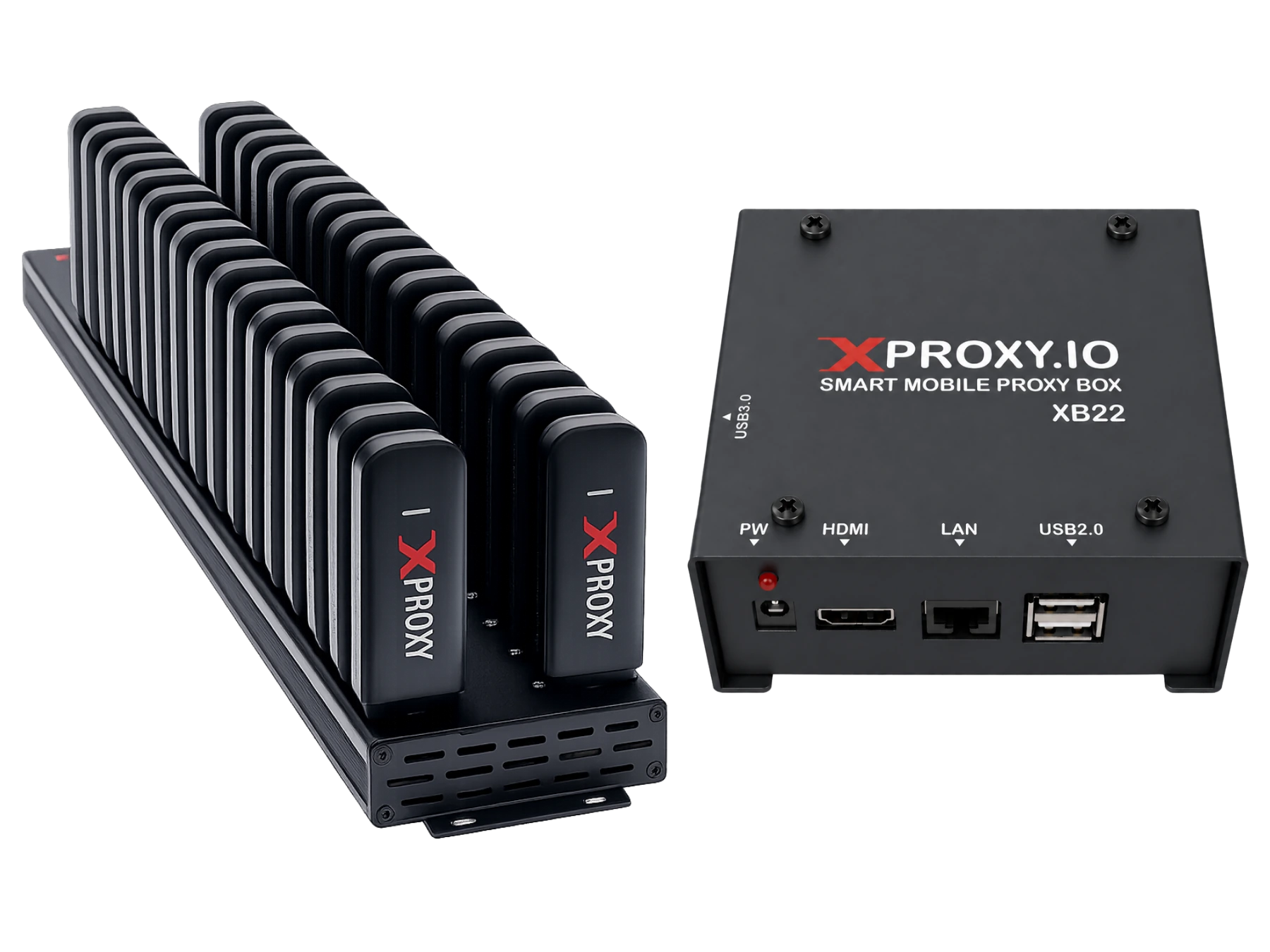
XProxy LTE Dongle Kit (XH22)
Our most popular starter kit. Includes 5x XH22 LTE modems and a pre-configured Tiny Server. Fully compatible with Australian carriers.
- Verified compatibility with local carriers
- Universal LTE bands supported natively without carrier locking
- Includes pre-configured local Tiny Server for zero-config routing
Premium Express Shipping
Estimated transit to Australia: 2-5 business days via DHL/FedEx Express. Tracking included.
Universal Band Support
Carrier-unlocked modems. Plug-and-play compatibility with any local data SIM card.
100% Proven Compatibility
Tested and verified with local carriers for stable IP rotation.
Frequently Asked Questions for Australia
Common questions about building and running mobile proxy farms in Australia.
Is Telstra compatible with XProxy auto-rotation?
Yes. Telstra fully supports remote APN reset and IP rotation. When XProxy triggers an IP change, your Telstra connection reconnects to the tower, giving you a fresh CGNAT IP in less than 5 seconds.
Do I need special plans in Australia for proxy cào dữ liệu?
Standard consumer SIM cards or pre-paid mobile plans with high data caps work perfectly fine. You do not need expensive corporate telemetry plans.
