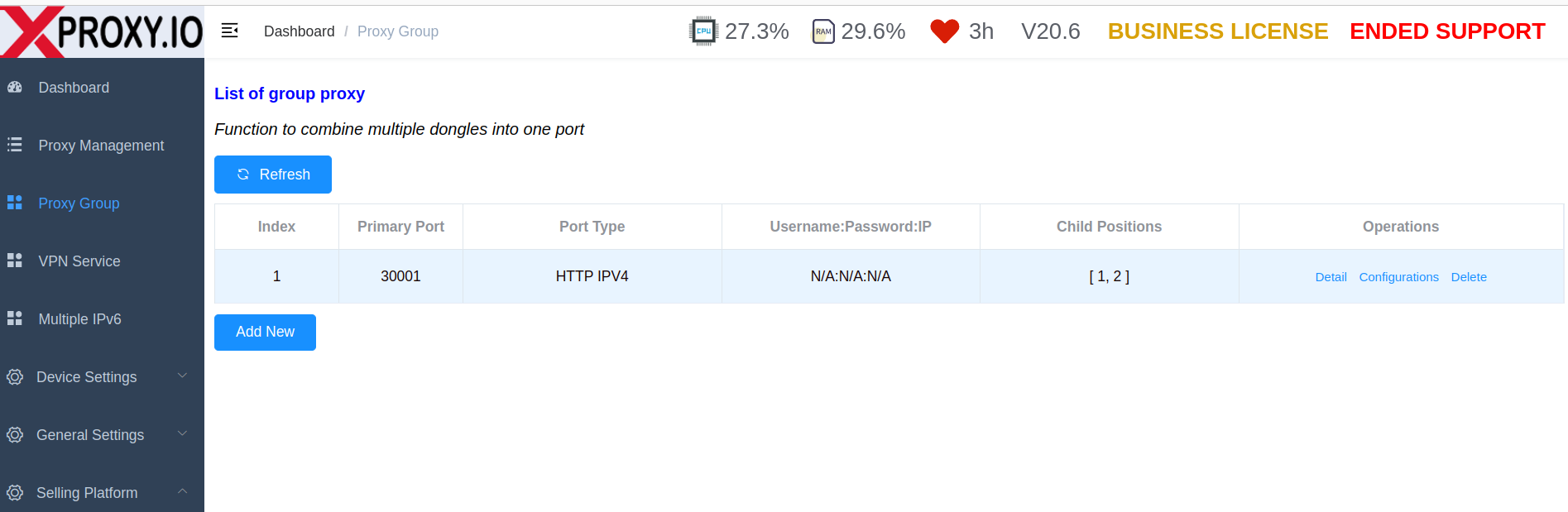
What is Proxy Group?
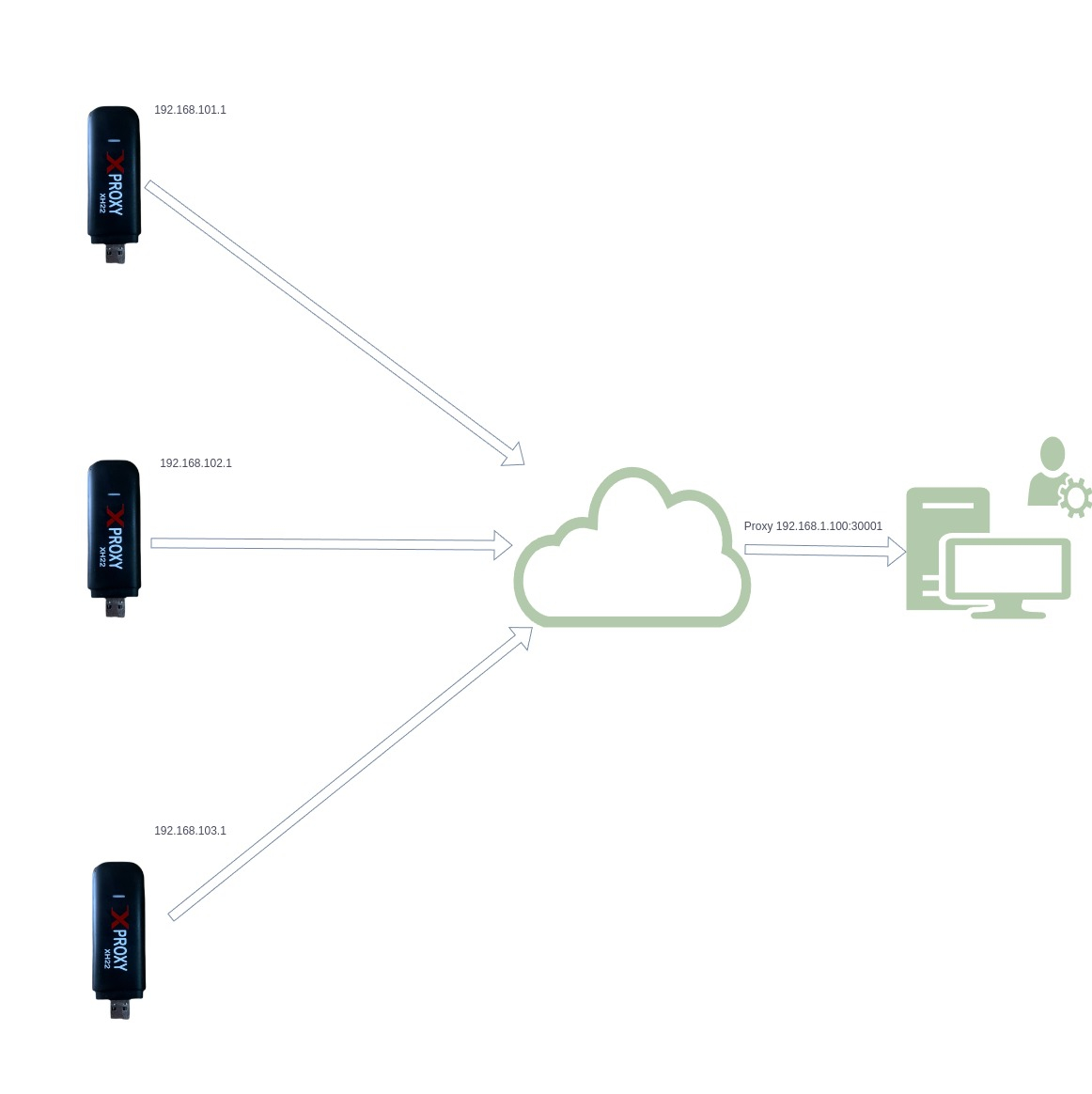
Proxy Group lets you combine multiple modems/devices into one proxy endpoint.
Instead of creating one proxy per modem, you create:
- 1 parent proxy port
- backed by multiple child devices
This is useful when you want:
- a shared pool of mobile IPs behind one proxy entry
- better continuity when one modem goes offline
- a simpler setup for customers who only want to use one proxy host:port
When should you use Proxy Group?
Use Proxy Group when:
- you want several modems to work as one proxy source
- you want to reduce interruption when one modem becomes unstable
- you want one proxy endpoint that can use multiple mobile connections
Use normal proxy generation instead when:
- you need one dedicated proxy per modem
- you want strict 1 port = 1 device behavior
Requirements
Before creating a Proxy Group, make sure:
- your license/plan is Business
- the selected devices are online
- each selected device has a valid public IP
- the devices you want to add are visible in the device list
How to use Proxy Group?
Step 1: Add a new Proxy group
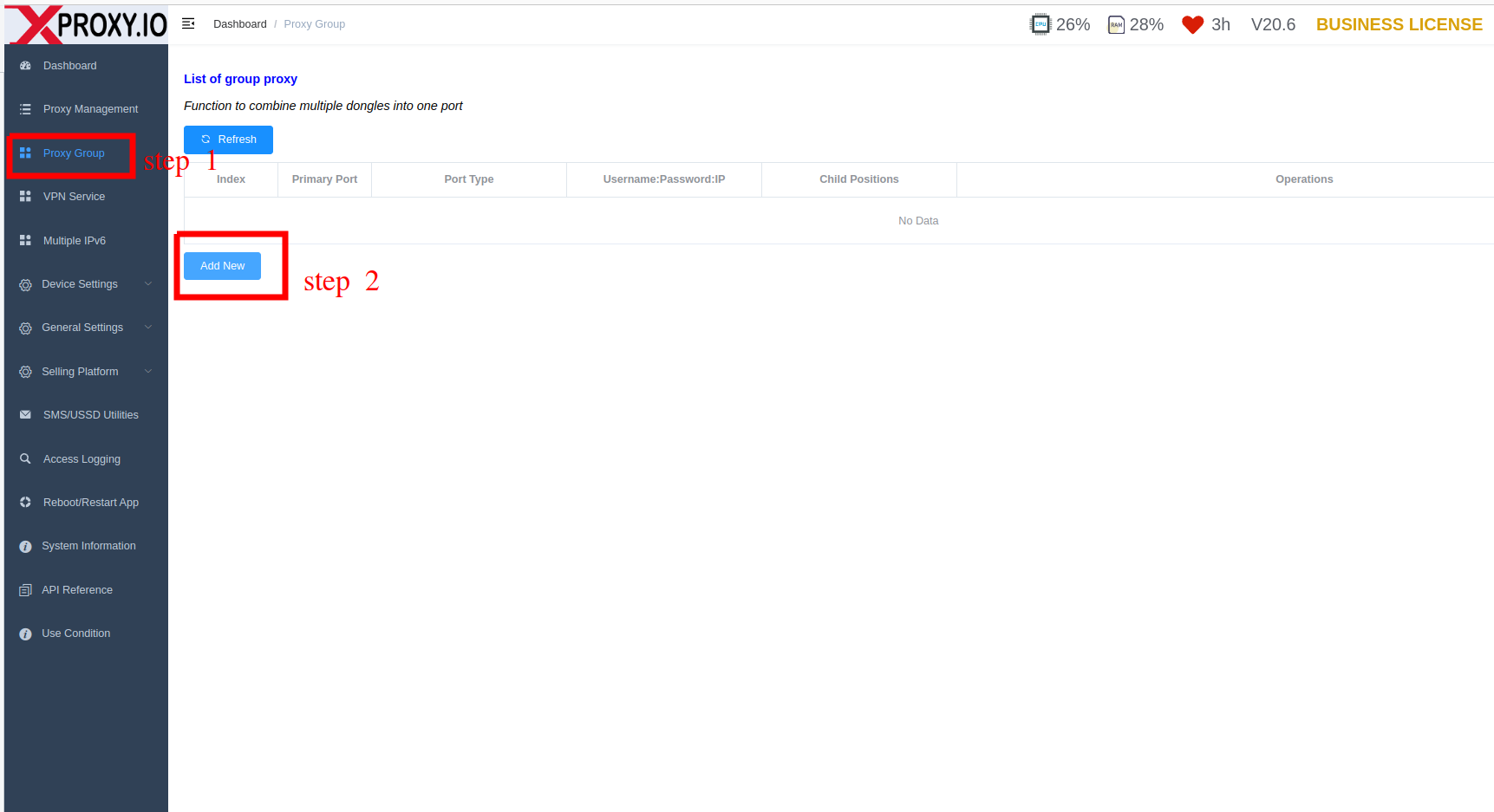
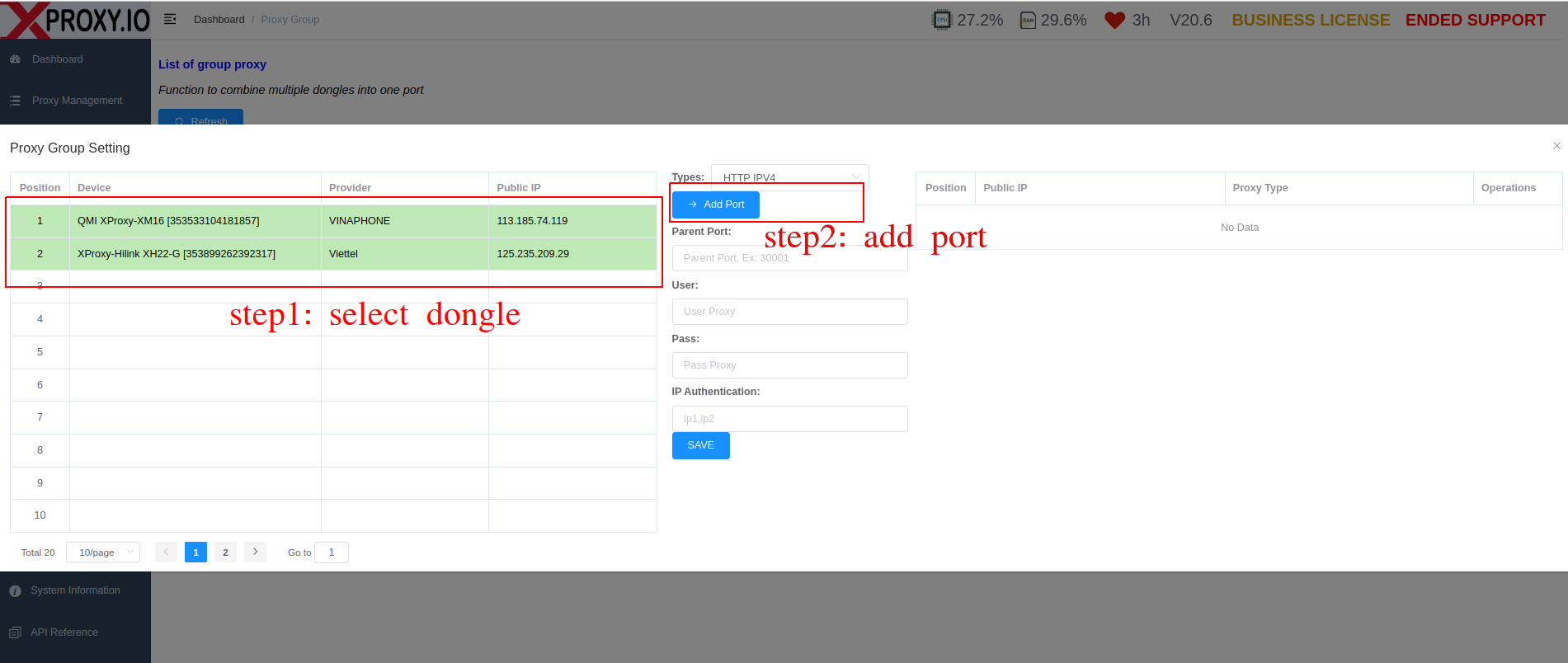
Step 2: Select dongle and add port.
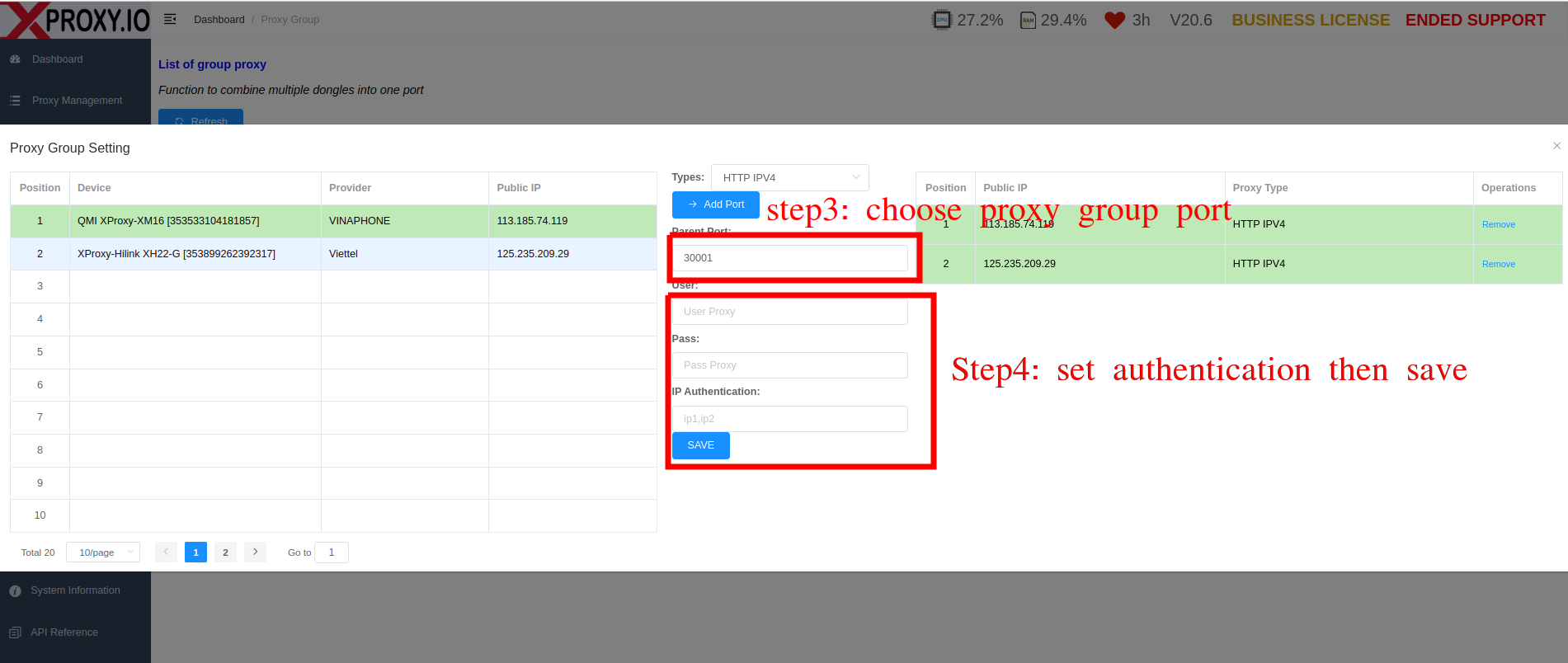
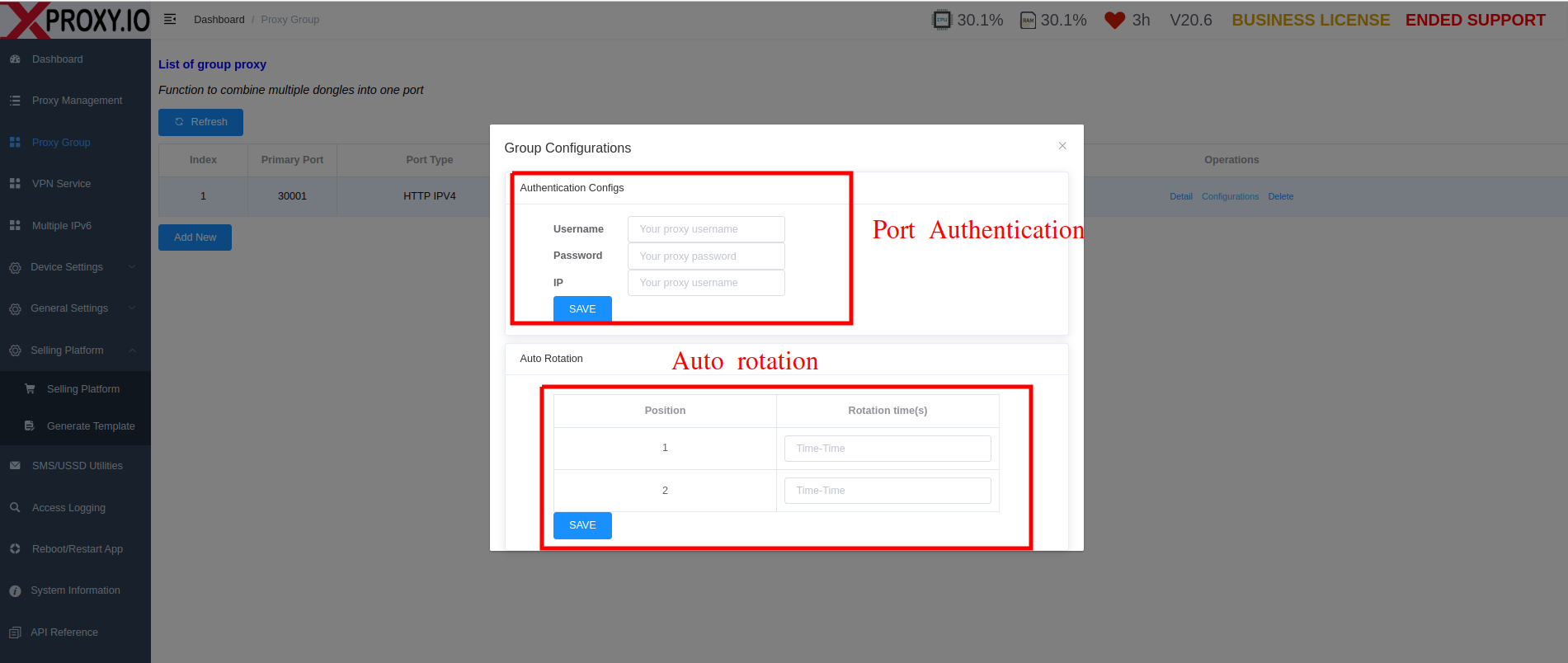
Step 3: Port configuration.