
SOCKS5 vs VLESS: Technical Differences & Network Tradeoffs
While SOCKS5 remains the most widely supported proxy protocol in antidetect browsers, unencrypted SOCKS5 handshakes and Chromium's UDP limitations present security challenges under modern network inspection. Here is how VLESS compares.
SOCKS5 Architectural Limitations
- Plaintext Handshake: SOCKS5 initial negotiation bytes (
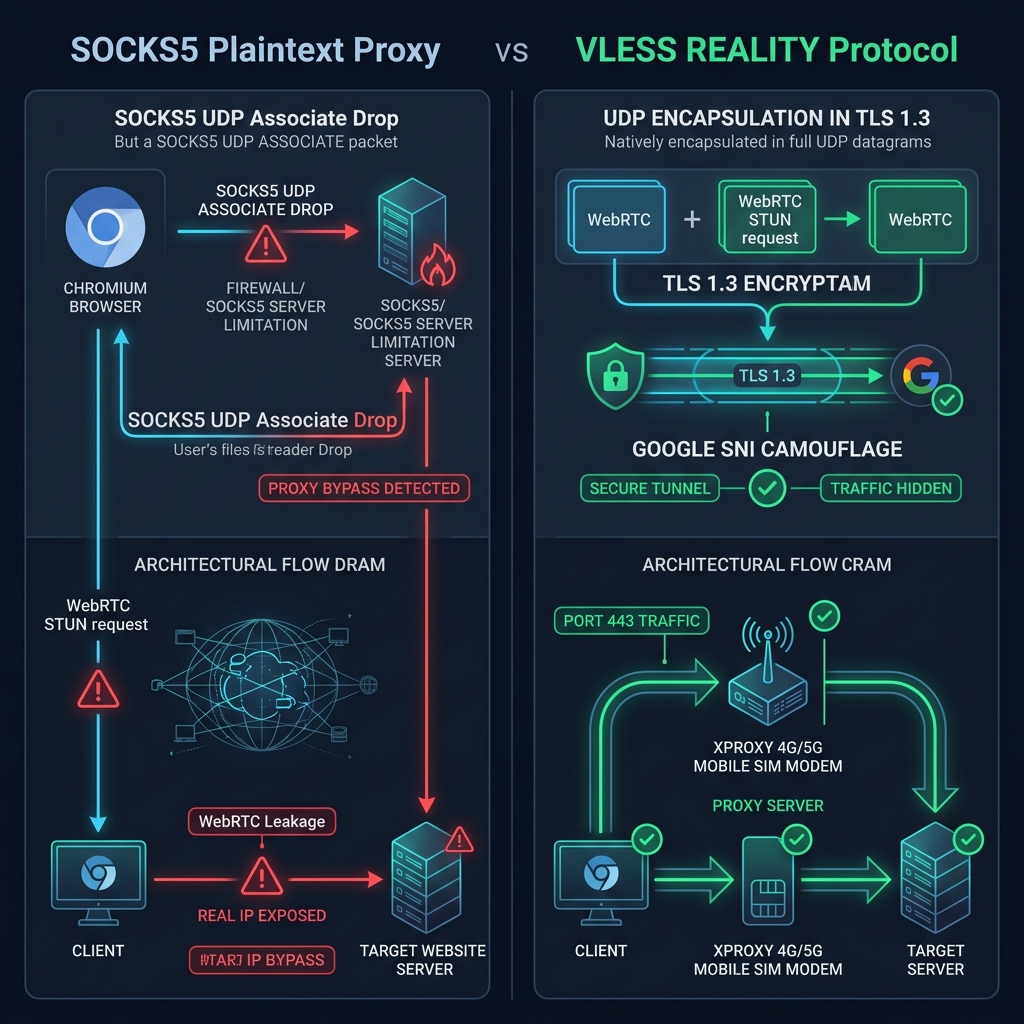
0x05 0x01 0x00) carry no encryption. Deep Packet Inspection (DPI) firewalls on ISP or corporate gateways can identify and block SOCKS5 traffic streams instantly. - Chromium UDP Drop: The Chromium networking engine (Google Chrome, AdsPower, GoLogin) only implements SOCKS5 TCP CONNECT and omits SOCKS5 UDP ASSOCIATE. As a result, QUIC (HTTP/3) and WebRTC STUN requests require special browser handling to prevent leaks.
Core Architectural Differences
1. SNI Camouflage (For Restrictive Networks)
For 95% of everyday users, standard SOCKS5 works completely fine. However, if operating under strict corporate firewalls or national ISP blockades where SOCKS5 ports are blocked, VLESS REALITY embeds a valid Server Name Indication (SNI) like www.google.com into its TLS 1.3 handshake. To network inspection gateways, your connection looks identical to normal HTTPS browsing to Google.
2. Native UDP Encapsulation
Unlike SOCKS5 where Chromium drops UDP packets, VLESS natively encapsulates UDP datagrams within the encrypted TLS stream. WebRTC video sessions, QUIC traffic, and real-time STUN queries pass cleanly without fallback or IP exposure.
XProxy Dashboard Protocol Export Interfaces
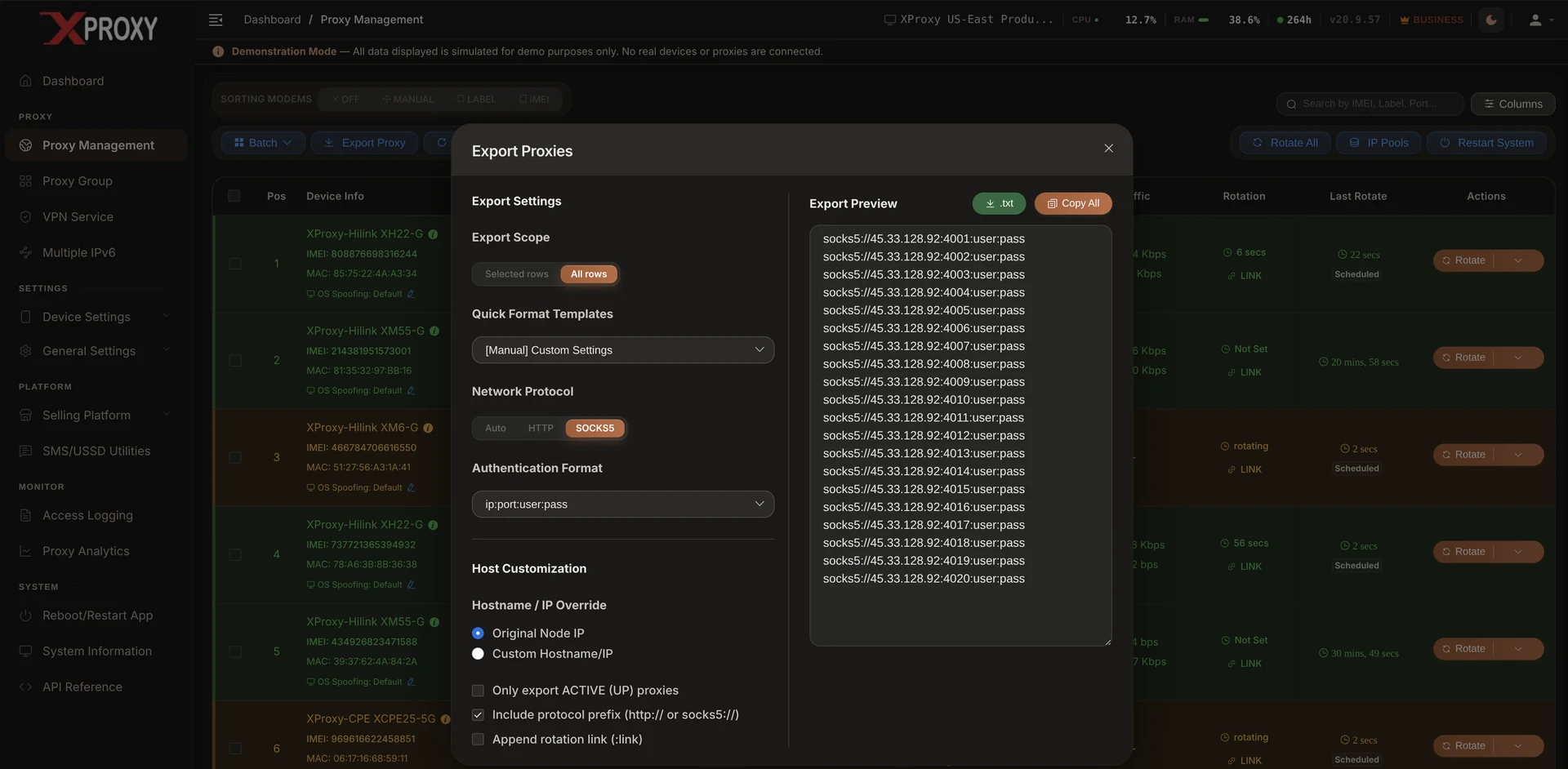
SOCKS5 Proxy Export Configuration
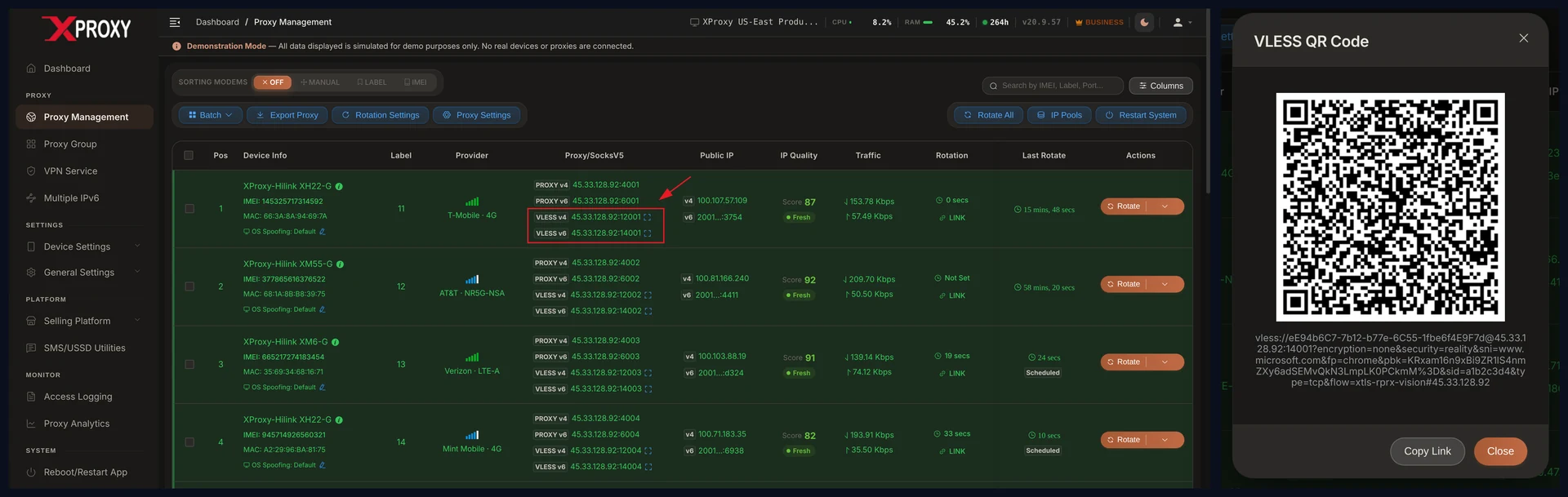
VLESS REALITY Configuration & QR Code
WebRTC Leaks & VPS SOCKS5 UDP Forwarding
In multi-accounting automation (AdsPower, GoLogin, Multilogin), SOCKS5 remains the primary recommended protocol for ease of use. However, preventing WebRTC real IP leaks requires proper server-side UDP configuration:
UDP ASSOCIATE support. This relays UDP STUN candidate requests directly to the mobile SIM IP.Disabled, as modern AI anti-bot detectors flag disabled WebRTC APIs as bot fingerprints.Visual Architectural Comparison: SOCKS5 WebRTC Leak vs Encapsulated UDP
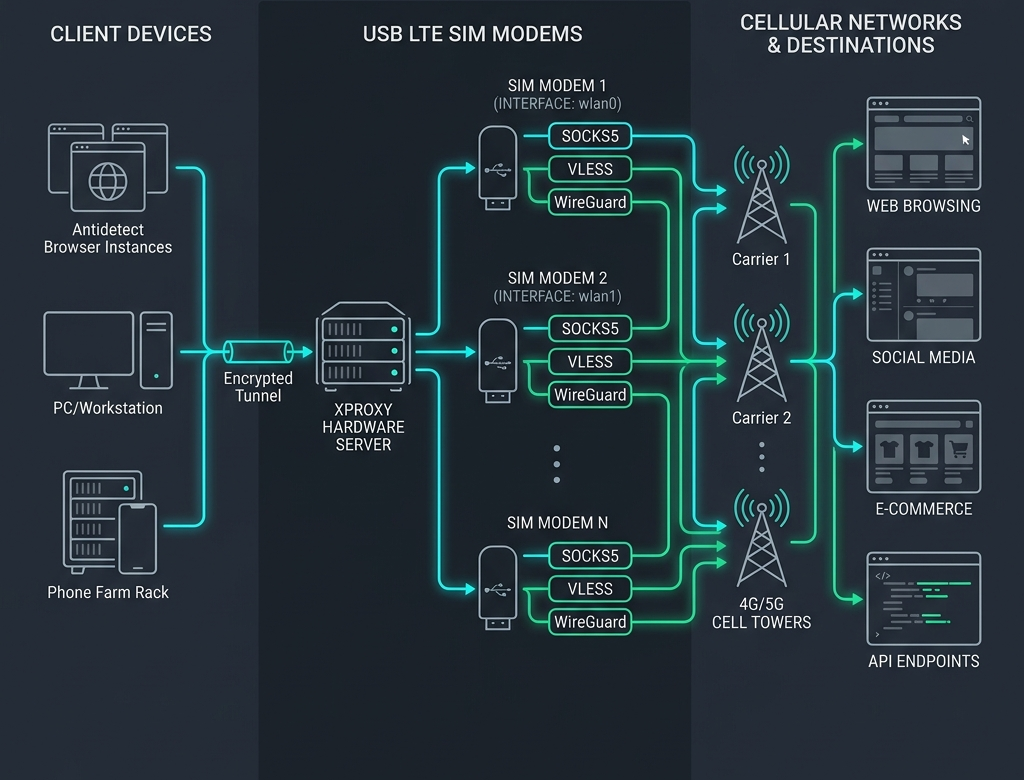
XProxy Hardware Forwarding Architecture: Dedicated Per SIM Modem
XProxy embeds an Xray-core engine directly inside its Linux server firmware, assigning dedicated protocol ports (SOCKS5, VLESS, WireGuard) to each individual SIM modem interface:
:1081) or VLESS UUID token on shared HTTPS Port 443.eth10, usb0), routing requests to cellular towers with clean mobile IPs.Visual Architecture Diagram: How XProxy Hardware Server Routes Protocols Per SIM Modem
Ready to Deploy SOCKS5 & VLESS on Mobile SIM Hardware?
Build your custom 4G/5G mobile proxy setup or test our live XProxy dashboard demo.
